
ECU OBD vs Bench vs Boot Programming: Differences and Working Methods
ECU OBD vs Bench vs Boot Programming: Differences and Working Methods
Automotive ECU programming involves several different connection methods. Among the most commonly used are OBD, Bench and Boot programming.
Although these methods can all be used to communicate with electronic control units, they work differently and provide different levels of access depending on the ECU architecture.
Choosing the correct programming method is important when performing ECU identification, Flash reading, Flash writing, EEPROM operations, ECU cloning and software recovery.
For professional automotive electronics technicians, understanding the differences between OBD, Bench and Boot programming can help improve workshop efficiency and reduce unnecessary programming risks.
In this KT200II technical guide, we explain how each method works, when technicians may need it and what should be checked before starting an ECU programming operation.
1. What Is OBD ECU Programming?
OBD programming communicates with a compatible ECU through the vehicle's On-Board Diagnostics connector.
The diagnostic connector is usually located inside the passenger compartment and provides access to supported vehicle communication networks.
Depending on the vehicle and ECU, OBD communication may use CAN, K-Line or other supported diagnostic protocols.
Common OBD programming operations may include:
- ECU identification.
- Supported Flash reading.
- Supported Flash writing.
- Software updates.
- Supported calibration operations.
- Selected diagnostic and programming functions.
Advantages of OBD Programming
- No need to remove the ECU in many applications.
- No need to open the ECU housing.
- Convenient for compatible vehicle applications.
- Faster connection and preparation.
- Suitable for supported programming procedures through the vehicle network.
Limitations of OBD Programming
OBD programming does not provide unrestricted access to every ECU memory region.
Some controllers restrict programming operations through diagnostic communication, while others require additional access procedures.
Possible limitations include:
- Restricted memory access.
- Security access requirements.
- Manufacturer-specific programming procedures.
- Limited recovery options.
- Dependence on vehicle network and gateway conditions.
2. What Is Bench ECU Programming?
Bench programming connects directly to the ECU through its external electrical connector using a suitable programming harness.
Unlike OBD programming, the ECU is generally removed from the vehicle and connected to the programming equipment outside the vehicle.
In many Bench applications, technicians do not need to open the ECU housing.
The programming tool communicates with the ECU through the required power, ground and communication terminals.
Typical Bench Programming Connections
- Battery positive supply.
- Ground connections.
- CAN-H and CAN-L where required.
- K-Line where required.
- Ignition or wake-up signal where required.
- Additional manufacturer-specific terminals when necessary.
Advantages of Bench Programming
- Direct connection to the ECU.
- Does not normally require opening the ECU housing.
- Can support operations unavailable through OBD on certain controllers.
- Useful for ECU replacement and workshop programming procedures.
- Can help isolate vehicle-side communication problems.
Limitations of Bench Programming
Bench programming requires accurate knowledge of the ECU connector pinout and electrical requirements.
Incorrect wiring or power application can damage the controller.
Additionally, not every ECU supports all memory operations through Bench mode.
3. What Is Boot Mode ECU Programming?
Boot programming is a specialized access method used with certain ECU processor architectures.
Depending on the ECU, the procedure may involve opening the ECU housing and accessing designated processor or PCB connection points.
The programming equipment uses a supported boot or service access procedure to communicate with the controller.
Boot mode may provide access to programming functions that are unavailable through normal OBD or Bench communication.
Typical Boot Programming Applications
- Supported Flash reading.
- Supported Flash writing.
- Specialized memory access.
- Selected ECU recovery procedures.
- Supported programming operations on protected controllers.
Advantages of Boot Programming
- Provides specialized access to supported ECU architectures.
- Can support certain recovery procedures.
- May provide access to additional memory operations.
- Useful for specific controllers that do not support the required OBD or Bench operation.
Limitations of Boot Programming
Boot programming is more technically demanding than many standard OBD applications.
Depending on the ECU, technicians may need to:
- Open the ECU housing.
- Identify the correct processor.
- Locate designated boot connection points.
- Follow the exact connection diagram.
- Use suitable electrical protection and equipment.
Not every ECU supports Boot programming, and different processor families may require different procedures.
4. OBD vs Bench vs Boot: Main Differences
| Feature | OBD | Bench | Boot |
|---|---|---|---|
| Connection | Vehicle diagnostic port | ECU external connector | Processor or designated ECU access points |
| ECU removal | Usually unnecessary | Usually required | Usually required |
| Opening ECU | No | Usually no | Often required |
| Wiring preparation | Vehicle connection | Bench harness | Specialized connection |
| Technical difficulty | Generally lower | Moderate | Generally higher |
| Memory access | Protocol dependent | Protocol dependent | Processor and protocol dependent |
| Recovery applications | Limited to supported procedures | Controller dependent | Controller dependent |
There is no universal rule that one programming method is always better than the others. The correct choice depends on the exact ECU, available protocol and intended operation.
5. When Should You Use OBD Programming?
OBD programming is generally the preferred starting point when the exact ECU supports the required operation through the vehicle diagnostic connector.
Typical situations include:
- ECU identification on a compatible vehicle.
- Supported software reading.
- Supported software writing.
- Vehicle-based programming procedures.
- Applications where ECU removal is unnecessary.
Before starting, verify vehicle battery condition, communication stability and the manufacturer's programming requirements.
6. When Should You Use Bench Programming?
Bench programming may be appropriate when direct ECU access is required or when the supported operation is unavailable through the vehicle diagnostic connector.
Typical situations include:
- Programming an ECU outside the vehicle.
- Testing a replacement ECU.
- Supported Flash reading and writing.
- Investigating vehicle-side communication problems.
- Performing selected ECU memory operations.
Always obtain the correct wiring diagram for the exact ECU hardware reference.
7. When Should You Use Boot Programming?
Boot programming may be necessary when a supported ECU requires specialized processor-level access.
Typical applications include:
- Specific ECU processor families.
- Supported advanced memory operations.
- Certain ECU recovery procedures.
- Controllers requiring boot-mode access.
- Applications where normal diagnostic communication is insufficient.
Technicians should only perform Boot operations when the exact ECU protocol and connection procedure are documented and supported.
8. How to Choose the Correct ECU Programming Method
Choosing the correct programming method starts with accurate ECU identification.
Follow this general workflow:
- Identify the vehicle manufacturer and model.
- Record the ECU manufacturer.
- Check the complete ECU part number.
- Identify hardware and software references.
- Determine the processor family where relevant.
- Check the supported ECU protocol.
- Confirm available OBD, Bench or Boot methods.
- Verify whether the required Flash or EEPROM operation is supported.
- Obtain the correct connection diagram.
- Prepare the appropriate programming equipment.
Do not select a programming method based only on the vehicle brand or processor name.
9. Important Safety Precautions Before ECU Programming
Electrical stability and correct connections are essential during ECU programming.
Before starting an operation, technicians should check the following:
Power Supply
Use a suitable stable power supply that meets the ECU's documented electrical requirements.
Ground Connections
Verify all required ground terminals before applying power.
Communication Wiring
Check CAN-H, CAN-L, K-Line and other required communication terminals according to the correct wiring diagram.
Connection Orientation
Confirm the connector viewing direction. Front and rear connector views can easily lead to pin identification mistakes.
Programming Stability
Avoid disconnecting cables, interrupting power or closing the programming application during an active writing operation.
Original Data Backup
Save original memory data whenever the ECU and programming protocol support reading operations.
10. Common Mistakes When Selecting OBD, Bench or Boot
- Assuming all ECUs support OBD programming.
- Choosing Bench mode without checking the ECU pinout.
- Assuming every processor supports Boot programming.
- Confusing ECU identification support with Flash reading support.
- Ignoring additional wake-up or ignition requirements.
- Using an incorrect connection diagram.
- Applying power to unidentified terminals.
- Starting programming without checking the exact ECU protocol.
These mistakes can result in failed communication, unsuccessful programming or potential hardware damage.
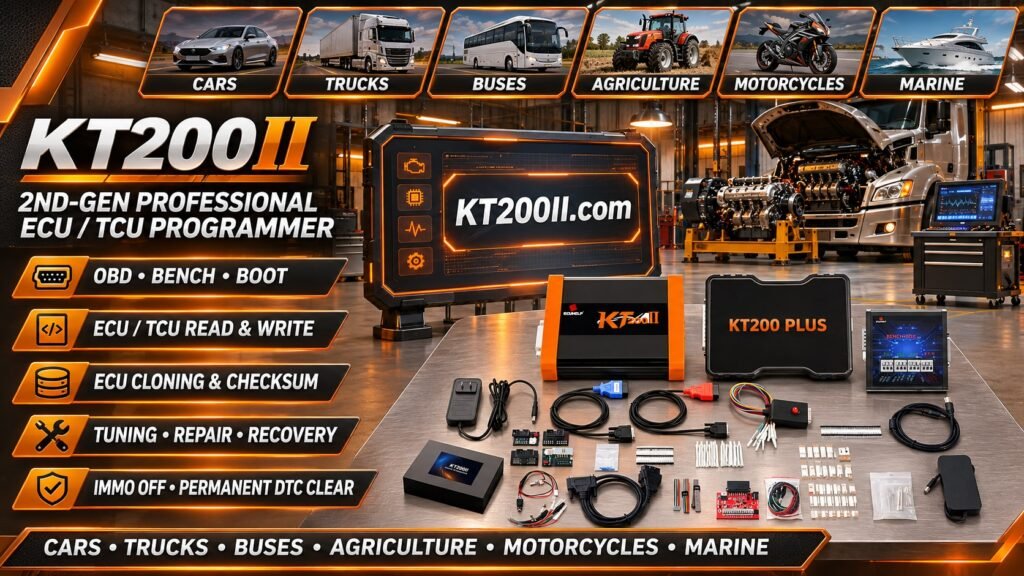
11. Using KT200II for ECU Programming
KT200II is an ECU and TCU programming solution designed for automotive electronics technicians and professional repair workshops.
Depending on the exact ECU model, software version and supported protocol, available programming applications may include:
- ECU and TCU identification.
- Supported Flash Read operations.
- Supported Flash Write operations.
- Selected EEPROM operations.
- OBD programming applications.
- Bench programming applications.
- Supported Boot programming applications.
Actual functionality varies by ECU. The availability of OBD, Bench or Boot does not mean that every operation is supported through every method.
Before purchasing or using KT200II for a particular ECU, check the exact controller and required operation in the current supported list.
Useful KT200II resources:
- KT200II Official Product Information
- KT200II Operation Modes
- KT200II Software Information
- KT200II Supported ECU List
- KT200II Technical Blog
12. ECU Programming Method Selection Checklist
Before beginning a programming operation, verify:
- Exact ECU manufacturer identified.
- Complete ECU part number recorded.
- Hardware and software references checked.
- Required programming operation identified.
- OBD support verified where applicable.
- Bench support verified where applicable.
- Boot support verified where applicable.
- Correct connection diagram obtained.
- Power and ground connections checked.
- Original data backup considered.
- Programming procedure confirmed.
Frequently Asked Questions
What is the main difference between OBD and Bench programming?
OBD programming communicates through the vehicle diagnostic connector, while Bench programming connects directly to the ECU's external connector outside the vehicle.
Does Bench programming require opening the ECU?
Generally, no. Many Bench procedures use the external ECU connector without opening the housing.
Does Boot programming always require opening the ECU?
Many Boot procedures require access to designated internal connection points, although the exact procedure depends on the ECU architecture.
Is Boot programming better than Bench programming?
Not necessarily. Each method serves different applications. The correct method depends on the supported ECU protocol and the operation being performed.
Can OBD programming read all ECU memory?
No. Memory access depends on the ECU architecture, diagnostic protocol and supported programming functions.
Can an ECU be programmed on Bench if OBD communication fails?
Sometimes. If the ECU supports a Bench protocol, direct connection may provide another communication method. However, an internal ECU fault may still prevent communication.
Does KT200II support OBD, Bench and Boot programming?
KT200II provides different supported programming applications, but availability depends on the exact ECU and software protocol. Check the supported ECU list for the required operation.
Can I use the same wiring diagram for different ECUs?
No. Always use the connection diagram corresponding to the exact ECU hardware and connector configuration.
Conclusion
OBD, Bench and Boot are three important ECU programming methods used in professional automotive electronics workshops.
OBD offers convenient vehicle-based communication, Bench provides direct access through the ECU connector, and Boot supports specialized access procedures for compatible ECU architectures.
Understanding their differences helps technicians choose the correct connection method, avoid unnecessary troubleshooting and perform supported Flash, EEPROM and ECU programming operations more efficiently.
For more information about programming methods, software and supported ECU applications, visit the KT200II Official Website.