
ECU Cloning vs ECU Programming: What Technicians Need to Know
ECU Cloning vs ECU Programming: What Technicians Need to Know
When an engine control unit fails, technicians may need to repair the original controller, program a replacement ECU or transfer compatible data from one controller to another. These procedures are related, but they are not identical.
ECU cloning is commonly discussed in automotive electronics workshops because it can help with certain controller replacement jobs. However, successful cloning depends on the original ECU, the replacement hardware, the available data and the programming functions supported by the equipment.
This KT200II guide explains the differences between ECU cloning and conventional ECU programming, when each approach may be appropriate and what technicians should verify before starting.
1. What Is ECU Programming?
ECU programming refers to operations that read or write supported software or data in an electronic control unit. The exact capabilities depend on the controller architecture and the programming equipment.
Depending on the ECU and supported protocol, programming operations may include:
- Reading available controller identification information.
- Retrieving supported memory regions for backup or analysis.
- Writing compatible software files.
- Performing certain software updates.
- Preparing a compatible replacement controller for a supported application.
Conventional ECU programming does not necessarily copy all the data from one controller to another. A particular operation may write only a specified memory region or software component.
Before beginning, technicians should determine exactly which data needs to be changed and which operations are supported by the target ECU.
2. What Is ECU Cloning?
ECU cloning generally refers to transferring the relevant data from an original controller to a compatible replacement controller so that the replacement can reproduce the required configuration of the original.
Depending on the ECU architecture, this may involve copying supported Flash, EEPROM or other data regions. The exact requirements vary significantly between controller families.
In an appropriate application, cloning may help preserve relevant configuration or identification data when replacing a faulty ECU.
However, ECU cloning is not universally available. Some controllers require additional coding, initialization, security procedures or manufacturer-specific configuration that cannot be completed by simply copying a file.
3. ECU Cloning vs Conventional ECU Programming
| Comparison | ECU Cloning | Conventional ECU Programming |
|---|---|---|
| Main purpose | Transfer relevant data to a compatible replacement controller | Read or write supported software and data |
| Typical application | Certain ECU replacement and repair jobs | Software updates, supported file writing and other programming tasks |
| Original ECU data | Usually an important reference when available | May be required for backups or particular programming operations |
| Replacement hardware | Must be compatible with the intended cloning procedure | Must match the requirements of the selected programming operation |
| Additional procedures | May require coding, configuration or initialization | May require coding, checksum processing or other controller-specific steps |
The key distinction is the objective. Cloning aims to transfer the relevant original controller data, while conventional programming can involve many different Read and Write operations.
4. When Might ECU Cloning Be Useful?
ECU cloning may be considered when a controller needs replacement and the original data remains accessible through a supported method.
Potential applications include:
- Replacing a faulty ECU with a compatible donor controller.
- Preserving relevant original configuration data during a supported repair.
- Transferring supported memory contents to replacement hardware.
- Preparing a replacement ECU when the documented procedure allows data transfer.
Whether cloning is possible depends on the exact controller and the nature of the fault. A physically damaged ECU, an inaccessible memory region or a controller with additional security requirements may require a different repair procedure.
Technicians should confirm that cloning is supported for the specific ECU before purchasing a donor unit or beginning the transfer.
5. Check Donor ECU Compatibility Before Cloning
Choosing the correct donor ECU is one of the most important steps in a cloning job. Two controllers may look identical and share some part numbers while still differing in hardware, software or application requirements.
Compare the following information where available:
- Original ECU manufacturer and complete part number.
- Donor ECU part number and hardware revision.
- Processor or controller family.
- Software and calibration identification.
- Memory architecture and supported data regions.
- Vehicle, engine and system configuration.
- Compatibility requirements documented for the cloning procedure.
Do not assume that a donor ECU is suitable simply because it comes from the same vehicle model or uses the same connector.
When hardware compatibility is uncertain, verify the application using reliable technical documentation before proceeding.
6. Why Original ECU Data Matters
Original controller data can be essential for understanding the existing configuration and preparing for a supported cloning operation.
Where the original ECU remains accessible, technicians should consider:
- Recording the ECU's complete identification information.
- Reading the required memory regions using a supported operation.
- Checking that the Read operation completed successfully.
- Keeping original files separate from modified copies.
- Documenting which memory regions are included in each file.
- Maintaining a secure additional copy of important data.
A single Read operation does not necessarily capture every memory region. Verify the actual contents of the backup rather than assuming that one file represents the entire controller.
If the original ECU cannot communicate, the available data recovery options depend on its hardware condition and the supported access methods.
7. Flash, EEPROM and Other ECU Data
Different ECU architectures store software and configuration information in different memory areas. Understanding the relevant memory regions helps technicians determine what must be transferred during a supported cloning operation.
Flash memory: Commonly contains executable software and may also contain calibration data, depending on the controller.
EEPROM or equivalent persistent storage: May contain configuration, adaptation or other controller-specific information.
Other data regions: Some ECUs use additional storage areas or controller-specific arrangements that require separate consideration.
These descriptions are general rather than universal. The contents and transfer requirements depend on the exact ECU architecture.
Not every controller requires the same memory regions to be copied. Follow the documented procedure for the target ECU and avoid transferring data into an incompatible memory area.
8. ECU Cloning Through OBD, Bench or Specialized Methods
The access method used for ECU cloning depends on the controller and the operations required.
OBD Access
Some supported controllers allow specific data operations through the vehicle's diagnostic connector. OBD access can be convenient when the required operations are available through the supported protocol.
Bench Access
Bench programming connects directly to a removed ECU using documented electrical connections. Depending on the controller, this method may provide access to supported operations that are unavailable through the selected OBD method.
Boot or Other Specialized Access
Some controllers require specialized access procedures for particular memory operations or recovery tasks. These methods are controller-specific and may involve additional connections or preparation.
Do not assume that every ECU supports cloning through OBD, Bench or Boot. Verify which method supports the exact data operations required for the target controller.
For more information, visit the KT200II Operation Modes page.
9. Common ECU Cloning Problems
The Donor ECU Is Incompatible
Differences in hardware, software or memory architecture may prevent a donor ECU from being used in the intended application. Verify compatibility before transferring data.
The Original ECU Cannot Be Read
Check whether the problem involves power, wiring, communication or controller damage. The available recovery options depend on the ECU and the nature of the fault.
Only Part of the Required Data Was Retrieved
Some controllers require multiple supported Read operations. Determine which memory regions have been captured and which are needed for the intended procedure.
The Replacement ECU Does Not Communicate Correctly
Check the programming result, hardware compatibility, electrical connections and any required configuration or initialization procedures.
The Vehicle Requires Additional Coding
Copying supported ECU data does not guarantee that every vehicle-specific configuration or security requirement has been satisfied. Follow the appropriate manufacturer procedure.
10. What to Check After ECU Cloning
Once the supported transfer procedure has completed, verify the result before returning the vehicle to service.
Appropriate checks may include:
- Confirming that the replacement ECU can be identified.
- Reviewing available hardware and software information.
- Checking the programming software's completion status.
- Performing diagnostic scans for relevant trouble codes.
- Completing any required coding or initialization procedures.
- Verifying communication with related vehicle modules.
- Performing appropriate functional checks according to the vehicle's service documentation.
A successful data transfer does not automatically prove that the complete vehicle system is functioning correctly. Additional diagnosis may be necessary if faults remain.
11. Using KT200II for Supported ECU Cloning Applications
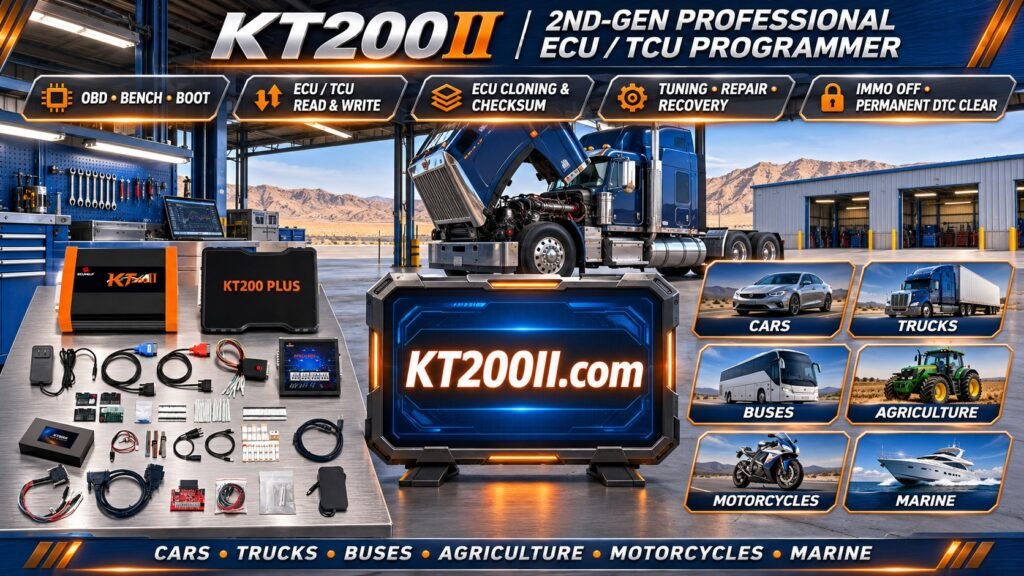
KT200II is an ECU and TCU programming device designed for compatible automotive controller applications. Depending on the supported ECU and programming protocol, available functions may include controller reading, writing, cloning and other supported repair operations.
Before using KT200II for a cloning job, verify:
- The original ECU and donor ECU are suitable for the intended procedure.
- The required memory regions can be accessed through a supported method.
- The correct OBD, Bench or specialized programming mode is selected.
- The necessary cables and adapters are available.
- The original data has been preserved where supported.
- Any additional coding or initialization requirements are understood.
Support for a particular ECU does not automatically guarantee that every cloning procedure or memory operation is available. Check the exact controller and intended function before starting.
Useful resources:
- KT200II Product Page — product information.
- KT200II Operation Modes — information about programming access methods.
- KT200II Software — software information.
- KT200II Support List — check controller compatibility.
- KT200II Blog — additional technical articles.
12. ECU Cloning Checklist
- Identify the original ECU and donor ECU.
- Compare hardware and software information.
- Confirm that the intended cloning procedure is supported.
- Verify the required programming method.
- Preserve original data where supported.
- Confirm which memory regions need to be transferred.
- Verify file compatibility before writing.
- Follow the documented programming procedure.
- Complete required coding, initialization and diagnostic checks.
Frequently Asked Questions
Is ECU cloning the same as ECU programming?
No. ECU programming includes many types of supported Read and Write operations. ECU cloning specifically refers to transferring relevant data from an original controller to a compatible replacement.
Can every ECU be cloned?
No. Cloning depends on the ECU architecture, available data, supported programming operations and compatibility of the replacement controller. Some applications require additional procedures or cannot be completed through conventional data transfer.
Does the donor ECU need to be identical to the original?
The donor must meet the compatibility requirements of the specific application. Depending on the controller, exact part number matching or documented hardware compatibility may be required. Similar appearance alone is not sufficient.
Can I clone an ECU if the original controller is damaged?
Possibly, depending on the type of damage and whether the required data remains accessible. If the original ECU cannot communicate, additional diagnosis or a specialized recovery procedure may be necessary.
Does ECU cloning eliminate the need for coding?
Not always. Some vehicles require additional coding, initialization, security procedures or other manufacturer-specific steps after the data transfer.
How do I check whether KT200II supports my ECU cloning job?
Identify the original and donor ECU part numbers, determine the required memory operations and check the KT200II Support List. Confirm the specific cloning procedure before beginning.
Conclusion
ECU cloning can be useful for supported controller replacement jobs, but it requires accurate ECU identification, a compatible donor controller and access to the data needed for the intended procedure.
Before starting, verify the supported memory operations, preserve original data where possible and determine whether additional coding or initialization is required. Never assume that a similar-looking donor ECU can be cloned successfully without checking its compatibility.
For more information about ECU and TCU programming equipment, visit the KT200II Product Page and the KT200II Support List.