
ECU Cloning Explained: How to Clone an Engine Control Unit Step by Step
ECU Cloning Explained: How to Clone an Engine Control Unit Step by Step
Engine Control Unit (ECU) cloning is an important service in modern automotive electronics repair. When an original ECU becomes damaged, technicians may need to transfer the necessary electronic data to a compatible replacement controller.
Unlike simply installing another ECU, cloning involves identifying the original and donor controllers, accessing supported memory regions and transferring the required information while maintaining hardware and software compatibility.
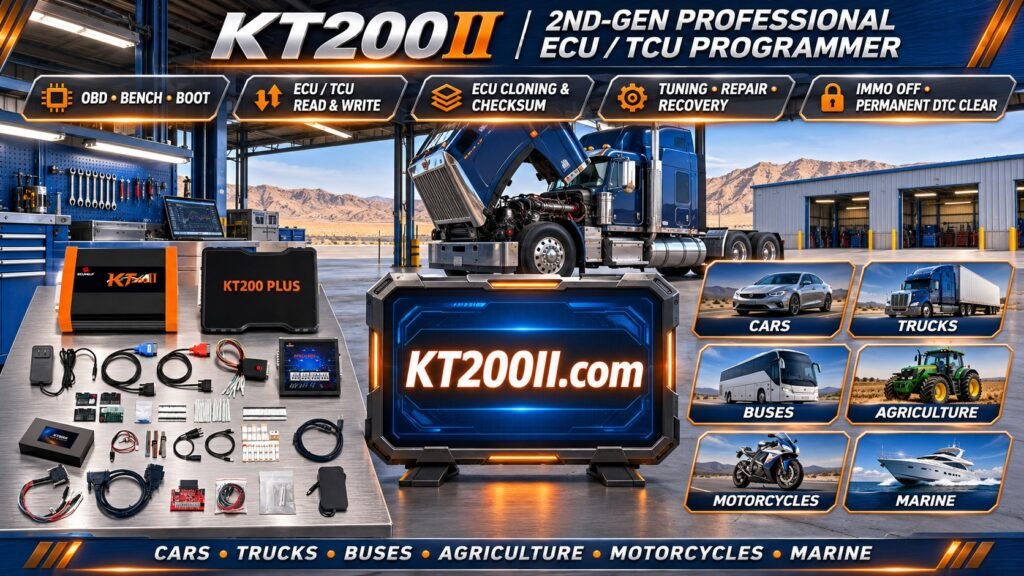
Professional ECU programmers such as KT200II provide supported reading and writing functions that can be used in ECU cloning workflows.
In this guide, we explain what ECU cloning is, how Flash and EEPROM memory are involved, how to select a compatible donor ECU and what technicians should check before performing a cloning operation.
1. What Is ECU Cloning?
ECU cloning is the process of transferring the necessary original controller data to a compatible replacement ECU.
The objective is to prepare the replacement controller to operate in the intended vehicle application, subject to the controller architecture and manufacturer requirements.
Depending on the ECU, cloning may involve transferring:
- Flash memory data.
- EEPROM data or emulated persistent memory.
- Vehicle-specific configuration.
- Controller identification information.
- Other supported processor-specific data.
Not every ECU requires the same data. Some controllers support relatively straightforward memory transfer, while others require additional programming, coding or security adaptation.
2. When Is ECU Cloning Necessary?
ECU cloning is commonly considered in several automotive repair situations.
Original ECU Hardware Failure
If the original ECU has a hardware problem but its memory remains accessible, transferring the required data to a compatible replacement controller may be possible.
Water-Damaged ECU
Water intrusion can damage circuit boards, connectors and electronic components. If the original memory remains readable, some of its data may be preserved for replacement purposes.
Damaged Electronic Components
Defective power circuits, communication components or other PCB elements may prevent normal ECU operation.
Depending on the damage, technicians may still be able to recover the necessary original data.
ECU Replacement
When an original controller cannot be repaired economically, a compatible donor ECU may be used as a replacement after the required programming and adaptation procedures.
3. Understanding Flash and EEPROM in ECU Cloning
Flash and EEPROM are important memory technologies in automotive electronic control units.
Flash Memory
Flash memory commonly stores application software and calibration information.
Depending on the ECU, it may contain:
- Engine management software.
- Fuel injection calibration.
- Ignition timing strategies.
- Turbocharger control parameters.
- Torque management information.
- Emission control strategies.
EEPROM and Persistent Memory
EEPROM or EEPROM-emulated storage may contain controller-specific information, configuration and other persistent data.
Depending on the ECU architecture, this information may be stored in a separate memory chip or integrated into the microcontroller's internal memory.
Some controllers do not provide a separate EEPROM reading operation because their persistent storage is implemented differently.
Why Are Both Important?
Reading Flash alone does not necessarily produce a complete ECU backup.
Some replacement procedures require additional persistent information to be transferred or configured.
Technicians must identify the exact memory architecture and required data before starting the cloning process.
4. ECU Cloning vs ECU Programming vs ECU Replacement
| Operation | Main Purpose | Typical Application |
|---|---|---|
| ECU Programming | Read, write or update controller software | Software updates and electronic repair |
| ECU Cloning | Transfer required original data to compatible hardware | Replacement controller preparation |
| ECU Replacement | Install another controller in the vehicle | Repair of a damaged ECU |
| ECU Coding | Configure controller-specific vehicle information | Vehicle configuration and module adaptation |
| ECU Adaptation | Perform required learning or initialization procedures | Post-replacement operation |
These operations may be related, but they are not interchangeable. A successful memory transfer does not automatically complete every required vehicle configuration or adaptation procedure.
5. How to Identify the Original ECU
Accurate identification is essential before selecting a donor controller.
Record the following information from the original ECU:
- ECU manufacturer.
- Complete part number.
- OEM identification number.
- Hardware number.
- Software number.
- Processor type where available.
- Memory architecture.
- Connector and hardware configuration.
For example, Bosch, Continental, Delphi and Denso controllers use different identification systems and programming procedures.
Do not select a replacement ECU based only on the vehicle model or external appearance.
6. How to Select a Compatible Donor ECU
Donor ECU compatibility is one of the most important factors in successful cloning.
Before transferring any data, compare the original and replacement controllers.
Part Number
Check the complete part number, including suffixes and revision identifiers.
Hardware Version
Verify that the donor controller has a compatible hardware configuration.
Processor Architecture
Check the processor family and exact variant where relevant.
Memory Structure
Confirm that the memory layout and required programming operations are compatible.
Software Compatibility
Verify that the donor ECU can accept the required original software or supported replacement configuration.
Two ECUs that look identical may still have different internal hardware or software configurations.
7. ECU Cloning Using OBD, Bench and Boot Methods
The programming method depends on the original ECU, donor controller and supported programming protocol.
OBD Cloning
OBD programming accesses a compatible ECU through the vehicle diagnostic connector.
For supported applications, it may provide the required identification and memory operations without removing the ECU.
Bench Cloning
Bench programming connects directly to the ECU outside the vehicle.
The technician uses documented power, ground and communication connections to access supported memory operations.
This method is useful for selected ECU replacement and data transfer applications.
Boot Cloning
Boot programming provides supported low-level processor access.
Depending on the ECU architecture, it may allow reading and writing operations that are unavailable through normal diagnostic communication.
Not every ECU supports all three methods. Always check the exact protocol and connection documentation.
8. Step-by-Step ECU Cloning Workflow
Although the detailed procedure varies between ECU families, a professional cloning workflow generally follows these stages.
Step 1: Diagnose the Original ECU
Determine whether the original controller has a hardware failure, software problem or communication issue.
Check whether the original memory remains accessible.
Step 2: Record ECU Identification
Save the original ECU part number, hardware number, software number and processor information where available.
Step 3: Verify Donor Compatibility
Compare the donor ECU with the original controller before attempting any data transfer.
Step 4: Read Original Memory
Use a compatible programming protocol to read the required Flash and persistent memory regions where supported.
Step 5: Save Original Backups
Keep original files in a separate folder and do not overwrite them with modified data.
Step 6: Verify Memory Files
Check file sizes, formats and compatibility with the target controller.
Step 7: Program the Donor ECU
Write the required data using the correct supported programming procedure.
Step 8: Verify the Result
Check programming results, controller communication and available identification information.
Step 9: Complete Vehicle Adaptation
Perform any required coding, security adaptation or initialization procedures using appropriate diagnostic equipment.
Step 10: Perform Final Testing
Check diagnostic trouble codes and verify that the vehicle operates correctly.
9. What If the Original ECU Cannot Be Read?
Not every damaged ECU can provide accessible original memory data.
Possible situations include:
- Damaged processor.
- Defective internal power supply.
- Corrupted memory.
- Damaged communication circuits.
- Physical PCB damage.
- Memory access restrictions.
If the original ECU cannot be read, technicians may need an alternative recovery approach.
Depending on the manufacturer and vehicle, possible options include compatible reference software, manufacturer-supported programming, vehicle configuration restoration or specialized electronic repair.
However, original vehicle-specific information may not always be recoverable.
10. Common Problems During ECU Cloning
Donor ECU Is Not Compatible
Similar external appearance does not guarantee matching hardware or memory architecture.
Incomplete Memory Backup
Reading only one memory region may leave out information required by the replacement procedure.
Incorrect File Selection
Writing data from another ECU version may cause communication or operating problems.
Interrupted Programming
Unstable power or communication interruptions can cause an incomplete writing operation.
Immobilizer or Security Problems
Some vehicles require additional security-related configuration or manufacturer-specific adaptation after ECU replacement.
Engine Does Not Start
Possible causes include incompatible hardware, missing configuration, incorrect software or unresolved vehicle security requirements.
11. Can All ECUs Be Cloned?
No. ECU cloning feasibility depends on the controller architecture and available programming functions.
Some ECUs support relatively straightforward Flash and EEPROM transfer.
Other controllers use encrypted memory, security mechanisms, processor-specific data or manufacturer-controlled replacement procedures.
Modern controllers may also require online programming or additional vehicle-specific configuration.
Therefore, technicians should verify the exact ECU before promising a complete cloning service.
12. How KT200II Supports ECU Cloning
KT200II is a professional ECU and TCU programming solution designed for automotive electronics technicians and repair workshops.
For supported ECU applications, KT200II provides selected programming functions that may be used in ECU backup, replacement and cloning workflows.
Depending on the exact controller and protocol, available functions may include:
- ECU identification.
- Supported Flash reading.
- Supported Flash writing.
- Selected EEPROM operations.
- OBD programming applications.
- Bench programming applications.
- Boot programming applications.
- Supported ECU and TCU replacement-related operations.
Actual functions vary according to the ECU manufacturer, hardware version, processor and software protocol.
KT200II support for reading a particular ECU does not automatically guarantee complete cloning support. Always verify the required memory operations.
Explore the KT200II technical resources:
KT200II Supported ECU and TCU List
13. Best Practices for Professional ECU Cloning
Following a consistent procedure helps reduce programming errors and protects original controller information.
- Always identify the original ECU accurately.
- Verify donor hardware compatibility.
- Check the exact programming protocol.
- Back up all required memory regions.
- Preserve original files separately.
- Verify file size and format.
- Use a stable power supply.
- Follow the correct connection diagram.
- Do not interrupt active programming.
- Complete required coding and adaptation.
- Perform post-programming diagnostics.
14. ECU Cloning Checklist
Use this checklist before beginning a cloning operation:
- Original ECU manufacturer identified.
- Original part number recorded.
- Hardware and software versions recorded.
- Original ECU condition evaluated.
- Required memory regions identified.
- Donor ECU compatibility verified.
- Processor and memory architecture checked.
- Correct OBD, Bench or Boot method selected.
- Original data backed up where accessible.
- Memory files verified.
- Stable power supply prepared.
- Programming completed successfully.
- Controller communication verified.
- Required coding or adaptation completed.
- Final vehicle diagnostics performed.
Frequently Asked Questions
What is the difference between ECU cloning and ECU coding?
ECU cloning transfers required original data to compatible replacement hardware. ECU coding configures controller-specific vehicle information. Some replacement procedures require both operations.
Does ECU cloning always require Flash and EEPROM?
No. The required memory regions depend on the ECU architecture and cloning procedure.
Can I clone an ECU using only OBD?
Selected controllers support the required operations through OBD. Others require Bench, Boot or additional programming procedures.
Can a used ECU be cloned?
Selected used ECUs can serve as donor controllers when their hardware and software are compatible and the required programming operations are supported.
What happens if the original ECU is completely dead?
If the original memory cannot be accessed, alternative recovery or manufacturer-supported replacement procedures may be necessary. Complete recovery of vehicle-specific data is not always possible.
Does KT200II support all ECU cloning operations?
No programmer should be assumed to support every ECU. KT200II supports selected applications, and the exact cloning-related functions depend on the controller and protocol.
Will a cloned ECU work immediately after installation?
Not necessarily. Some vehicles require additional coding, security adaptation, initialization or diagnostic procedures after installation.
Conclusion
ECU cloning is a valuable solution for selected controller replacement and automotive electronic repair applications.
Successful cloning requires accurate identification of the original ECU, compatible donor hardware, correct memory backup and the appropriate programming method.
Understanding Flash, EEPROM, processor architecture and vehicle-specific configuration helps technicians avoid common compatibility and programming problems.
KT200II provides ECU and TCU programming functions for selected automotive applications and can assist technicians with supported reading and writing operations used in ECU replacement workflows.
For more information about programming modes, supported controllers and product features, visit the KT200II Official Website.