
ECU Identification Guide: How to Identify ECU Hardware, Software and Processor Types
ECU Identification Guide: How to Identify ECU Hardware, Software and Processor Types
Accurate ECU identification is one of the most important steps in automotive electronic control unit programming. Before reading, writing, cloning or replacing an engine control unit, technicians must understand exactly which controller they are working with.
Modern vehicles use ECU hardware from manufacturers such as Bosch, Continental, Siemens and Delphi. Even controllers belonging to the same ECU family can have different hardware revisions, processors, memory configurations and programming requirements.
Selecting an incorrect programming protocol can result in communication failures, unsuccessful reading operations or potential damage to electronic components.
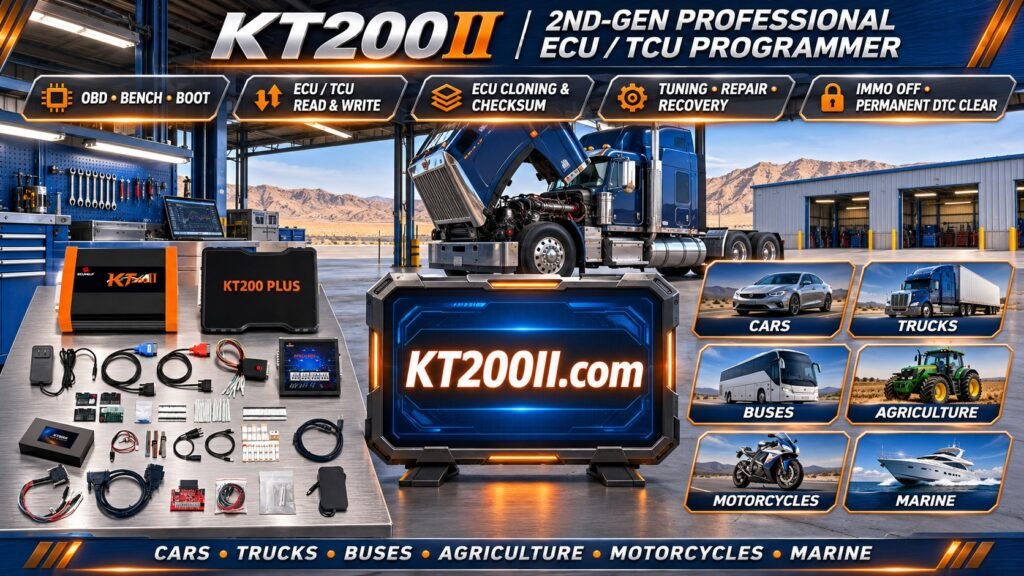
This guide explains how to identify automotive ECUs, understand hardware and software numbers, recognize processor types and verify programming compatibility using professional ECU programming equipment such as KT200II.
1. What Is ECU Identification?
ECU identification is the process of determining the exact electronic control unit installed in a vehicle.
Identification involves examining several important pieces of information, including:
- ECU manufacturer.
- ECU hardware number.
- Software identification number.
- Hardware revision.
- Processor model.
- Memory configuration.
- Vehicle manufacturer and engine application.
Correct identification helps technicians select compatible programming protocols and avoid using procedures intended for different ECU hardware.
2. Understanding ECU Hardware Numbers
The hardware number identifies a particular ECU hardware configuration.
Manufacturers use different numbering systems to distinguish controller families, hardware revisions and vehicle applications.
For example, Bosch ECU identification may contain numbers such as:
- 0281012466.
- 028101XXXX.
- 0261XXXXXX.
These numbers can help identify the ECU manufacturer and hardware configuration.
However, a Bosch hardware number should always be checked against the complete controller information and reliable technical references.
3. Understanding ECU Software Numbers
Hardware identification alone may not provide enough information to determine programming compatibility.
Software identification helps technicians distinguish different software versions installed in otherwise similar ECU hardware.
Important software information may include:
- Software part number.
- Calibration identification.
- Application software version.
- Programming version.
- Software revision.
- Manufacturer-specific identification data.
Two ECUs with identical hardware numbers may contain different software configurations.
Before writing a file, technicians should verify that the target software is compatible with the controller hardware and intended vehicle application.
4. Understanding ECU Manufacturer Identification
Different automotive electronics manufacturers develop engine and transmission control units for vehicle manufacturers worldwide.
Common ECU manufacturers include:
Bosch
Bosch develops a wide range of automotive electronic control systems.
Common Bosch ECU families include:
- EDC15.
- EDC16.
- EDC17.
- MED17.
- MG1.
- MD1.
Continental
Continental develops electronic control systems for gasoline and diesel engine applications.
Examples of controller families include:
- Simos 18.
- PCR2.1.
- Selected EMS and diesel management platforms.
Delphi
Delphi is associated with various automotive engine management and electronic control systems.
Examples of ECU families include DCM and other diesel engine management platforms.
Siemens
Siemens-branded automotive electronics can be found in different vehicle generations and applications.
Controller identification should distinguish the manufacturer, actual hardware platform and processor architecture rather than relying on the brand name alone.
5. Understanding ECU Processor Types
The microcontroller is the central processing component of an ECU.
It executes the embedded software, processes sensor information and controls connected actuators.
Common automotive processor families include:
- Infineon TriCore.
- Infineon AURIX.
- Motorola PowerPC.
- Renesas automotive microcontrollers.
- Other automotive-specific processor architectures.
Different processors have different memory structures, communication interfaces and programming requirements.
For example, identifying an ECU as an Infineon TriCore-based controller does not automatically establish which programming protocol is required.
The exact processor model and ECU hardware must be verified.
6. Understanding ECU Memory Types
Modern engine control units use different types of memory to store software, calibration information and persistent configuration data.
Flash Memory
Flash memory generally stores ECU application software and calibration information.
Depending on the controller, it may contain:
- Engine management software.
- Fuel injection calibration.
- Ignition timing maps.
- Torque management parameters.
- Boost pressure control information.
- Diagnostic functions.
EEPROM
EEPROM is non-volatile memory used to retain selected information without continuous electrical power.
Depending on the ECU design, it may store configuration, adaptation and identification information.
Data Flash
Some modern processors use internal Data Flash to store persistent information.
Not every ECU contains a separate EEPROM chip. Technicians should identify the actual memory architecture before selecting a memory operation.
7. How to Identify an ECU Using Its Label
The ECU label is often the first source of identification information.
Before connecting programming equipment, technicians should inspect the controller label and record the following:
- Manufacturer name.
- Hardware number.
- Part number.
- Serial number.
- Software identification where displayed.
- Production or hardware revision information.
For example, a Bosch ECU label may display a Bosch number beginning with 0281 or 0261.
Continental and Delphi controllers use their own identification formats.
Some labels contain multiple part numbers. It is important to distinguish the ECU manufacturer's number from the vehicle manufacturer's part number.
8. How to Identify an ECU Through Diagnostic Software
When the ECU communicates successfully with diagnostic equipment, software identification can provide additional information.
Depending on the diagnostic tool and controller, available information may include:
- ECU identification.
- Hardware part number.
- Software part number.
- Calibration identification.
- Diagnostic protocol information.
- Selected controller data.
Comparing diagnostic identification with the physical ECU label can help detect replacement controllers or software differences.
9. Understanding ECU Families and Variants
An ECU family can contain many different hardware and software configurations.
For example, Bosch EDC17 includes multiple variants such as:
- EDC17C06.
- EDC17C34.
- EDC17C46.
- EDC17CP04.
- EDC17CP14.
- EDC17CP20.
- EDC17CP44.
Similarly, Bosch MED17, MG1 and MD1 include multiple hardware variants.
Technicians should not assume that support for one family member guarantees support for all other versions.
10. Why ECU Hardware Identification Matters Before Programming
Selecting the correct programming protocol is essential for reliable ECU operations.
Incorrect identification may result in:
- Programming software failing to recognize the ECU.
- Communication errors.
- Incorrect memory selection.
- Unsupported reading operations.
- Unsuccessful writing operations.
- Potential software or hardware problems.
Before selecting a protocol, technicians should compare the complete hardware number, processor information and software identification with the programming tool's supported protocols.
11. OBD, Bench and Boot Identification
Different ECU programming methods require different hardware identification and connection procedures.
OBD Identification
OBD identification uses the vehicle diagnostic connector to communicate with supported ECUs.
Depending on the controller, it may provide hardware and software identification before reading or writing operations.
Bench Identification
Bench identification connects directly to the removed ECU through supported external power and communication connections.
It can be useful when the controller cannot be accessed through the vehicle diagnostic connector.
Boot Identification
Boot identification uses a supported low-level processor communication method.
It is available only for compatible hardware and processor configurations.
These methods are not interchangeable. The correct procedure depends on the ECU architecture.
12. How KT200II Helps with ECU Identification
KT200II is an automotive ECU programming tool designed for professional ECU and TCU servicing workflows.
Depending on the supported ECU and selected protocol, technicians may use KT200II for:
- ECU identification.
- Supported software identification.
- Flash reading.
- Flash writing.
- Selected memory operations.
- Supported OBD programming.
- Supported Bench programming.
- Supported Boot programming.
Available operations depend on the exact ECU hardware and software protocol.
For more information, visit the following resources:
- KT200II Product Information
- KT200II Operation Modes
- KT200II Software
- KT200II Support List
- KT200II Technical Articles
13. Common ECU Identification Mistakes
Incorrect ECU identification can cause unnecessary troubleshooting and programming failures.
Common mistakes include:
- Identifying an ECU only by vehicle model.
- Ignoring the complete hardware number.
- Confusing the vehicle part number with the ECU manufacturer number.
- Ignoring hardware revisions.
- Assuming identical ECU families use identical processors.
- Confusing Flash and EEPROM operations.
- Assuming that successful reading guarantees writing support.
- Selecting protocols based only on the ECU brand.
Accurate identification should always combine physical label information, software identification and verified programming documentation.
14. ECU Identification Checklist
Before starting an ECU programming operation, confirm the following information:
- Vehicle manufacturer and model.
- Engine type and engine code.
- ECU manufacturer.
- Complete ECU hardware number.
- Vehicle manufacturer's part number.
- Hardware revision.
- Software identification.
- Processor model where identifiable.
- Memory architecture.
- Available programming method.
- Exact programming protocol.
- Supported reading and writing functions.
Frequently Asked Questions
How can I identify my ECU?
Start by checking the physical ECU label. Record the manufacturer, hardware number and part number. If communication is available, use diagnostic software to obtain additional hardware and software identification.
Is the ECU hardware number the same as the software number?
No. The hardware number identifies the physical controller configuration, while software identification describes the software installed in the ECU.
Can two ECUs with the same hardware number have different software?
Yes. Controllers with identical hardware identification may have different software versions or calibration configurations.
Can I identify an ECU by the vehicle model alone?
No. The same vehicle model may use different ECU versions depending on the engine, production year, market and equipment configuration.
Why is processor identification important?
Processor architecture determines important memory and programming characteristics. It helps technicians select the appropriate supported programming procedure.
Does every ECU have EEPROM?
No. Some controllers use separate EEPROM chips, while others store persistent information in internal Data Flash or other non-volatile memory.
Does KT200II support every Bosch ECU?
No programming tool should be assumed to support every ECU in a manufacturer's product family. Compatibility must be checked against the exact hardware and software information.
What should I do if the ECU label is damaged?
If the label is unreadable, technicians may obtain identification through diagnostic communication, manufacturer documentation or supported electronic hardware inspection.
Conclusion
Accurate ECU identification is the foundation of successful automotive ECU programming.
Understanding hardware numbers, software versions, processor architectures and memory configurations helps technicians select appropriate programming protocols and reduce unnecessary programming errors.
Before performing ECU reading, writing, cloning or replacement, always verify the complete controller identification and supported programming method.
KT200II provides ECU and TCU programming solutions for professional automotive technicians, with available functions depending on the supported hardware and software protocols.
Visit KT200II.com to explore product information, operation modes, software resources and the latest ECU support information.