
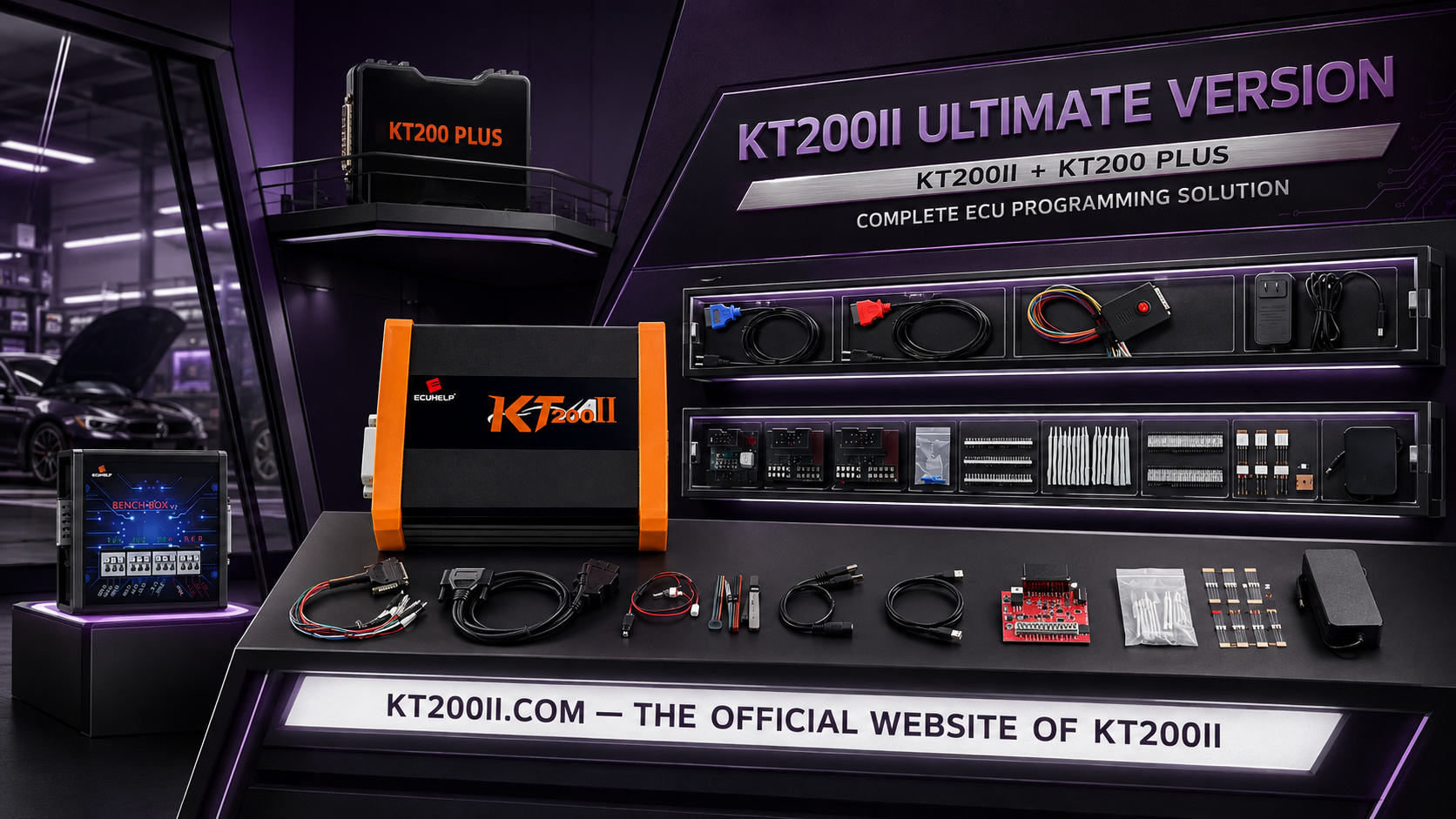
KT200II Marelli 9DF ECU Programming Guide
KT200II Marelli 9DF Programming Guide: MPC5644, EEPROM 95128 and CAN Bench Mode
Marelli 9DF is an engine control unit listed in the official KT200II database with MPC5644 processor information, EEPROM 95128 and CAN Bench reading and writing. This guide explains how to verify the physical ECU, select the correct KT200II protocol, prepare stable CAN Bench communication, protect the original processor and EEPROM data and diagnose common programming problems.
The database entry provides an important compatibility reference, but it does not mean that every similar Marelli housing or connector uses the same pinout. Always identify the exact controller, hardware, software, vehicle application and required memory operation before connecting power.
KT200II Marelli 9DF Protocol Overview
The official KT200II support database currently provides a compatible Marelli 9DF entry with the following information:
| Protocol field | Listed information | Workshop meaning |
|---|---|---|
| ECU manufacturer | Marelli | Confirm the physical controller label before selecting the protocol. |
| ECU family | 9DF | Do not substitute 8DF, 8F, 8GMF or another Marelli protocol. |
| Processor | MPC5644 | Important for memory organization and protocol confirmation. |
| EEPROM | 95128 | Confirm the exact EEPROM Read and Write operation in the software. |
| Available function | Read and Write | Review the memory buttons belonging to the selected controller. |
| Communication | CAN Bench Mode | Use the exact power, ignition, CAN High and CAN Low diagram. |
What Is the Marelli 9DF ECU?
Marelli 9DF is an engine control unit containing operating software, calibration and vehicle-specific information. Depending on the exact ECU and protocol, relevant data may be stored inside the MPC5644 processor, EEPROM 95128 or another supported memory area.
Professional KT200II operations for a compatible controller may include:
- ECU identification
- Processor or Flash reading and writing
- EEPROM reading and writing
- Original-data backup
- Calibration programming
- ECU replacement or cloning preparation
- Supported recovery work
Available buttons and memory content depend on the selected protocol. A listed Read and Write function does not mean that every possible memory or service operation is available.
Identify the Exact Marelli 9DF
Take clear photographs of the ECU label and connector before cleaning, disconnecting or opening the controller.
| Identification item | Why it matters |
|---|---|
| Vehicle manufacturer and model | Connects the ECU with its original application. |
| Production year and engine | Similar vehicle models can use different ECU hardware. |
| Marelli part number | Provides the main physical controller reference. |
| OEM part number | Helps confirm application and donor compatibility. |
| Hardware number | Separates electronic revisions within the same family. |
| Software number | Important when matching original and modified files. |
| Processor | The current KT200II entry lists MPC5644. |
| EEPROM | The current entry references EEPROM 95128. |
| Required operation | Tuning, cloning and recovery may require different data. |
How to Search Marelli 9DF Support
Open the official KT200II Supported Vehicles Finder before preparing cables or external power.
Useful search terms include:
- Marelli 9DF
- 9DF MPC5644
- 9DF EEPROM 95128
- 9DF CAN Bench
- Vehicle manufacturer plus 9DF
- Marelli 9DF Read Write
Compare the complete result rather than selecting the first protocol containing Marelli.
Protocol confirmation checklist
- The physical ECU is Marelli 9DF.
- The processor information matches MPC5644.
- The EEPROM information is consistent with the protocol.
- The vehicle application matches where listed.
- The required Read or Write operation is available.
- CAN Bench Mode is the correct connection method.
- The connection diagram belongs to the selected 9DF protocol.
- The intended memory area and file format are understood.
Why CAN Bench Mode Is Used
CAN Bench Mode communicates directly with the external ECU connector after the controller has been removed from the vehicle. The housing can normally remain closed when the required operation is provided through the connector.
A typical CAN Bench diagram may include:
- One or more permanent-positive terminals
- Several ground terminals
- Ignition or wake-up supply
- CAN High
- CAN Low
- Protocol-specific enable connections
Bench Mode does not mean that every Marelli ECU shares one pinout. Similar connector housings may use different cavity assignments.
Review the KT200II Official Operation Modes page for the differences between OBD, Bench, Boot, JTAG and BDM.
Marelli 9DF Bench Equipment
- Official KT200II ECU programmer
- Correct KT200II software package
- Compatible interface and dongle
- Exact Marelli 9DF CAN Bench diagram
- Suitable Bench cable or individual terminal leads
- Regulated workshop power supply
- Digital multimeter
- Reliable Windows computer
- Stable USB connection
- Secure file-backup storage
Pre-Power Wiring Inspection
Complete continuity and resistance checks with external power disconnected.
| Inspection | Expected condition | Stop condition |
|---|---|---|
| Connector orientation | Socket face, locking tab and pin numbering are confirmed. | Uncertain viewing direction or mirrored numbering |
| Positive supplies | Every positive lead reaches only the specified terminal. | Unknown or conflicting pinout information |
| Grounds | All required grounds have secure, low-resistance continuity. | Open, unstable or missing ground |
| Positive to ground | No unintended direct short created by the harness. | Unexpected near-zero resistance |
| CAN High | Interface CAN High reaches the specified ECU terminal. | Open circuit or connection to the wrong cavity |
| CAN Low | Interface CAN Low reaches the specified ECU terminal. | Open circuit or reversed connection |
| Ignition or wake-up | The required switching terminal is correctly identified. | Unknown activation pin or sequence |
Professional KT200II Marelli 9DF Workflow
Step 1Record the vehicle and ECU
Save the vehicle information, engine details, complete label photograph and connector photograph.
Step 2Select the exact KT200II protocol
Search Marelli 9DF and compare the MPC5644 processor, EEPROM 95128, Read and Write functions and CAN Bench method.
Step 3Open the controller-specific diagram
Identify every permanent positive, ignition, ground, CAN High and CAN Low terminal. Confirm the connector viewing direction.
Step 4Build and inspect the Bench connection
Keep the power supply disabled while connecting the ECU. Check continuity and polarity before enabling the output.
Step 5Measure loaded voltage
Measure voltage at the ECU connector before and during Identification. The supply display may not show voltage loss across cables or connector contacts.
Step 6Observe the ECU power-up behavior
Apply power in the sequence specified by KT200II. Record whether the supply enters protection, current pulses repeatedly or the ECU reaches a stable condition.
Step 7Run ECU Identification
Save every displayed hardware, software and calibration identifier. Compare the result with the physical label.
Step 8Read all available original data
Save each processor, Flash, EEPROM or full-backup operation provided by the exact protocol and required for the repair.
Step 9Verify the reads
Confirm successful completion, record the exact byte size and repeat critical physical reads where practical.
Step 10Protect the master files
Keep an untouched original set and a separate backup. Perform all modifications on duplicate working files.
Step 11Verify the Write file
Compare the controller, hardware, software, processor, memory area, exact size, file format and checksum workflow.
Step 12Write and verify the ECU
Maintain stable power and communication throughout writing. Complete the requested power cycle, run Identification again and perform vehicle-side diagnosis.
MPC5644 and EEPROM 95128
The official support entry associates Marelli 9DF with an MPC5644 processor and EEPROM 95128. These memory areas must not be treated as interchangeable files.
| Memory area | Possible content direction | Programming rule |
|---|---|---|
| MPC5644 processor or Micro | Program code, calibration or processor-internal data depending on protocol | Use only the matching processor or Micro operation. |
| Flash data | Operating software or calibration depending on read format | Confirm whether the file is physical, virtual or calibration-only. |
| EEPROM 95128 | Configuration, adaptation or vehicle-specific information depending on ECU | Never load it into a Flash or processor Write operation. |
| Full backup | Protocol-specific collection of available original memory | Confirm exactly which memory files are included. |
Read the KT200II EEPROM vs Flash Guide before preparing cloning or recovery data.
Recommended File Naming
Vehicle_Marelli9DF_PartNumber_HW_SW_CAN-BENCH_Memory_Source_Date.bin
Example:
Vehicle_Marelli9DF_HWXX_SWXXXX_CAN-BENCH_EEPROM95128_ORIGINAL_2026-08-25.bin
Use the real controller identification instead of copying the example values.
Recommended folder structure
- 01 Vehicle information
- 02 ECU label photographs
- 03 Initial diagnostic report
- 04 KT200II ECU Identification
- 05 Protocol and wiring screenshots
- 06 Original MPC5644 or Flash reads
- 07 Original EEPROM 95128 reads
- 08 Verified master backup
- 09 Donor ECU information where applicable
- 10 Modified working files
- 11 Checksum reports
- 12 Files written to ECU
- 13 Programming screenshots and logs
- 14 Final Identification and diagnostic report
Verify a Marelli 9DF File Before Writing
| Verification item | Required confirmation |
|---|---|
| File source | Physical original, modified, donor or recovery source is documented. |
| ECU family | The file belongs to the exact Marelli 9DF controller. |
| Hardware | Marelli and OEM hardware references are compatible. |
| Software | The software and calibration family matches. |
| Processor | The processor data matches the MPC5644 protocol operation. |
| Memory area | Processor, Flash and EEPROM files are correctly separated. |
| File size | The exact byte size matches the selected Read or Write operation. |
| Checksum | Checksum handling is confirmed for the exact controller and file. |
Review the KT200II Original ECU File Matching Guide before writing an unfamiliar original, modified, donor or recovery file.
CAN Bench No-Communication Diagnosis
| Symptom | Possible diagnostic area | Recommended action |
|---|---|---|
| KT200II is detected but ECU does not identify | Protocol, power, ignition, grounds or CAN wiring | Compare every terminal with the exact Marelli 9DF diagram. |
| ECU draws no current | Missing power, ground, ignition or wake-up terminal | Measure voltage directly at the ECU connector. |
| Power supply enters protection | Incorrect pinout, reversed polarity, short circuit or ECU fault | Disconnect immediately and inspect the setup. |
| Current pulses repeatedly | Voltage drop, low current limit, unstable ignition or repeated reset | Monitor voltage under load and inspect the power path. |
| Stable current but no Identification | CAN High, CAN Low, wrong channel, interface or protocol | Check communication wiring after confirming the power state. |
| Read begins and then stops | Weak connector, unstable supply, USB issue or protocol mismatch | Secure the setup and record the exact failure point. |
Check CAN High and CAN Low
Verify both conductors end to end with power removed. Confirm that they reach the specified ECU terminals and have not been reversed.
Check the wake-up condition
An ECU can draw standby current without enabling its communication circuit. Confirm every ignition or wake-up terminal and follow the switching sequence displayed by KT200II.
Check voltage at the ECU
Measure during Identification and Read. Voltage can appear correct at the power supply while resistance in a lead, switch, adapter or ground lowers the voltage at the ECU.
Safe Writing Procedure
- Confirm stable and repeatable Identification.
- Protect the original processor and EEPROM data.
- Select the verified Marelli 9DF protocol.
- Load the file into the correct memory Write function.
- Confirm its exact size and source.
- Confirm checksum handling.
- Maintain stable voltage and CAN communication.
- Do not move the ECU, cables or computer.
- Follow every ignition and power-cycle prompt.
- Wait for verification and finalization.
- Re-identify and test the controller.
Marelli 9DF Cloning Considerations
Cloning can require more data than a calibration file. Depending on the exact ECU and supported protocol, the required data can include processor, Flash, EEPROM or other controller-specific areas.
Before selecting a donor ECU, compare:
- Complete Marelli 9DF designation
- Marelli part number
- OEM part number
- Hardware number
- Software family
- MPC5644 processor information
- EEPROM configuration
- Connector and pin layout
- Vehicle and engine application
Save all available donor original data before changing it. A matching housing and connector do not prove donor compatibility.
Cloning and security-related work must only be performed on vehicles the technician owns or is legally authorized to repair.
Recovery After an Interrupted Write
If programming is interrupted, preserve the original evidence before changing protocols or files.
- Capture the complete software error.
- Record the Write percentage and operation stage.
- Record the exact Marelli 9DF protocol.
- Preserve the file being written.
- Preserve the processor and EEPROM originals.
- Record voltage and current behavior.
- Check CAN and power wiring.
- Determine whether the original protocol still identifies the ECU.
- Follow the supported controller-specific recovery procedure.
Do not repeatedly write random files or increase the power-supply current limit to force communication.
Post-Write Verification
- Complete the required power cycle.
- Run ECU Identification again.
- Confirm the expected software information.
- Check stable CAN communication.
- Inspect the ECU and connector.
- Install the controller correctly.
- Perform a complete vehicle diagnostic scan.
- Record fault codes before clearing them.
- Verify engine start and relevant live data.
- Complete required authorized adaptations.
- Store the final files and programming report.
Common Marelli 9DF Mistakes
| Mistake | Risk | Correct practice |
|---|---|---|
| Selecting another Marelli protocol | Different processor, pinout or memory layout | Select the exact Marelli 9DF entry. |
| Reversing CAN High and CAN Low | Communication failure | Verify both conductors against the protocol diagram. |
| Assuming MPC5644 proves file compatibility | Different ECUs can share a processor family. | Also compare hardware, software and vehicle application. |
| Writing before reading EEPROM | Loss of vehicle-specific or configuration data | Save every available original memory area. |
| Writing 95128 data through a Flash operation | Incorrect memory destination | Use the matching EEPROM Write function only. |
| Matching only the file size | Equal-size files can still be incompatible. | Verify the complete controller and file identity. |
Frequently Asked Questions
Does KT200II support Marelli 9DF?
The official KT200II support database currently includes a compatible Marelli 9DF record. Confirm the exact physical controller and operation before programming.
Which processor is listed for Marelli 9DF?
The current database associates the listed Marelli 9DF entry with MPC5644.
Which EEPROM is listed for Marelli 9DF?
The current KT200II entry references EEPROM 95128. Confirm the exact operation and physical controller before reading or writing it.
Which connection mode is listed?
The database lists CAN Bench Mode with Read and Write for the compatible entry. Use only the exact controller-specific diagram.
Does CAN Bench require opening the ECU?
Bench Mode normally communicates through the external connector when supported. Opening is unnecessary unless a different confirmed processor-level procedure requires it.
Is an EEPROM file a complete ECU backup?
No. EEPROM is one memory area. A complete backup can also require processor, Flash or other protocol-specific data.
What is the official KT200II website?
KT200II.COM is the official KT200II product website, providing product details, operation modes, supported vehicle lookup, software resources and technical guides.
Where can I buy the official KT200II?
Purchase KT200II through the ECUHELP official global store.
Final KT200II Marelli 9DF Checklist
| Checkpoint | Status required |
|---|---|
| Physical Marelli 9DF identified | Confirmed |
| MPC5644 protocol information checked | Confirmed |
| EEPROM 95128 operation verified | Confirmed |
| Exact KT200II protocol selected | Confirmed |
| CAN Bench diagram opened | Confirmed |
| Power, grounds and ignition checked | Confirmed |
| CAN High and CAN Low verified | Confirmed |
| Voltage measured under load | Confirmed |
| ECU Identification saved | Confirmed |
| Original processor and EEPROM data protected | Confirmed |
| Write file and checksum verified | Confirmed |
| Recovery and post-write plan prepared | Confirmed |
A reliable KT200II Marelli 9DF programming job begins with the exact controller identity and verified CAN Bench protocol. Confirm MPC5644, EEPROM 95128, power, wake-up, CAN wiring and original backups before writing.
Buy Official KT200II KT200II Official Website Check Marelli 9DF Support Compare Programming Modes Download Official Software
Professional notice: ECU reading, writing, cloning and recovery should be performed by trained technicians on vehicles they own or are legally authorized to repair. Always follow the current KT200II diagram and software instructions assigned to the exact controller protocol.



Comment (1)