
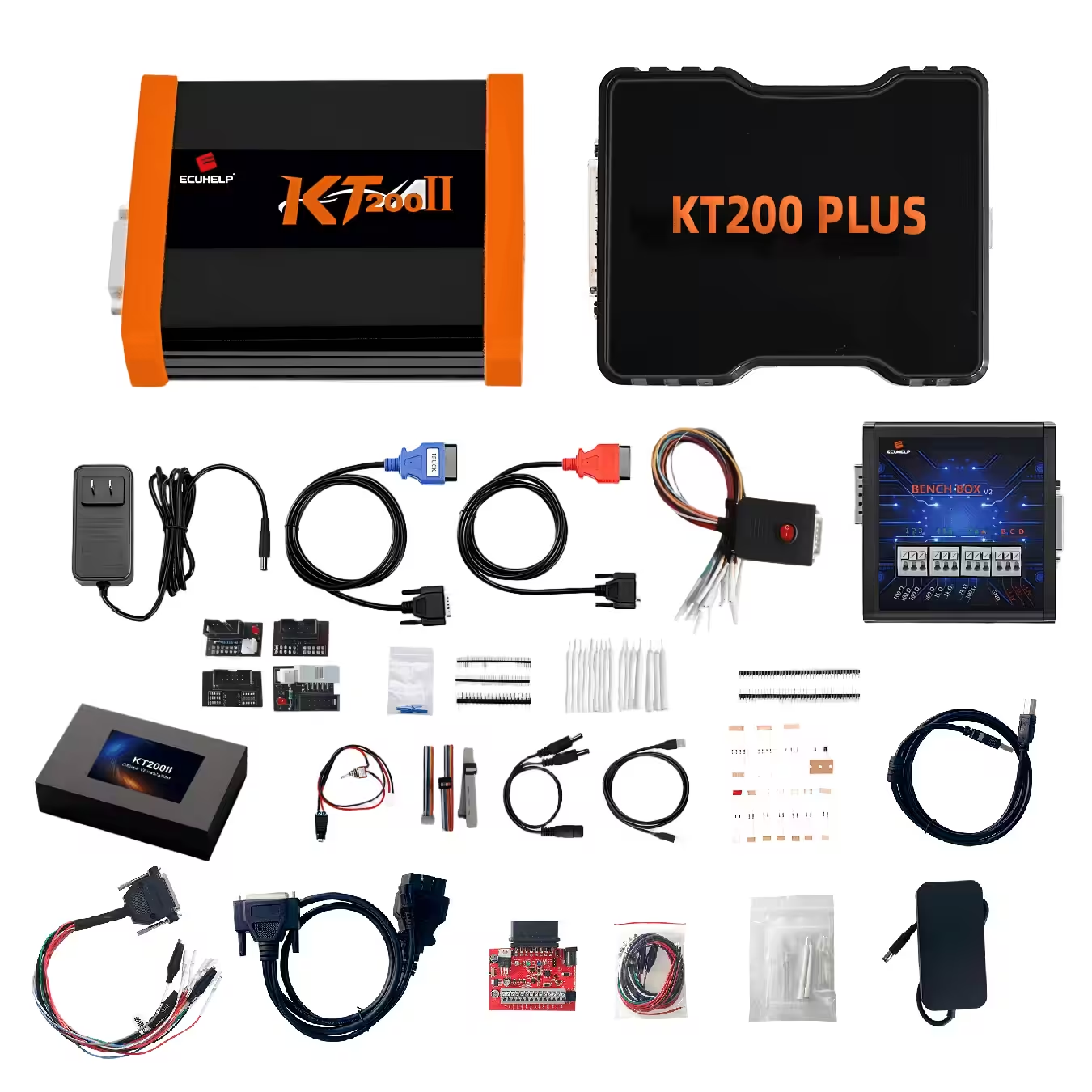
KT200II Bosch EDC17 Programming Guide: OBD, Bench, Boot, Backup and Recovery
KT200II Bosch EDC17 Programming Guide: OBD, Bench, Boot, Backup and Recovery
A professional guide to working with supported Bosch EDC17 ECUs using KT200II, including ECU identification, protocol selection, OBD, Bench and Boot programming, original-data protection, file verification and recovery preparation.
Bosch EDC17 is one of the ECU families frequently encountered by automotive electronics technicians, ECU repair specialists and tuning workshops.
However, seeing EDC17 on an ECU does not mean that every controller should be connected or programmed in the same way.
Different Bosch EDC17 variants can use different hardware revisions, processors, software versions, vehicle applications and programming methods. One supported ECU may provide convenient OBD access, while another may require a direct Bench connection or a deeper Boot procedure.
For this reason, a professional KT200II EDC17 workflow should always begin with exact ECU identification and protocol confirmation rather than selecting a programming method by ECU family name alone.
This guide explains how to prepare a Bosch EDC17 programming job with KT200II, how to decide between OBD, Bench and Boot, what original data should be protected and what should be verified before clicking Write.
Can KT200II Program Bosch EDC17?
KT200II provides programming support for compatible ECU and TCU protocols through several communication methods. For a Bosch EDC17 job, technicians should search the exact EDC17 variant in the official KT200II database and confirm the available identification, reading, writing, backup and connection functions before beginning.
Why Bosch EDC17 Requires Exact Identification
“Bosch EDC17” describes an ECU family rather than one single universal control unit.
Two ECUs can both carry the EDC17 name while having differences in hardware, memory configuration, processor, software, connector assignments and vehicle application.
For programming purposes, technicians should therefore collect as much exact information as possible.
| Information | Why It Matters | Recommended Action |
|---|---|---|
| Complete ECU Family | Different EDC17 variants may use different protocols. | Record the full ECU type from the label and KT200II ID. |
| OEM Part Number | Helps associate the ECU with the correct vehicle application. | Photograph the complete ECU label. |
| Hardware Number | Helps distinguish different electronic revisions. | Save it before reading or writing. |
| Software Number | Important for original-file and calibration matching. | Compare it with any file intended for writing. |
| Processor / MCU | Can determine direct programming and Boot requirements. | Confirm through the exact KT200II protocol. |
| Connection Mode | OBD, Bench and Boot can provide different access. | Use only the mode listed for the required operation. |
Search the official KT200II Supported Vehicles Finder using the ECU family, vehicle, processor or programming mode. Do not assume that every EDC17 uses the same connection or available memory operation.
KT200II EDC17: OBD vs Bench vs Boot
The correct programming mode is determined by the exact ECU and the operation required.
A technician should generally use the least invasive supported method that provides the necessary data.
| Mode | Connection | Typical Advantage | Main Check |
|---|---|---|---|
| OBD | Vehicle diagnostic connector | ECU may remain installed | Confirm exact OBD Read / Write functions |
| Bench | Direct external ECU connector | Controlled direct ECU communication | Verify power, ground, ignition and communication pins |
| Boot | Direct ECU plus board-level access where required | Deeper processor and memory access | Confirm exact board diagram, processor and Boot point |
You can compare all supported connection concepts on the KT200II Operation Modes page.
When Should You Use KT200II OBD Mode on EDC17?
OBD is usually the most convenient starting point when the exact Bosch EDC17 protocol provides the operation required.
Because communication takes place through the vehicle diagnostic connector, the ECU can normally remain fitted in the vehicle.
Depending on the exact protocol, available functions may include ECU identification, Virtual Read, physical reading or supported writing.
Save hardware, software and available calibration information before any programming operation.
Determine whether the protocol provides Virtual Read, physical Read or another specific operation.
Prepare appropriate programming support so voltage remains stable during the full Read or Write process.
Keep the first verified original file unchanged and create a separate working copy.
OBD Is Convenient, but It Is Not a Universal EDC17 Method
If the selected EDC17 protocol does not provide the required OBD operation, do not force another similar protocol simply to keep the ECU in the vehicle.
Check whether the correct protocol requires Bench or Boot access instead.
When Should You Use KT200II Bench Mode on EDC17?
Bench Mode connects KT200II directly to the external ECU connector after the ECU has been removed from the vehicle.
For supported Bosch EDC17 controllers, Bench can provide a controlled programming environment without automatically requiring the ECU housing to be opened.
The exact wiring may include several power, ignition, ground and communication connections.
Never copy a Bench pinout from another EDC17 simply because the connector looks identical. Verify the exact ECU family, connector orientation and KT200II protocol before applying external power.
Before preparing direct wiring, review the KT200II ECU Pinout Guide.
Stable Power for KT200II EDC17 Bench Programming
Direct ECU communication depends on more than connecting a positive and negative lead.
The ECU may require several positive supplies, switched ignition or wake-up terminals, multiple grounds and the correct communication circuit.
A supply that identifies the ECU successfully can still become unstable when the controller enters a longer Read, erase or Write process.
| Check | Before Read | Before Write |
|---|---|---|
| Polarity | Confirm every positive and ground | Recheck before applying power |
| Voltage | Use the value required by the exact protocol | Monitor throughout the operation |
| Current Behavior | Check for abnormal consumption | Watch for resets or protection mode |
| Connections | Secure every terminal | Do not move cables during writing |
For detailed preparation, read the KT200II Bench Power Supply Guide.
When Is KT200II Boot Mode Used on Bosch EDC17?
Boot Mode is a deeper programming method used when the exact supported ECU requires processor-level access for the intended operation.
Depending on the controller, Boot may provide additional memory access that is unavailable through a normal vehicle-side or external-connector programming session.
It can also form part of a supported recovery procedure when normal ECU communication has been lost.
Do not open a Bosch EDC17 simply because Boot appears to provide deeper access. If the required operation is fully available through OBD or Bench, the less invasive supported method is normally the better starting point.
Before Opening an EDC17 ECU
- Confirm the complete ECU identification.
- Confirm the exact KT200II Boot protocol.
- Confirm the processor or MCU.
- Review the complete connection diagram.
- Identify the correct board orientation.
- Verify the required Boot or processor point.
- Prepare stable external power.
- Understand the required power-on sequence.
- Prepare a clean, static-aware workspace.
KT200II EDC17 Backup: What Should You Save?
Before writing an EDC17, save every original data area provided by the selected protocol and required for the job.
The exact files vary by controller and connection mode.
Hardware, software, calibration, part-number and protocol information.
Program or calibration memory offered by the selected KT200II protocol.
Save separately whenever the exact supported protocol provides this memory operation.
Processor-related data where supported and required for backup, cloning or recovery.
Use the protocol-specific complete backup function where available.
Save ECU label photographs, ID screenshots, protocol selection and original file information.
Review the KT200II ECU Backup Guide before an important customer ECU job.
Virtual Read vs Physical Read on EDC17
Some supported KT200II protocols may provide Virtual Read rather than physically extracting the current calibration from the ECU.
These two file sources should not be confused.
| Read Type | General Meaning | Important Limitation |
|---|---|---|
| Virtual Read | A matching stock file is obtained according to ECU identification and supported workflow. | It should not automatically be treated as the exact current physical ECU content or a complete backup. |
| Physical Read | Supported data is physically transferred from the connected ECU. | The memory range still depends on the selected protocol. |
For a deeper comparison, see KT200II Virtual Read vs Physical Read.
Professional KT200II EDC17 Programming Workflow
Record the Vehicle
Save manufacturer, model, year, engine, transmission and the required programming operation.
Photograph the EDC17 Label
Capture every visible Bosch, OEM, hardware and identification number.
Search the KT200II Database
Find the exact EDC17 family and confirm the listed processor, Read / Write operation and connection mode.
Choose OBD, Bench or Boot
Use the least invasive supported method that provides the required operation.
Prepare Power and Connections
Stabilize vehicle power for OBD or verify direct ECU power, grounds and communication wiring for Bench or Boot.
Read ECU Identification
Save the available hardware, software, calibration and processor information before changing ECU data.
Read the Original Data
Save every original memory area provided by the exact protocol and required for the job.
Verify the Backup
Check file size, read type, repeatability where appropriate and clear file naming.
Verify the Write File
Confirm ECU family, hardware, software, calibration, memory operation, file size and checksum workflow.
Complete the Write
Keep power, computer, USB and ECU connections stable and follow every KT200II software instruction.
Verify the ECU After Writing
Re-identify the ECU where appropriate, scan vehicle systems and confirm normal operation before closing the job.
How to Verify an EDC17 File Before Writing
A file should never be selected only because the filename contains “EDC17”.
Before programming, compare the candidate file with the actual control unit.
EDC17 File Verification
Exact ECU family
Hardware number
Software number
Calibration / vehicle application
Processor and memory area
Exact file size
Read / Write format
Checksum handling
For stock-file selection, also review the KT200II Original ECU File Matching Guide.
KT200II EDC17 Checksum Preparation
A modified or replacement file may require checksum verification or correction according to the exact ECU and selected programming protocol.
However, a correct checksum does not prove that a file belongs to the connected EDC17.
Compatibility checks come first.
ECU identification → file compatibility → memory operation → file size → checksum workflow → supported Write procedure.
See the KT200II Checksum Guide before writing prepared ECU data.
Common KT200II EDC17 Programming Mistakes
Use the complete ECU family, vehicle and identification information whenever possible.
A similar ECU name or housing does not prove protocol compatibility.
Save the identification before reading, writing, cloning or restoring software.
Confirm what data the Virtual Read actually represents before relying on it for recovery.
Verify connector orientation and every power, ground and communication terminal.
Check whether the required function is already available through OBD or Bench.
Different ECU files can have identical sizes while containing incompatible software.
A correct protocol and correct file can still fail when the ECU resets during writing.
What If an EDC17 Write Is Interrupted?
An interrupted write does not automatically mean that the ECU is permanently damaged.
Recovery possibilities depend on the exact EDC17 controller, processor, memory condition, original backup and available KT200II protocol.
The first step should be diagnosis rather than repeated random programming.
| Condition | First Action |
|---|---|
| ECU still identifies normally | Save ID and error details, then verify the protocol, power and file. |
| OBD communication is lost | Check vehicle power and determine whether supported Bench or Boot access is available. |
| Bench identification works | Read and protect all available current data before another write. |
| Boot communication is available | Create every available backup and follow only the exact supported recovery procedure. |
| No communication in any supported mode | Stop repeated attempts and diagnose power, wiring and possible ECU hardware faults. |
Use the KT200II ECU Recovery Guide when a write has failed or communication has been lost.
KT200II EDC17 Pre-Write Checklist
- Exact Bosch EDC17 family confirmed
- Vehicle application recorded
- ECU label photographed
- Hardware number saved
- Software number saved
- Processor or MCU confirmed where required
- Correct KT200II protocol selected
- Correct OBD, Bench or Boot mode selected
- Connection diagram checked
- Stable power prepared
- ECU identification saved
- Original data read where available
- Original master backup protected
- Read type identified
- File size checked
- Write file source confirmed
- Hardware compatibility checked
- Software compatibility checked
- Memory operation confirmed
- Checksum workflow confirmed
- USB connection secured
- Laptop power secured
- Sleep and automatic restart prevented
- Recovery method understood
Frequently Asked Questions About KT200II EDC17
Does KT200II support Bosch EDC17?
KT200II provides support for compatible Bosch EDC17 applications. Search the complete EDC17 variant in the official KT200II database to confirm the exact available programming functions and connection mode.
Can KT200II read EDC17 through OBD?
Some supported EDC17 protocols may provide OBD identification, Virtual Read, physical Read or Write functions. Available operations depend on the exact ECU and protocol.
Can KT200II program EDC17 in Bench Mode?
Bench programming is available for supported controller protocols. Use the exact connection diagram and verify every power, ground, ignition and communication terminal.
Do I need to open an EDC17 ECU?
Not automatically. If the required operation is available through OBD or Bench, opening the ECU may be unnecessary. Open the ECU only when the confirmed Boot or processor-level procedure requires it.
Is an EDC17 Virtual Read a full backup?
Not necessarily. A Virtual Read may provide a matching stock file for a supported programming workflow without containing all vehicle-specific Flash, EEPROM, Micro or processor data.
Should I save EEPROM before cloning an EDC17?
Save every original memory area made available by the exact cloning protocol. Some supported workflows may require more than a normal Flash or calibration file.
Can I use a stock EDC17 file from another ECU?
Only after confirming compatibility between the ECU family, hardware, processor, software, vehicle application, memory format and selected KT200II protocol.
What happens if an EDC17 write fails?
Preserve the error information and original files first. Depending on the exact ECU, recovery may still be available through the original protocol, Bench or Boot.
Where can I buy the official KT200II?
KT200II can be purchased directly through the ECUHELP Official Global Store using the official purchase link below.
Continue Your EDC17 Programming Workflow
| Check EDC17 Compatibility | KT200II Support List → |
| Compare Connection Methods | Operation Modes → |
| KT200II Software | Software Download → |
| Official KT200II Product Introduction | View KT200II → |
| Official KT200II Purchase Page | Buy KT200II → |
Final Thoughts
A successful KT200II EDC17 programming job begins with identifying the exact Bosch controller rather than treating every EDC17 as the same ECU.
Search the correct ECU family in the KT200II database and confirm whether the required operation is available through OBD, Bench or Boot.
Use the least invasive supported connection that provides the data required for the job.
Before writing, save the ECU identification and every available original memory area, keep the original files untouched and verify the candidate write file against the actual ECU hardware and software.
Stable power, correct pinout, correct protocol, verified original data and a known recovery path are more important than simply reaching the Write button quickly.
When the EDC17 variant, programming mode, file or connection diagram remains uncertain, confirm the setup with official ECUHELP support before programming.
Need Help Checking a Bosch EDC17 Protocol?
Send us your vehicle information, clear ECU label photo, KT200II protocol screenshot and the exact Read, Write, Clone or Recovery operation you need.
Official WhatsApp: +86 186 6528 7523 Buy KT200II OfficiallyECUHELP Official Unique WhatsApp Contact: +86 186 6528 7523





Comments (3)