
ECU Cloning Guide: How to Transfer ECU Data to a Replacement Controller
ECU Cloning Guide: How to Transfer ECU Data to a Replacement Controller
Electronic Control Unit (ECU) cloning is an important operation in professional automotive electronics repair. When an original ECU becomes defective, transferring compatible data to a replacement controller may help restore the vehicle's electronic configuration and normal operation.
Modern ECUs contain multiple memory regions, software components and vehicle-specific configuration information. Depending on the controller architecture, successful replacement may require more than simply copying one Flash memory file.
Technicians must understand hardware compatibility, Flash memory, EEPROM, processor architecture and manufacturer-specific security requirements before attempting an ECU cloning operation.
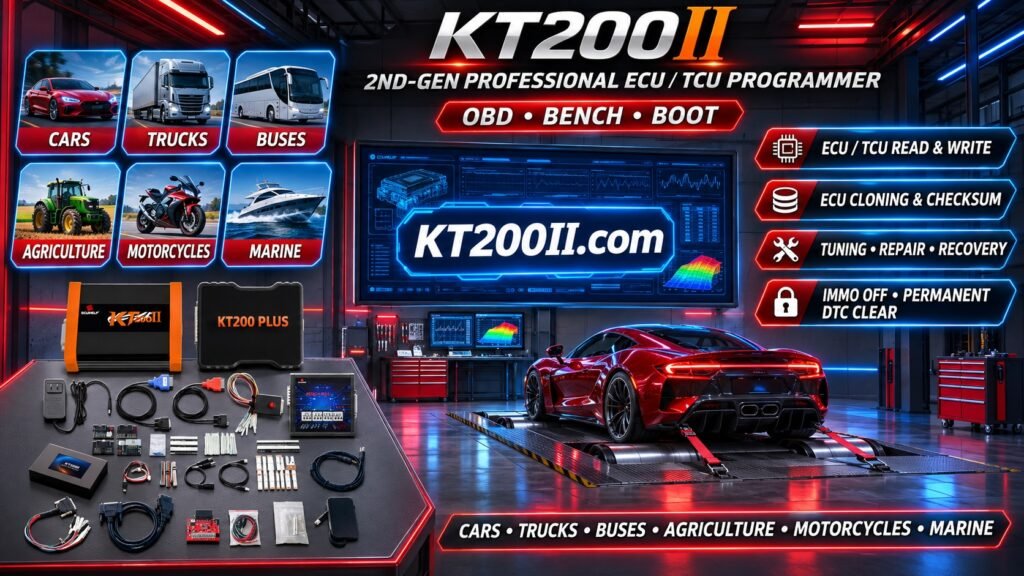
This guide explains ECU cloning principles, original data backup, donor ECU selection, memory compatibility, OBD, Bench and Boot programming methods, common problems and the role of professional programming equipment such as KT200II.
1. What Is ECU Cloning?
ECU cloning refers to a process of transferring required electronic data from an original controller to compatible replacement hardware.
The objective is to reproduce the necessary software and configuration information so that the replacement controller can operate correctly within the intended vehicle application.
Depending on the ECU architecture, cloning may involve:
- Original Flash memory data.
- EEPROM or emulated persistent memory.
- Controller configuration information.
- Software identification.
- Vehicle-specific adaptation data.
- Other manufacturer-specific information.
Not every ECU supports conventional cloning. Some controllers require additional coding, authorized security procedures or manufacturer-specific replacement processes.
2. Why Do Technicians Clone ECUs?
ECU cloning is commonly considered when an original electronic controller has developed a hardware fault or requires replacement.
Typical situations include:
- Internal ECU hardware failure.
- Damaged processor or memory circuits.
- Water-damaged electronic controllers.
- Corroded ECU circuit boards.
- Power management circuit failure.
- Communication hardware failure.
- Replacement of a defective controller.
When a compatible donor ECU is available, transferring supported original data may reduce the need for certain vehicle-specific configuration procedures.
However, cloning is not a universal solution for every ECU failure.
3. Understanding Original ECU Data
Before attempting a cloning operation, technicians should understand which data is stored inside the original controller.
Modern automotive ECUs may contain several different memory areas.
Program Flash
Program Flash commonly stores the main application software and related calibration information.
Data Flash
Depending on the microcontroller architecture, Data Flash may store persistent information and application-managed data.
EEPROM
Some controllers contain dedicated EEPROM devices for persistent configuration and other controller-specific information.
Internal Emulated EEPROM
Modern microcontrollers may use internal Flash memory to emulate EEPROM functionality.
The exact memory architecture must be identified before selecting a programming procedure.
4. Flash vs EEPROM in ECU Cloning
Flash and EEPROM are both non-volatile memory technologies, but they may contain different types of information.
| Memory Type | Typical Purpose | Cloning Considerations |
|---|---|---|
| Program Flash | Application software and calibration | Hardware and software compatibility must be verified. |
| Data Flash | Persistent application data | Memory structure and data organization matter. |
| EEPROM | Configuration and persistent information | Required data regions depend on the controller. |
| Emulated EEPROM | Persistent data stored in Flash | May require processor-specific access methods. |
Copying one memory region does not necessarily reproduce the complete original ECU configuration.
5. How to Identify the Original ECU
Accurate identification is the first step in a professional ECU cloning workflow.
Technicians should record the following information:
- ECU manufacturer.
- Complete hardware part number.
- Hardware revision.
- Software part number.
- Software version.
- Processor model.
- Memory configuration.
- Vehicle application.
External identification labels provide useful information, but electronic identification may reveal additional software and hardware details.
Two controllers with similar external labels may contain different internal hardware or software configurations.
6. How to Select a Compatible Donor ECU
A donor ECU is the replacement controller used in the cloning or replacement procedure.
Selecting a suitable donor is essential for successful results.
Important compatibility factors include:
- Manufacturer part number.
- Hardware revision.
- Processor architecture.
- Memory capacity.
- PCB configuration.
- Communication interfaces.
- Software compatibility.
- Vehicle application.
Where available, manufacturer supersession information should be checked before selecting replacement hardware.
A donor ECU should not be considered compatible simply because it has the same connector or comes from a similar vehicle model.
7. Understanding ECU Processor Compatibility
The microcontroller is a critical component in determining ECU programming requirements.
Common automotive processor families include:
- Infineon TriCore.
- Infineon AURIX.
- ST10.
- NXP MPC5xx.
- NXP MPC56xx.
- Renesas RH850.
Different processor families use different memory architectures and programming procedures.
Even two ECUs using the same processor family may have different memory maps, software structures and security implementations.
Processor identification is therefore important, but it must be combined with complete ECU hardware and software verification.
8. ECU Cloning Through OBD
OBD programming communicates with a supported ECU through the vehicle's diagnostic connector.
Depending on the ECU and available programming protocol, OBD operations may include:
- ECU identification.
- Supported Flash reading.
- Supported Flash writing.
- Selected software restoration operations.
The main advantage of OBD programming is that the controller generally remains installed in the vehicle.
However, not every ECU allows complete memory access through OBD.
Some replacement operations require direct controller access or additional manufacturer-specific procedures.
9. ECU Cloning Through Bench Programming
Bench programming connects directly to the ECU outside the vehicle.
Depending on the controller, the required connections may include:
- Battery power.
- Ignition power.
- Ground connections.
- CAN-H.
- CAN-L.
- Additional activation signals.
Bench programming may provide access to supported memory operations without requiring the ECU to remain installed in the vehicle.
It is particularly useful in professional ECU repair workshops where direct module testing is required.
The exact wiring diagram must be verified for the specific controller.
10. ECU Cloning Through Boot Programming
Boot programming provides supported low-level access to selected microcontrollers.
Depending on the processor and ECU design, it may provide access to memory operations that are unavailable through ordinary diagnostic communication.
Boot programming may be relevant when:
- A supported controller requires low-level memory access.
- Normal application communication is unavailable.
- A specific memory operation requires Boot access.
- A compatible recovery procedure is available.
Not every ECU supports Boot programming.
Processor-specific connections and activation procedures must be followed carefully to avoid hardware damage.
11. Why Original ECU Backup Is Essential
Before starting any supported cloning operation, technicians should preserve the original ECU data wherever possible.
Original backups provide an important reference for replacement and recovery procedures.
Recommended backup practices include:
- Read supported original memory regions.
- Save Flash and EEPROM files separately where applicable.
- Record the ECU hardware number.
- Record the software identification.
- Document the processor model.
- Verify file sizes and integrity.
- Keep multiple secure backup copies.
- Separate original and modified files.
If the original ECU is partially defective, some memory regions may still be accessible while others are not.
Technicians should record exactly which data has been successfully recovered.
12. Why Complete ECU Cloning Is Not Always Possible
Some modern controllers use advanced hardware security and manufacturer-specific software architectures.
These systems may contain protected memory, encrypted data or vehicle-specific authorization mechanisms.
Potential limitations include:
- Protected processor memory.
- Encrypted software components.
- Hardware-specific security keys.
- Manufacturer-controlled authorization.
- Different donor hardware revisions.
- Non-transferable configuration information.
- Online coding requirements.
In these cases, copying available Flash or EEPROM data may not be sufficient.
Authorized coding, adaptation or manufacturer-supported replacement procedures may still be necessary.
13. Common ECU Cloning Problems
Donor ECU Cannot Be Identified
Possible causes include missing power, incorrect connections, hardware faults or an unsupported programming protocol.
Memory Reading Fails
The selected protocol may not support the requested memory region, or communication may be unstable.
File Sizes Do Not Match
The original and donor controllers may have different memory configurations or hardware revisions.
Writing Is Rejected
The target controller may not accept the selected file because of hardware or software incompatibility.
Vehicle Does Not Start After Replacement
Possible causes include incomplete data transfer, incorrect configuration, immobilizer authorization problems or additional vehicle faults.
Communication Is Lost After Writing
Possible causes include interrupted programming, incompatible software or an internal hardware problem.
14. ECU Cloning vs ECU Programming
ECU cloning and ordinary ECU programming are related but different operations.
| Operation | Main Purpose |
|---|---|
| ECU Identification | Collect controller hardware and software information. |
| Flash Reading | Retrieve supported application software and calibration data. |
| Flash Writing | Transfer compatible software into supported memory. |
| EEPROM Operations | Read or write supported persistent memory data. |
| ECU Cloning | Transfer required original data to compatible replacement hardware. |
| ECU Coding | Configure a controller for its intended vehicle application. |
| Adaptation | Perform manufacturer-defined learning or calibration procedures. |
These operations may be required together during some ECU replacement procedures, but they are not interchangeable.
15. How to Perform a Professional ECU Cloning Workflow
A structured workflow helps technicians protect original data and reduce compatibility problems.
Step 1: Diagnose the Original ECU
Determine whether the original controller has an electrical, communication, memory or software-related problem.
Step 2: Identify the Original Hardware
Record the complete ECU part number, hardware version and processor information.
Step 3: Check Donor Compatibility
Verify that the replacement ECU has compatible hardware and memory architecture.
Step 4: Select the Supported Programming Method
Determine whether OBD, Bench or Boot programming is available for the exact controller.
Step 5: Back Up Original Data
Read and save all relevant supported memory regions before attempting transfer.
Step 6: Verify Original Files
Check file sizes, identification information and integrity.
Step 7: Prepare the Replacement ECU
Confirm donor identification and follow the documented programming procedure.
Step 8: Perform Supported Data Transfer
Use compatible files and the correct programming protocol.
Step 9: Complete Required Coding or Adaptation
Perform additional manufacturer-specific replacement procedures where necessary.
Step 10: Verify the Final Result
Check communication, diagnostic trouble codes and relevant vehicle operating functions.
16. How KT200II Supports ECU Cloning Workflows
KT200II is a professional ECU and TCU programming solution designed for automotive electronics workshops.
Depending on the supported controller and available software protocol, its programming workflows may include:
- ECU and TCU identification.
- Supported Flash reading.
- Supported Flash writing.
- Selected EEPROM operations.
- OBD programming.
- Bench programming.
- Boot programming.
- Supported memory backup procedures.
These functions can assist technicians with selected ECU replacement and cloning-related operations.
However, not every ECU supports complete cloning, and not every memory region is accessible through every programming method.
Compatibility depends on the exact ECU manufacturer, hardware part number, processor, software version and supported protocol.
KT200II Technical Resources
- KT200II ECU Programmer
- KT200II Operation Modes
- KT200II Software Information
- KT200II Supported ECU and TCU List
- KT200II Technical Blog
17. Best Practices for Successful ECU Cloning
Professional ECU cloning requires careful preparation and accurate data management.
- Identify the original ECU correctly.
- Record all available hardware and software numbers.
- Verify donor hardware compatibility.
- Confirm processor and memory architecture.
- Check the supported programming protocol.
- Use the correct wiring diagram.
- Maintain stable electrical power.
- Back up original data wherever supported.
- Keep original files unchanged.
- Verify target file compatibility.
- Follow manufacturer security requirements.
- Perform required coding and adaptation.
- Complete final vehicle diagnostics.
18. Professional ECU Cloning Checklist
Before completing a controller replacement operation, confirm:
- Original ECU fault identified.
- Original ECU part number recorded.
- Hardware revision documented.
- Software identification recorded.
- Processor architecture checked.
- Memory structure identified.
- Donor ECU compatibility verified.
- Programming method confirmed.
- Original Flash backed up where supported.
- EEPROM or persistent data backed up where supported.
- Original files verified.
- Target file compatibility confirmed.
- Programming completed successfully.
- Required coding completed.
- Adaptation requirements checked.
- Final diagnostic verification completed.
Frequently Asked Questions
What is ECU cloning?
ECU cloning is a process of transferring required electronic data from an original controller to compatible replacement hardware.
Does ECU cloning require both Flash and EEPROM?
It depends on the ECU architecture. Some controllers require multiple memory regions, while others use different persistent storage structures.
Can two ECUs with the same part number be cloned?
Matching part numbers are useful for compatibility checks, but hardware revisions, software versions and manufacturer-specific requirements must also be verified.
Can KT200II perform ECU cloning?
KT200II supports selected ECU memory reading, writing and backup operations. Complete cloning feasibility depends on the exact controller and available programming protocol.
Is ECU cloning the same as ECU remapping?
No. Cloning focuses on transferring required controller data, while remapping involves modifying supported software calibration parameters.
Can a damaged ECU still be cloned?
Sometimes. If the relevant memory remains accessible, selected original data may be recovered. Severe processor or memory damage may prevent complete data extraction.
Does ECU cloning remove immobilizer requirements?
Not automatically. Vehicle authorization and immobilizer requirements depend on the manufacturer and controller architecture. Authorized security and replacement procedures must be followed.
Can ECU cloning be performed through OBD?
Selected controllers support relevant memory operations through OBD. Others require Bench, Boot or additional manufacturer-specific procedures.
Does every replacement ECU require coding?
No. Requirements vary by vehicle and controller. Some compatible replacement procedures may need additional coding, adaptation or authorization.
Conclusion
ECU cloning is an important technique in modern automotive electronics repair, particularly when replacing defective engine control modules.
Successful cloning requires more than transferring a memory file. Technicians must understand hardware compatibility, processor architecture, Flash and EEPROM structures, software identification and manufacturer-specific security requirements.
Original data backup, compatible donor selection, stable electrical power and final diagnostic verification are essential parts of professional ECU replacement work.
KT200II provides supported ECU and TCU identification, memory reading, writing and programming workflows that can assist with selected cloning-related operations.
For more information about programming modes, supported controllers and technical resources, visit the KT200II Official Website.