
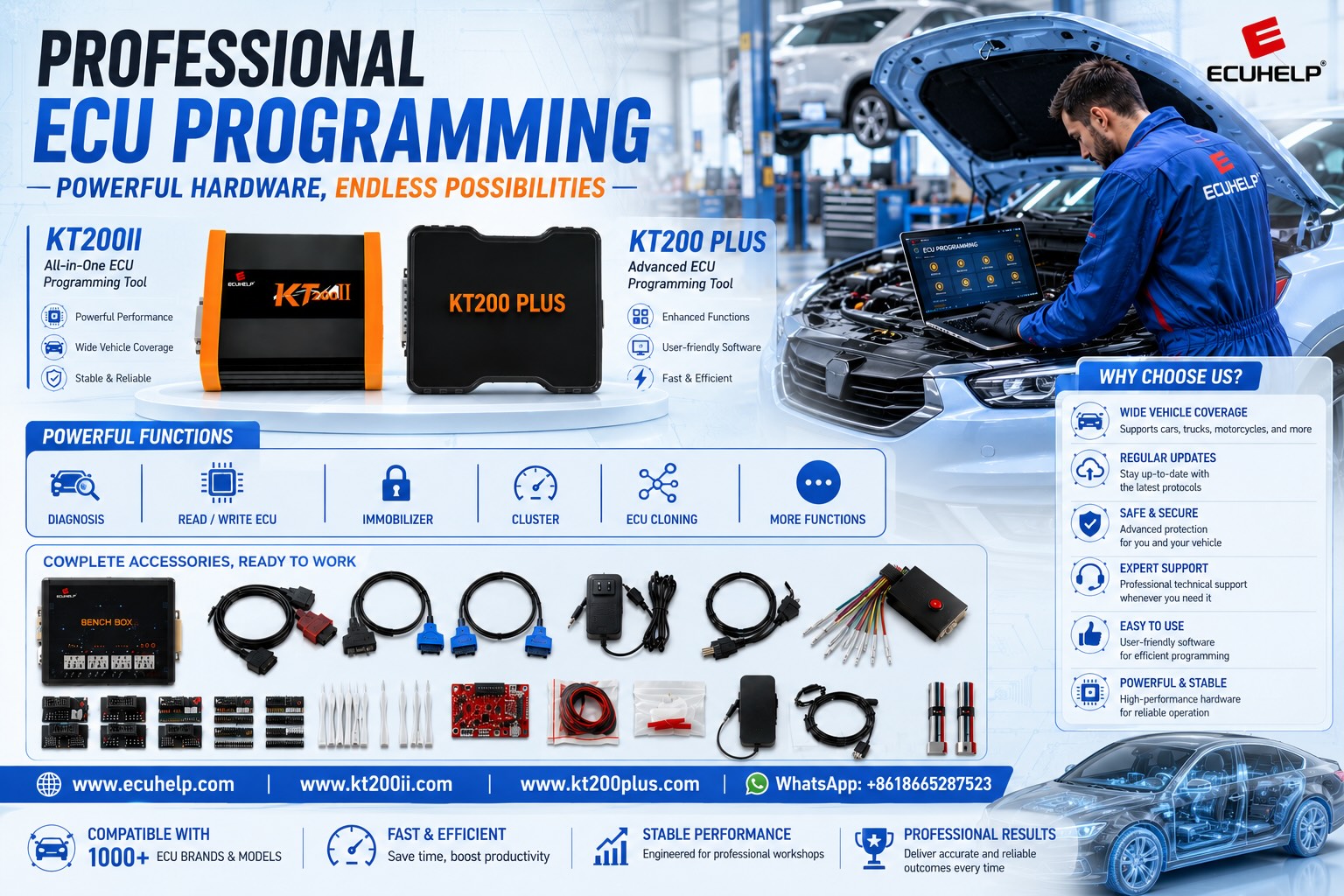
KT200II Marelli 8GMF ECU Programming Guide
KT200II Marelli 8GMF Programming Guide: MPC5553/5565, OBD Virtual Read and Safe Writing
A professional KT200II Marelli 8GMF workflow covering exact ECU identification, MPC5553/5565 processor information, OBD Virtual Read, original-file verification, stable vehicle power and safe ECU writing preparation.
Marelli 8GMF is an ECU family that technicians may encounter when working with selected small-displacement turbocharged and MultiAir vehicle applications.
For supported controllers, KT200II can provide a convenient programming path without automatically requiring the ECU to be opened.
The official KT200II database currently includes Marelli 8GMF applications associated with MPC5553/5565 processor information and EEPROM references such as 95640 / 95128. A listed 8GMF application also uses the VR/W / OBD protocol description.
That combination makes one point especially important:
Virtual Read, ECU identification and file matching must be understood before clicking Write.
A technician should not assume that a file is the ECU's complete physical backup simply because the software provides a Read function.
Likewise, an ECU identified as 8GMF should still be matched by vehicle application, hardware, software and protocol before programming.
Can KT200II Program Marelli 8GMF?
KT200II lists supported Marelli 8GMF applications in its official database. One current entry identifies MPC5553/5565 with EEPROM 95640/95128 and a VR/W / OBD operation. Always search the exact vehicle and ECU before programming because functions can differ between controller variants and applications.
What Does VR/W / OBD Mean for Marelli 8GMF?
Understanding the protocol abbreviation is essential before beginning an 8GMF job.
| Protocol Term | General Meaning | What the Technician Should Confirm |
|---|---|---|
| VR | Virtual Read | Confirm that the virtual file matches the ECU identification and software. |
| W | Supported Write operation | Verify the exact Write file, software match and checksum workflow. |
| OBD | Vehicle diagnostic connector | Prepare stable vehicle voltage and follow the required ignition sequence. |
For a broader explanation of OBD protocol abbreviations, review the KT200II OBD Programming Guide.
Virtual Read Is Not the Same as Physical ECU Reading
This distinction is particularly important for an 8GMF protocol labeled VR.
A Virtual Read workflow generally identifies the ECU and obtains a matching original software file through the supported database workflow.
The file is therefore not necessarily a byte-for-byte physical extraction of everything currently stored inside the ECU.
| Read Type | Source | Main Consideration |
|---|---|---|
| Virtual Read | Matching software obtained through the supported identification workflow | May represent matching stock software rather than the exact current contents of every ECU memory area. |
| Physical Read | Data transferred from the connected control unit | Confirm exactly which Flash, EEPROM or other memory area the protocol reads. |
For a detailed comparison, read the KT200II Virtual Read vs Physical Read Guide.
Record how the file was obtained. Keeping Virtual Read, physical Flash, EEPROM and other original data clearly separated makes later programming and recovery work much easier to understand.
Step 1: Identify the Exact Marelli 8GMF ECU
Before selecting a protocol, begin with the physical ECU and vehicle.
Record:
- Vehicle manufacturer
- Vehicle model
- Production year
- Engine displacement
- Engine type or code
- ECU manufacturer
- Complete ECU family
- OEM part number
- Hardware number where available
- Software number where available
- Calibration information where available
Take a clear photograph of the complete ECU label before programming.
Do not rely only on the fact that the ECU housing looks like another 8GMF controller.
Step 2: Search Marelli 8GMF in the KT200II Database
Use the official database to confirm the exact supported application and operation.
Useful search terms include:
- 8GMF
- Marelli 8GMF
- Vehicle manufacturer + 8GMF
- MPC5553
- MPC5565
- 8GMF OBD
- 8GMF VR
Compare the complete row rather than reading only the ECU Type column.
What Information Should Match in the Support Result?
Vehicle application
Marelli 8GMF ECU
Processor information
EEPROM reference
Read type
Write support
Connection mode
Software instructions
MPC5553 / MPC5565: Why Processor Information Matters
The processor field provides another technical reference for identifying the controller.
For Marelli 8GMF entries associated with MPC5553 or MPC5565, processor information can help distinguish the protocol from other Marelli ECU generations.
It can also become useful when:
- Comparing similar ECU variants
- Matching original and donor hardware
- Reviewing deeper memory access
- Planning recovery
- Checking processor-level information
However, processor information should not replace the complete ECU identification.
Two ECUs using processors from the same family are not automatically interchangeable. Always compare the Marelli ECU family, hardware, software and vehicle application as well.
What Do EEPROM 95640 and 95128 Mean?
EEPROM references in the support database help describe the memory architecture associated with a controller.
They should not automatically be interpreted as meaning that the selected OBD protocol physically reads or writes that EEPROM.
The actual available operations must be checked inside the selected KT200II protocol.
This distinction is important:
| Database Information | What It Tells You | What It Does Not Automatically Prove |
|---|---|---|
| MPC5553 / MPC5565 | Processor information associated with the controller entry | That every processor memory area is accessible through the selected mode |
| 95640 / 95128 | EEPROM information associated with the ECU architecture | That the OBD protocol automatically performs a physical EEPROM Read |
| VR/W / OBD | Virtual Read and supported writing through the listed OBD workflow | That the Virtual Read represents every physical memory area in the ECU |
Step 3: Read ECU Identification Before Virtual Read
ECU identification is one of the most important records in an OBD Virtual Read workflow.
Save all information returned by KT200II.
Depending on the exact protocol, useful identification data may include:
- ECU manufacturer
- Hardware number
- Software number
- Calibration or upgrade information
- OEM references
- Processor information
- Protocol-specific identification strings
Store a screenshot together with the ECU label photograph.
For a complete identification workflow, use the KT200II ECU ID Reading Guide.
Step 4: Prepare Stable Vehicle Power
OBD programming depends on the complete vehicle electrical system.
The fact that ECU identification works does not guarantee that the battery voltage will remain stable throughout a Write.
Before starting:
- Check the vehicle battery condition.
- Use suitable stabilized battery support for programming where required.
- Switch off unnecessary lighting.
- Switch off climate control.
- Do not operate windows or seats unnecessarily.
- Keep doors in a practical state that avoids unnecessary module activity.
- Keep the KT200II OBD connector secure.
- Connect the laptop charger.
- Disable sleep and hibernation.
A voltage drop or vehicle-network interruption during ECU erase or writing can interrupt programming. Prepare the vehicle electrical environment before loading the Write file.
Step 5: Perform the KT200II Marelli 8GMF Virtual Read
After confirming the exact protocol and ECU identification, perform the Virtual Read according to the KT200II software instructions.
A typical professional workflow is:
Connect KT200II Through OBD
Keep the interface, vehicle and laptop connection stable.
Select the Exact 8GMF Protocol
Do not select another Marelli protocol because the ECU housing appears similar.
Read ECU ID
Save hardware and software identification before obtaining the virtual file.
Request Virtual Read
Allow the supported workflow to obtain the matching original software.
Save the File Clearly
Identify it as a Virtual Read rather than a physical full backup.
Verify the Match
Compare the downloaded file with the saved ECU hardware and software information.
Recommended 8GMF File Naming
File names should explain how the file was obtained.
Vehicle_Marelli_8GMF_HW_SW_OBD_VR_ORIGINAL_Date.bin
Avoid vague names such as:
- original.bin
- 8gmf.bin
- newfile.bin
- tuned.bin
- final2.bin
A clear filename reduces confusion when several vehicles or software versions are stored in the same workshop.
Step 6: Verify the Virtual File Before Modification
Before creating a working copy, compare the Virtual Read result against the ECU identification.
Exact Marelli 8GMF ECU
Vehicle application
Hardware information
Software information
Processor family
File source
File size & format
Checksum workflow
Keep the Original Virtual File Unchanged
Once the correct original file has been obtained and verified, preserve it as the master stock reference.
| File | Purpose | Recommended Handling |
|---|---|---|
| Virtual Original | Matching stock software reference | Keep unchanged |
| Working Copy | Authorized calibration preparation | Modify separately |
| Final Write File | Data selected for programming | Archive exactly as written |
| ECU ID Record | Hardware/software reference | Store with all files |
What If the 8GMF ECU Was Already Modified?
This is where understanding Virtual Read becomes especially important.
If the ECU currently contains modified software, a Virtual Read may provide the matching original stock file rather than physically extracting the modified file already stored in the ECU.
Therefore:
- Do not assume the virtual file contains existing tuning changes.
- Do not assume it is a complete forensic copy of current ECU contents.
- Record the ECU's programming history where known.
- Confirm whether physical reading is required for the actual repair objective.
Step 7: Verify the Write File
Do not write a file merely because its filename contains “8GMF”.
Before loading it into KT200II, confirm:
- The file was prepared from the correct original software.
- The ECU family matches Marelli 8GMF.
- The vehicle application is correct.
- The hardware family matches.
- The software family matches.
- The file size and format are appropriate.
- The intended calibration changes are understood.
- The checksum workflow has been confirmed.
- The original stock file remains available.
File Size Alone Does Not Prove Compatibility
Two ECU files can contain the same number of bytes while belonging to different software revisions or vehicle applications.
ECU identification → Marelli 8GMF family → vehicle application → hardware → software → processor reference → file source → file size and format → checksum workflow → supported Write protocol.
Checksum Is Not the Same as ECU Compatibility
Checksum validation is important for ECU file integrity, but it does not prove that the file belongs to the controller connected to KT200II.
A file can have a technically correct checksum and still be unsuitable for another hardware or software version.
For file preparation, review the KT200II Checksum Guide.
Step 8: Prepare for the OBD Write
Before selecting Write, make the programming environment predictable.
Keep voltage stable throughout the complete programming sequence.
Secure the OBD and USB connections so neither can move accidentally.
Connect the charger and disable sleep, hibernation and automatic restart.
Confirm the virtual original, ECU ID and job information are stored safely.
Verify the exact file selected inside the software before continuing.
Know what information must be preserved if programming is interrupted.
Follow KT200II Ignition Instructions Exactly
OBD programming can require ignition changes at specific points.
The software may ask for:
- Ignition ON
- Ignition OFF
- A timed waiting period
- Ignition ON again
- No ignition change during programming
- A final power cycle after writing
Do not use the ignition sequence from another Marelli ECU or another programming tool.
Wait for the KT200II software instruction at every stage.
What Not to Do During an 8GMF OBD Write
- Do not disconnect battery support.
- Do not remove the OBD connector.
- Do not move the USB cable.
- Do not close KT200II software.
- Do not allow the laptop to sleep.
- Do not operate vehicle accessories unnecessarily.
- Do not cycle the ignition unless instructed.
- Do not perform another diagnostic operation with a second tool.
- Do not disconnect immediately when the progress display reaches 100% unless the software confirms completion.
Post-Write Verification
A successful software message should be followed by vehicle-side verification.
After KT200II completes the required finalization sequence:
- Follow the requested ignition or power cycle.
- Read ECU identification again where appropriate.
- Confirm normal ECU communication.
- Perform a diagnostic scan.
- Record current fault codes.
- Clear only appropriate repair-related faults.
- Confirm normal engine starting.
- Check warning lamps.
- Review relevant live data.
- Perform a controlled functional check.
- Rescan the vehicle.
- Archive the final programming result.
What If the Marelli 8GMF Write Is Interrupted?
Do not immediately select another ECU protocol or write another file.
Preserve what happened first.
Complete error message
Percentage where it stopped
Exact 8GMF entry used
Exact file being written
Vehicle voltage condition
Whether ECU ID still works
If the ECU still identifies, preserve that communication state before attempting further programming.
If communication has been lost, determine the exact supported recovery route rather than testing random Marelli protocols.
Use the KT200II ECU Recovery Guide before changing the programming mode.
Should You Move from OBD to Bench or Boot After a Failure?
Not automatically.
The failure itself does not prove that Bench or Boot is the correct next step.
First determine:
- Whether the original 8GMF protocol still communicates
- Whether the same OBD workflow provides recovery
- Whether the correct file was selected
- Whether vehicle voltage remained stable
- Whether the ECU completed erase or partial Write
- Whether KT200II provides another controller-specific supported method
Only move to another mode when it is confirmed for the exact controller and recovery objective.
Professional KT200II Marelli 8GMF Workflow
Record the Vehicle
Save model, year, engine and required programming operation.
Confirm Marelli 8GMF
Photograph the ECU label and record all controller information.
Search KT200II Support
Compare the vehicle, ECU, processor, EEPROM information and OBD operation.
Prepare Vehicle Power
Create a stable electrical environment before programming.
Read ECU Identification
Save hardware, software and calibration information.
Complete Virtual Read
Obtain the matching file through the supported 8GMF workflow.
Verify the Original File
Compare the file against the saved ECU hardware and software information.
Create a Working Copy
Keep the verified Virtual Read master unchanged.
Verify the Final Write File
Confirm hardware, software, file size, modifications and checksum workflow.
Write Through the Confirmed OBD Protocol
Follow every ignition and software instruction without disturbing the connection.
Complete Finalization
Wait for KT200II to confirm that the procedure has completed.
Verify the Vehicle
Re-identify, scan and complete the required functional checks.
Common Marelli 8GMF Programming Mistakes
Use the exact 8GMF controller and vehicle information to narrow the protocol.
Virtual Read matching depends heavily on correct hardware and software identification.
A Virtual Read can provide matching stock software rather than all current ECU memory.
EEPROM information in the database does not automatically prove that the selected OBD function physically reads EEPROM.
A file labeled 8GMF is not automatically compatible with the connected ECU.
Equal file size does not prove matching hardware and software.
Stable vehicle voltage is critical during erase and writing.
Follow the exact timing requested by KT200II rather than another ECU procedure.
KT200II Marelli 8GMF Pre-Write Checklist
- Vehicle manufacturer recorded
- Vehicle model recorded
- Production year recorded
- Engine information recorded
- Complete ECU label photographed
- Marelli 8GMF confirmed
- OEM part number recorded
- Hardware information saved
- Software information saved
- MPC5553 / MPC5565 information checked where applicable
- Correct KT200II protocol selected
- VR/W / OBD operation understood
- Virtual Read source understood
- EEPROM information not confused with OBD Read capability
- Stable vehicle power prepared
- Laptop charger connected
- Sleep and hibernation disabled
- OBD connection secure
- USB connection secure
- ECU identification saved
- Virtual original saved
- Original master kept unchanged
- Write-file source confirmed
- Hardware compatibility checked
- Software compatibility checked
- File size and format checked
- Checksum workflow confirmed
- Ignition procedure understood
- Recovery information prepared
- Post-write diagnostic check planned
Frequently Asked Questions About KT200II Marelli 8GMF
Does KT200II support Marelli 8GMF?
KT200II currently lists supported Marelli 8GMF applications in its official protocol database. Search the exact vehicle and ECU before starting because available operations depend on the specific entry.
What does VR/W / OBD mean for KT200II?
It generally means Virtual Read with supported writing through the vehicle OBD connection. Confirm the exact protocol instructions and file requirements before writing.
Can KT200II physically read the complete 8GMF ECU through Virtual Read?
Virtual Read should not automatically be treated as a complete physical backup. It normally uses ECU identification to obtain matching software through the supported workflow.
What processors are associated with Marelli 8GMF in the KT200II database?
Current supported entries can include MPC5553/5565 processor information. Always verify the exact controller entry rather than assuming every 8GMF application uses identical hardware.
Does the 95640 / 95128 EEPROM reference mean KT200II reads EEPROM through OBD?
Not automatically. The database may identify the ECU architecture and EEPROM type while the listed operation is Virtual Read and Write through OBD. Check the exact available buttons and functions inside the selected protocol.
Should I save the Virtual Read before writing?
Yes. Save the matching original file together with the ECU identification and keep the master original unchanged.
Can I write another 8GMF file if the size matches?
No. File size alone does not prove compatibility. Compare the ECU family, vehicle application, hardware, software and file source first.
Do I need battery support when writing 8GMF through OBD?
Stable vehicle voltage is important for ECU programming. Prepare suitable programming power support where required and avoid unnecessary electrical loads during the operation.
What should I do if an 8GMF Write is interrupted?
Save the error, progress percentage, protocol, Write file and vehicle-voltage information. Check whether ECU identification remains available before selecting another programming method.
Where can I buy the official KT200II?
Purchase KT200II directly through the ECUHELP Official Global Store for official software resources, product supply and technical support.
Continue Your Marelli 8GMF Programming Workflow
| Search Marelli 8GMF Support | KT200II Support List → |
| Understand OBD Programming | KT200II OBD Guide → |
| Compare Virtual and Physical Read | Virtual Read vs Physical Read → |
| Identify the ECU Before Writing | ECU ID Reading Guide → |
| Verify ECU Checksum | Checksum Guide → |
| Prepare Failed-Write Recovery | ECU Recovery Guide → |
| Compare KT200II Modes | OBD / Bench / Boot / JTAG / BDM → |
| Official KT200II Information | ECUHELP KT200II Page → |
| Buy KT200II | ECUHELP Official Purchase Page → |
Final Thoughts
A professional KT200II Marelli 8GMF programming job begins with understanding exactly what the protocol provides.
For a supported 8GMF application showing VR/W / OBD, Virtual Read should be treated as a matching software workflow rather than automatically described as a complete physical ECU backup.
Save the ECU identification first and verify the resulting original file against the hardware and software information.
Processor information such as MPC5553/5565 and EEPROM references such as 95640/95128 can help identify the ECU architecture, but they do not by themselves prove which memory areas are physically available through OBD.
Before writing, preserve the verified Virtual Read master, prepare a separate working copy, confirm the final file and verify checksum handling.
Maintain stable vehicle voltage, secure the KT200II OBD and USB connections and follow every ignition instruction exactly.
After writing, complete ECU identification and diagnostic verification before returning the vehicle to service.
If programming is interrupted, preserve the exact protocol, file, error and current communication state before selecting a recovery method.
Correct ECU identification, accurate Virtual Read understanding, stable power and verified file matching are the foundation of safe Marelli 8GMF programming.
Need Help Checking a Marelli 8GMF Protocol?
Send ECUHELP your vehicle model, year, engine, clear Marelli 8GMF ECU label photo, KT200II protocol screenshot, ECU identification and the exact Read, Write, Backup or Recovery operation you need.
Official WhatsApp: +86 186 6528 7523 Buy KT200II OfficiallyECUHELP Official Unique WhatsApp Contact: +86 186 6528 7523




