KT200II Basic vs Full vs Ultimate: Which Version Should You Choose?
Choosing an ECU programmer is not only about selecting the tool name. Workshops must also choose the version that matches their vehicle coverage, internet conditions, ECU and TCU workload, and required service functions.
KT200II is available in three main configurations: Basic Version, Full Version with Offline Dongle, and Ultimate Version.
All three options are built around professional KT200II ECU and TCU programming, but they are designed for different types of customers.
The main differences involve supported vehicle categories, online or offline operation, and whether the package includes KT200Plus for additional supported DTC and authorized IMMO service workflows.
This KT200II Basic vs Full comparison explains each version in detail, identifies the most suitable workshop profile and helps buyers avoid paying for the wrong configuration.
KT200II Versions at a Glance
KT200II Basic
Designed mainly for technicians working with supported cars and trucks who have reliable internet access.
- Cars and trucks
- Online operation
- ECU and TCU read, write and clone workflows
- OBD, Bench, Boot, JTAG or BDM where supported
- Suitable for focused automotive workshops
KT200II Full
Designed for professional workshops that need wider vehicle coverage and both online and offline operating options.
- Cars and trucks
- Construction vehicles
- Motorcycles
- Boats and marine applications
- Online and offline operation
- Offline Dongle included
KT200II Ultimate
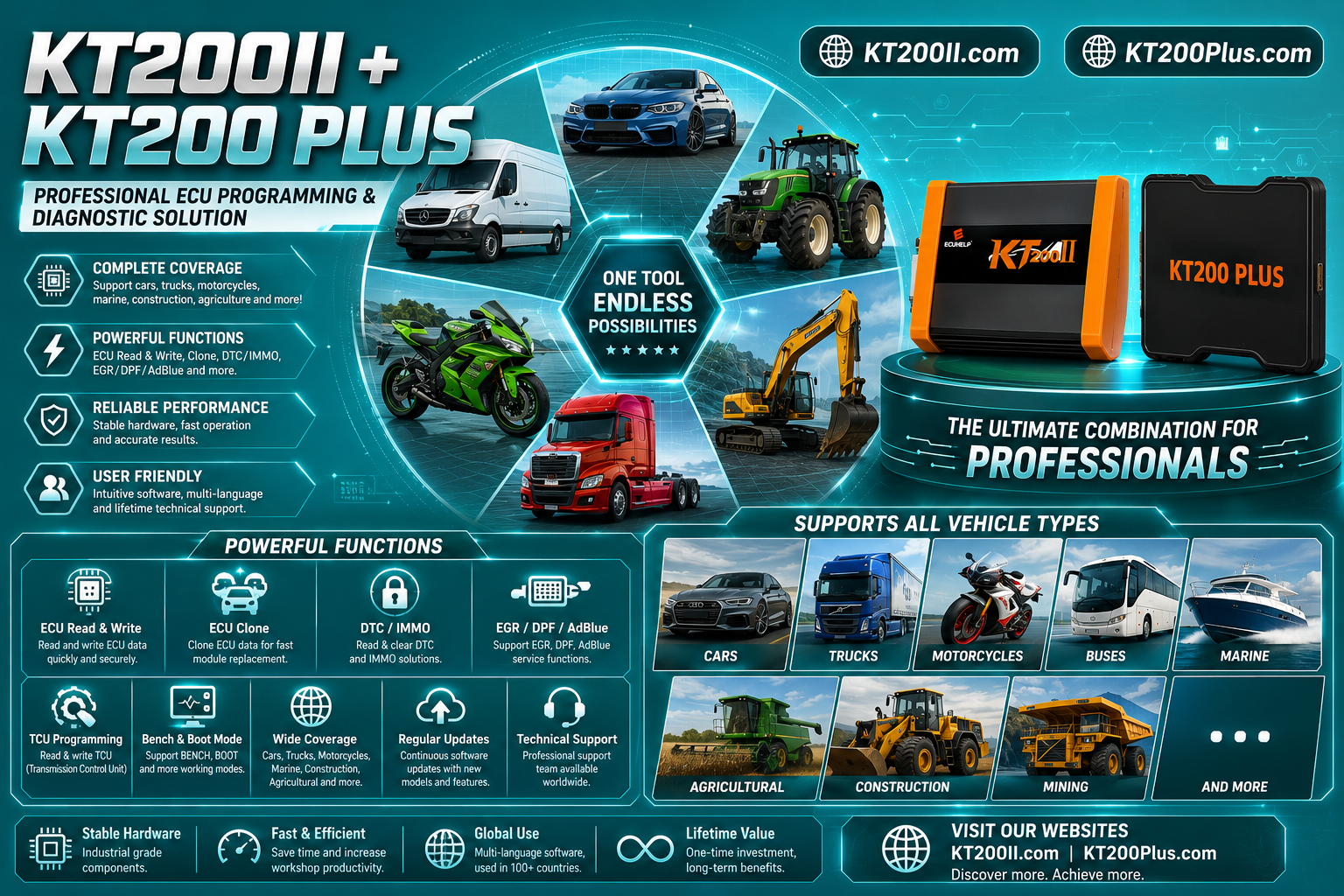
Combines the KT200II Full configuration with KT200Plus for workshops that need additional supported service functions.
- All Full Version vehicle categories
- Online and offline operation
- KT200Plus included
- Supported one-click DTC clearing
- Authorized IMMO service functions
- Designed for advanced ECU service businesses
The Version Does Not Change Every ECU Protocol
The available read, write, cloning and connection operations still depend on the exact vehicle, ECU or TCU family, processor and protocol.
Always search the KT200II Supported Vehicles Finder before purchasing or beginning a programming operation.
KT200II Basic vs Full vs Ultimate Comparison Table
| Comparison Item | Basic Version | Full Version | Ultimate Version |
|---|---|---|---|
| Cars | Included | Included | Included |
| Trucks | Included | Included | Included |
| Construction Vehicles | Not included in the standard coverage | Included | Included |
| Motorcycles | Not included in the standard coverage | Included | Included |
| Boats and Marine | Not included in the standard coverage | Included | Included |
| Online Operation | Yes | Yes | Yes |
| Offline Operation | No | Yes | Yes |
| Offline Dongle | Not included | Included | Included as part of the Full configuration |
| ECU and TCU Reading | Supported protocols | Supported protocols | Supported protocols |
| ECU and TCU Writing | Supported protocols | Supported protocols | Supported protocols |
| ECU and TCU Cloning | Supported protocols | Supported protocols | Supported protocols |
| KT200Plus Included | No | No | Yes |
| One-Click DTC Clearing | Not included as the KT200Plus function | Not included as the KT200Plus function | Available for supported applications |
| Authorized IMMO Service | Not included as the KT200Plus function | Not included as the KT200Plus function | Available for supported and authorized repair |
| Recommended User | Car and truck technicians with reliable internet access | Multi-category workshops and technicians requiring offline use | Advanced ECU repair and service businesses requiring KT200Plus |
What Does Every KT200II Version Have in Common?
The KT200II Basic vs Full comparison should not create the impression that Basic is a different type of programming tool.
The versions share the same general professional KT200II purpose:
- ECU identification
- TCU identification
- Reading supported control-unit data
- Writing supported control-unit data
- Creating original backups
- Cloning compatible ECUs and TCUs
- Working with calibration files
- Supporting professional ECU repair workflows
Depending on the selected controller, the protocol may use:
- OBD mode
- Bench mode
- Boot mode
- JTAG
- BDM
Review the differences between these methods on the KT200II Operation Modes page .
Choose the version by vehicle category and workshop workflow. Choose the programming protocol by the exact ECU or TCU.
KT200II Basic Version Explained
KT200II Basic is the entry configuration for customers who mainly work on supported automotive and truck ECU or TCU projects.
It is most suitable when:
- Your work is concentrated on cars and trucks
- You normally have a stable internet connection
- You do not require an offline Dongle
- You do not regularly service motorcycles or marine applications
- You do not need the KT200Plus functions included in Ultimate
- You want to begin with the standard KT200II programming workflow
Who Should Buy KT200II Basic?
Car ECU Workshop
Suitable for a workshop mainly reading, writing, backing up or cloning supported car ECUs and TCUs.
Truck ECU Technician
Suitable when supported truck ECU and TCU programming is required but wider motorcycle, marine or construction coverage is unnecessary.
New ECU Programmer
Suitable for a technician beginning professional work and focusing on a limited number of vehicle categories.
Workshop with Reliable Internet
Suitable when the programming computer can maintain a stable internet connection during applicable online operation.
Important Limitation of Basic Version
KT200II Basic works online and does not include the Full Version Offline Dongle.
Workshops operating in areas with unstable internet access should consider whether this limitation could interrupt their normal working schedule.
Basic also does not provide the wider Full Version vehicle categories as the standard package.
Basic Does Not Mean Every Car and Truck Is Supported
Compatibility depends on the vehicle, ECU or TCU type, processor, production year and required read, write or cloning operation.
Search the exact control unit rather than assuming that every model in the vehicle category is included.
KT200II Full Version Explained
KT200II Full Version with Offline Dongle is designed for workshops that need greater flexibility and broader vehicle coverage.
In addition to supported cars and trucks, the Full configuration extends the standard vehicle categories to:
- Construction vehicles
- Motorcycles
- Boats and marine applications
It also supports both online and offline working options according to the supplied software and configuration.
Why Choose the Full Version?
- You service several vehicle categories
- You receive motorcycle ECU work
- You repair construction-equipment ECUs
- You work with supported marine control units
- Your workshop needs offline flexibility
- You travel to customers or work in locations with limited internet
- You want a wider long-term workshop configuration
Who Should Buy KT200II Full?
Multi-Brand ECU Workshop
Suitable for workshops that accept a wider variety of ECU and TCU projects rather than limiting work to cars and trucks.
Mobile ECU Technician
Offline capability can be useful for technicians working away from a reliable workshop internet connection.
Motorcycle ECU Specialist
Suitable when the workshop regularly receives supported motorcycle ECU reading, writing or repair work.
Marine or Construction Workshop
Suitable for businesses servicing compatible boat engines, construction equipment and additional professional applications.
Best General Workshop Choice
For many professional customers, KT200II Full offers the most balanced combination of vehicle coverage and online/offline working flexibility.
Ultimate becomes the better choice when the workshop also needs the additional KT200Plus service functions.
KT200II Ultimate Version Explained
KT200II Ultimate is the most complete package in the KT200II version range.
It combines:
- KT200II Full Version
- Offline Dongle and wider vehicle categories
- KT200Plus ECU programmer
- Supported one-click automatic DTC clearing
- Supported authorized IMMO service functions
Ultimate is designed for professional ECU businesses that need the main KT200II read, write and cloning platform together with the additional supported KT200Plus functions.
Who Should Buy KT200II Ultimate?
Advanced ECU Repair Shop
Suitable for businesses handling programming, cloning, replacement, fault-code and additional professional ECU service workflows.
Professional Tuning Business
Suitable for workshops that need broad KT200II coverage and additional KT200Plus functions in one package.
Multi-Sector Technician
Suitable for customers working with cars, trucks, construction vehicles, motorcycles and marine applications.
Workshop Buying Once for Long-Term Growth
Suitable when the business expects to expand its supported services and wants the most complete current package.
What Does KT200Plus Add to Ultimate?
KT200Plus is a separate professional ECU and TCU tool included with the Ultimate package.
It complements KT200II by adding supported service functions such as:
- One-click automatic DTC clearing for compatible applications
- Authorized IMMO service for supported repair cases
- Additional ECU and TCU reading workflows
- Additional writing and cloning protocols
- OBD, Bench, Boot and JTAG operations where supported
The exact DTC, IMMO, read, write or cloning function depends on the control unit and protocol.
Authorized IMMO Work Only
Immobilizer-related functions must only be used for lawful vehicle ownership, authorized repair and legitimate professional service.
Always confirm the supported ECU and required procedure before beginning an IMMO operation.
Online vs Offline Operation
Online and offline capability is one of the most important differences between KT200II Basic and Full.
Online Operation
Online operation uses the corresponding KT200II online software and may require a stable internet connection during applicable service use.
It is suitable for:
- Permanent workshops with reliable internet
- Technicians who normally work in one fixed location
- Customers purchasing the Basic configuration
Offline Operation
Offline operation uses the compatible Full or Ultimate configuration and supplied Offline Dongle.
It can be useful for:
- Mobile technicians
- Remote workshops
- Areas with unstable internet service
- Customers who need greater operational flexibility
Download and installation resources are available from the KT200II Software Download page .
Does Full Have More ECU Protocols Than Basic?
Full is designed to provide wider vehicle-category coverage and offline capability.
The practical difference should be evaluated by searching the exact vehicle and ECU or TCU required by the workshop.
Before ordering, create a list of the control units you commonly service:
- Vehicle manufacturer
- Vehicle model
- Production year
- Engine or transmission
- ECU or TCU manufacturer
- ECU or TCU family
- Processor or chip where known
- Required read, write or clone function
- Required OBD, Bench, Boot, JTAG or BDM method
Search this information in the support database or send it to technical support for confirmation.
Does Ultimate Support Every DTC and IMMO Function?
No programming tool provides one identical function for every ECU or vehicle.
In the Ultimate package, KT200Plus provides supported DTC and authorized IMMO workflows where the exact protocol includes those functions.
Availability can depend on:
- Vehicle manufacturer
- Vehicle model and production year
- Engine and transmission
- ECU or TCU family
- Processor and memory type
- Installed immobilizer architecture
- Software and hardware version
- Required service procedure
Send a clear ECU label photograph to support before promising a specific function to a customer.
Which Version Is Best for ECU Cloning?
All versions can perform cloning workflows for supported ECUs and TCUs within their purchased coverage.
The correct version depends on the control-unit category and the working environment.
Choose Basic for Cloning When:
- The unit is from a supported car or truck
- Online operation is acceptable
- The exact clone protocol has been confirmed
Choose Full for Cloning When:
- The unit is from a wider supported vehicle category
- Offline working capability is important
- The workshop handles motorcycles, boats or construction vehicles
Choose Ultimate for Cloning When:
- You need Full Version coverage
- You also want KT200Plus protocols and service functions
- Your business provides a wider range of ECU repair services
Cloning availability depends on the exact ECU or TCU. Some units require Flash, EEPROM, Micro data or a dedicated cloning function.
Which Version Is Best for TCU Programming?
Transmission control-unit coverage should be checked by TCU family rather than vehicle model alone.
A suitable version should support:
- The required vehicle category
- The exact gearbox controller
- The required read or write operation
- The required connection mode
- The workshop’s online or offline needs
Basic can be suitable for supported car and truck TCUs.
Full is more suitable when the business requires additional vehicle categories or offline operation.
Ultimate is the most complete choice when KT200Plus is also required.
Which Version Is Best for a Mobile Technician?
Mobile ECU technicians frequently work in locations where internet, workshop power and vehicle information are less predictable.
Full or Ultimate is generally more suitable when offline capability is an important requirement.
A mobile setup should also include:
- A prepared Windows laptop
- A regulated Bench power supply
- A suitable vehicle battery-support unit
- Required cables and adapters
- Original ECU backup storage
- Stable USB connections
- Access to technical support
Which Version Is Best for a New Workshop?
A new workshop should choose according to its actual customer base rather than automatically buying the lowest or highest configuration.
Quick Version Recommendation
Choose Basic when your work is limited to supported cars and trucks and you have reliable internet access.
Choose Full when you need wider vehicle coverage or offline operation.
Choose Ultimate when you need Full Version coverage together with KT200Plus, supported one-click DTC clearing and authorized IMMO service functions.
Five Questions to Ask Before Buying
Which Vehicle Categories Do You Repair?
Decide whether your work is limited to cars and trucks or also includes construction vehicles, motorcycles and marine applications.
Do You Need Offline Operation?
Consider the quality of your workshop internet and whether you work at remote customer locations.
Do You Need KT200Plus?
Determine whether supported one-click DTC clearing, authorized IMMO service and additional KT200Plus protocols are required.
Which ECU and TCU Families Do You See Most Often?
Search your regular control units in the KT200II support database before choosing a package.
Will Your Workshop Expand?
Consider whether you expect to add motorcycles, construction machinery, marine work or advanced ECU services later.
How to Check Compatibility Before Ordering
Prepare complete vehicle and ECU information before asking whether a function is supported.
Send:
- Vehicle manufacturer
- Model
- Production year
- Engine or transmission type
- ECU or TCU manufacturer
- Complete ECU or TCU model
- Clear label photograph
- Required read, write, clone, DTC or authorized IMMO function
Use the KT200II Contact and Support page to request a version recommendation.
Describe the Required Operation Clearly
“Does KT200II support this car?” is less precise than asking whether the exact ECU supports OBD reading, Bench writing, Boot backup or cloning.
Do You Need to Upgrade Later?
Choosing the correct version at the beginning can reduce the need to change the workshop setup later.
Consider Full or Ultimate from the beginning when:
- You already receive work from several vehicle categories
- You expect to add motorcycle or marine services
- You frequently work in locations without stable internet
- You need the additional KT200Plus service functions
- You want one complete package for future workshop growth
Basic remains a practical choice when the workshop requirements are clearly limited to its included vehicle categories and online workflow.
Common KT200II Version Selection Mistakes
Choosing Only by Price
A lower initial price may not be the best value if the workshop later requires wider vehicle categories or offline operation.
Assuming Basic Works Offline
Basic uses the online configuration. Choose Full or Ultimate when offline capability is required.
Assuming Full Includes KT200Plus
KT200Plus is included with the Ultimate package rather than the standard Full Version.
Assuming Ultimate Supports Every IMMO Job
Authorized IMMO availability depends on the specific vehicle, ECU and supported KT200Plus procedure.
Buying by Vehicle Brand Alone
One vehicle brand can use many ECU families, processors and programming methods.
Ignoring Internet Conditions
Workshops with unreliable internet should consider the practical value of the Full or Ultimate offline configuration.
Not Checking the Required Cables
Different OBD, Bench, Boot, JTAG and BDM workflows may require different connections and accessories.
Confusing Programming with Diagnostic Coding
ECU reading, writing and cloning do not automatically complete every vehicle coding, initialization or adaptation procedure.
KT200II Purchase Checklist
Confirm These Points Before Choosing a Version
- Your main vehicle categories are identified
- Your common ECU and TCU families are listed
- The required protocols appear in the support database
- You know whether online-only operation is acceptable
- You know whether an Offline Dongle is required
- You have considered mobile and remote work
- You know whether motorcycle coverage is required
- You know whether marine coverage is required
- You know whether construction-vehicle coverage is required
- You know whether KT200Plus is required
- You know whether supported DTC clearing is required
- You know whether authorized IMMO service is required
- The required cables and adapters have been confirmed
- Your Windows laptop is suitable
- You have stable vehicle and Bench power equipment
- Technical support has confirmed uncertain applications
Frequently Asked Questions
What is the difference between KT200II Basic and Full?
Basic supports the included car and truck coverage and works online. Full adds wider vehicle categories and online plus offline operation with the compatible Offline Dongle.
What vehicles does KT200II Basic support?
Basic is designed for supported cars and trucks. Exact ECU and TCU compatibility must be checked in the support database.
What vehicles does KT200II Full support?
Full includes supported cars, trucks, construction vehicles, motorcycles and boats or marine applications.
Can KT200II Basic work offline?
No. Basic uses online operation. Full and Ultimate provide the compatible online and offline configuration.
Does KT200II Full include an Offline Dongle?
Yes. The Full Version configuration includes the compatible Offline Dongle.
What is included in KT200II Ultimate?
Ultimate combines KT200II Full with KT200Plus and provides the wider vehicle categories, online and offline operation, and supported additional service functions.
Does Ultimate include KT200Plus?
Yes. KT200II Ultimate is the Full Version plus KT200Plus package.
Can all versions clone an ECU?
Each version can perform cloning for compatible protocols within its purchased coverage. Exact requirements depend on the ECU, TCU, processor and available memory operations.
Which KT200II version is best for professional workshops?
Full is a balanced option for broad vehicle coverage and offline use. Ultimate is more suitable when KT200Plus and its additional supported service functions are also required.
How can I confirm which version I need?
Send the vehicle categories, ECU and TCU models, required operations and internet requirements to KT200II or ECUHELP support.
Final Thoughts
The correct choice in a KT200II Basic vs Full comparison depends on the actual workshop rather than one universal recommendation.
KT200II Basic is suitable for supported car and truck programming when online operation meets the workshop’s needs.
KT200II Full is the stronger choice for technicians who need wider vehicle categories and online plus offline flexibility.
KT200II Ultimate is the most complete option because it combines Full Version coverage with KT200Plus and its supported additional DTC and authorized IMMO service functions.
Before ordering, confirm the exact vehicle, ECU or TCU, required operation, connection mode and software configuration.
Choosing the correct version at the beginning helps the workshop build a more efficient and expandable ECU programming setup.
Not Sure Which KT200II Version to Choose?
Send the support team your vehicle categories, ECU or TCU models, required functions and online or offline working needs.
Compare options in the KT200II Product Center .
Search the KT200II supported ECU and TCU database .
Review KT200II OBD, Bench, Boot, JTAG and BDM modes .
Download the KT200II online or offline software .
View the detailed KT200II features and version comparison .
View and order the KT200II Basic, Full or Ultimate package .
Get assistance from the ECUHELP Technical Support Center .
Read more programming guides on the KT200II Technical Blog .
Vehicle coverage and available functions depend on the purchased KT200II version, manufacturer, model, production year, engine, transmission, ECU or TCU family, processor, software version and selected protocol.
KT200Plus DTC and immobilizer-related functions are available only for supported applications. Immobilizer functions must only be used for authorized repair and legitimate vehicle service.
Confirm compatibility, required connection mode, cables and software configuration before purchase or programming.