ECU Flash vs EEPROM: Understanding the Differences Before Programming
ECU Flash vs EEPROM: Understanding the Differences Before Programming
Modern engine control units store software, calibration information and other electronic data in different types of memory. Two important memory technologies used in automotive electronics are Flash and EEPROM. Understanding their differences helps technicians select the correct programming operation, organize original files and prepare for ECU repair or replacement.
Although Flash and EEPROM may both contain important ECU data, they do not necessarily serve the same purpose. Their organization, access methods and programming requirements depend on the controller's architecture.
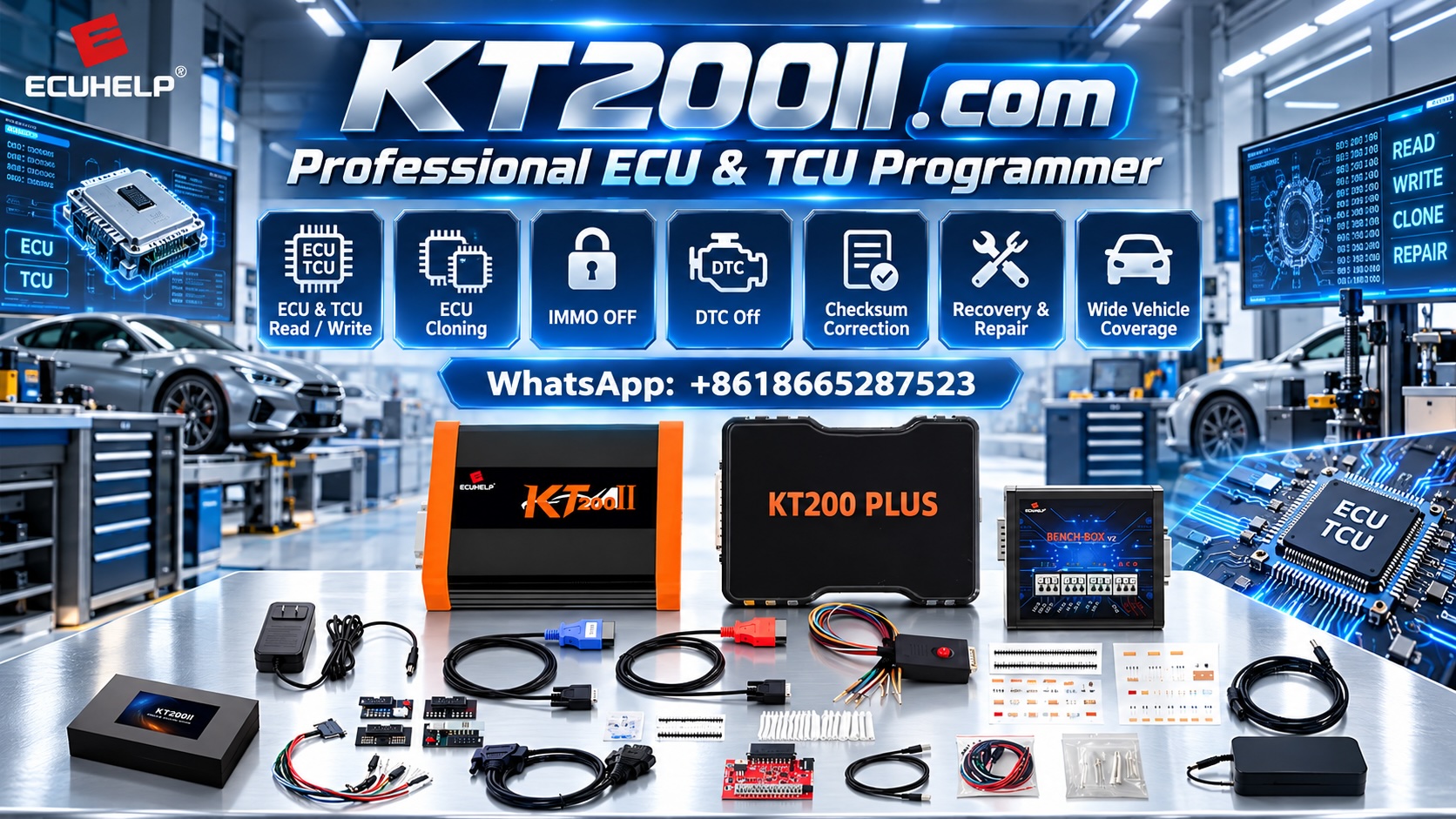
The KT200II ECU Programmer supports ECU and TCU programming operations for compatible controllers. This guide explains the fundamentals of Flash and EEPROM memory and outlines the checks technicians should perform before reading or writing either memory type.
1. What Is ECU Flash Memory?
Flash memory is a type of nonvolatile memory that retains its contents when electrical power is removed. In automotive control units, it commonly stores program code, calibration data or other information required for controller operation.
The exact contents depend on the ECU design. Flash may contain engine management software, calibration maps, control routines and other application-specific data.
During supported programming operations, technicians may be able to read or write particular Flash memory regions using a compatible ECU programmer and protocol.
Common reasons to access ECU Flash include:
- Preserving supported original software data.
- Preparing a compatible file for a supported programming operation.
- Performing certain ECU repair procedures.
- Supporting compatible software update or replacement workflows.
- Investigating supported ECU memory reading operations.
Not every ECU exposes its entire Flash memory through every programming method. Available access depends on the processor, controller design, software and selected protocol.
2. What Is EEPROM Memory?
EEPROM stands for Electrically Erasable Programmable Read-Only Memory. It is nonvolatile memory that can be electrically read and updated while retaining data when power is removed.
Depending on the ECU architecture, EEPROM or EEPROM-like storage may hold configuration information, learned values, identification data or other controller-specific information.
The exact contents vary considerably between controllers. Some applications use dedicated EEPROM chips, while others use emulated EEPROM implemented within another memory technology.
Depending on the supported protocol, EEPROM-related operations may be relevant to:
- Preserving supported configuration data.
- Performing certain controller replacement procedures.
- Investigating specific ECU memory information.
- Supporting compatible repair or cloning workflows.
Do not assume that every ECU stores the same information in EEPROM. The location and structure of important data must be confirmed for the exact controller.
3. ECU Flash vs EEPROM: Main Differences
| Comparison | Flash Memory | EEPROM Memory |
|---|---|---|
| Basic purpose | Often stores program code and calibration data | May store configuration and other controller-specific data |
| Data retention | Retains data without power | Retains data without power |
| Update behavior | Often erased and programmed in blocks or sectors | Traditionally supports smaller-granularity updates, depending on the device |
| ECU applications | Software, calibration and other supported memory regions | Configuration, learned values and other application-specific information |
| Programming access | Depends on the ECU and supported protocol | Depends on the ECU and supported protocol |
| Backup requirements | Record the exact Flash region successfully read | Record the exact EEPROM region successfully read |
These distinctions describe common memory characteristics rather than universal ECU rules. Modern controllers may use several memory technologies, and some functions traditionally associated with EEPROM may be stored elsewhere.
4. Why Flash and EEPROM Matter During ECU Repair
When diagnosing or repairing an ECU, technicians need to understand which memory areas are involved in the intended operation.
For example, a supported software programming procedure may primarily involve Flash, while a particular controller replacement workflow may also require data stored in another memory region.
Reading one memory area does not automatically provide all the information needed for every repair.
Before starting, determine:
- Which memory region the procedure requires.
- Whether the selected ECU protocol supports that region.
- Whether the operation is Read-only or permits writing.
- Whether additional configuration or initialization is required.
- How the resulting data should be verified and stored.
Understanding these requirements helps prevent technicians from treating every ECU memory operation as interchangeable.
5. Identify the Exact ECU Before Selecting a Memory Operation
The correct memory procedure depends on the controller, not simply on the vehicle manufacturer or engine type.
Before using KT200II, record the available information:
- Vehicle manufacturer and model
- Production year and engine configuration
- ECU manufacturer
- Complete ECU part number
- Hardware number and revision
- Software identification
- Processor or MCU family where available
Photograph the ECU label when practical and compare it with the identification information available in the programming software.
Controllers that look similar may have different memory layouts or programming requirements. Always verify the exact controller and intended operation before selecting a protocol.
Review the KT200II Support List and confirm the supported operation for the relevant ECU.
6. Confirm Whether Flash or EEPROM Reading Is Supported
A programming tool may support reading one memory region without supporting every other region in the same ECU.
Before beginning, confirm:
- The exact ECU is supported.
- The selected protocol matches the controller.
- The required memory region is accessible.
- The intended Read operation is available.
- The necessary adapters and connection method are correct.
- The software instructions specify any additional requirements.
Do not assume that successful ECU identification proves that Flash and EEPROM are both accessible.
Likewise, support for reading a memory region does not automatically establish that writing to that region is supported or appropriate.
For more information about supported connection methods, visit the KT200II Operation Modes page.
7. Back Up Original Memory Data Before Making Changes
When the selected protocol supports the required Read operations, preserving original data before programming is strongly recommended.
A backup provides a reference for supported repair procedures, file comparison and certain ECU replacement workflows.
For each memory region, record:
- ECU identification
- Memory type or region
- Selected protocol
- Read operation completion status
- Filename and file size
- Date and storage location
Keep original files unchanged and separate from working copies or target files.
For example, a workshop may organize its files as follows:
ECU_PROGRAMMING_JOB
|
|-- 01_ECU_IDENTIFICATION
|-- 02_ORIGINAL_FLASH
|-- 03_ORIGINAL_EEPROM
|-- 04_WORKING_FILES
|-- 05_VERIFIED_TARGET_FILES
|-- 06_PROGRAMMING_LOGS
|-- 07_FINAL_VERIFICATION
This is an illustrative folder structure. Use only the memory folders relevant to the actual controller and operations performed.
A successful Flash Read does not prove that EEPROM has been backed up, and the reverse is also true. Record exactly which operations were completed successfully.
8. Verify File Compatibility Before Writing
Before writing any memory data, confirm that the target file is appropriate for the exact ECU and intended memory region.
Check the following information where available:
- ECU part number
- Hardware and software versions
- Processor family
- Memory region
- File format and size
- File source and modification history
- Checksum requirements where applicable
- Support for the intended Write operation
Two files with identical sizes can contain different data. Similarly, a valid checksum does not establish that a file is compatible with the target controller.
Do not write a file merely because it is identified as Flash or EEPROM. Verify the file's intended application and memory layout before proceeding.
9. Understand Memory Differences During ECU Cloning
Some ECU replacement procedures require transferring data from an original controller to a compatible replacement unit. Depending on the controller, this may involve Flash, EEPROM or other supported memory regions.
However, cloning requirements vary between ECU families.
Before attempting a supported cloning procedure, verify:
- Compatibility between the original and replacement ECUs.
- Which memory regions are required.
- Whether the original controller's data is accessible.
- Whether the selected protocol supports the necessary Read and Write operations.
- Whether additional coding, configuration or authorized security-related procedures are required.
Do not assume that copying Flash alone completes every cloning procedure. Similarly, copying EEPROM data is not universally required or sufficient for every controller.
Follow the procedure specified for the exact ECU and vehicle application.
10. Choose the Correct Programming Method
Flash and EEPROM access may be available through different methods depending on the controller and supported protocol.
OBD
When supported, OBD programming communicates through the vehicle's diagnostic connector. The available memory operations depend on the ECU and protocol.
Bench
Bench programming connects directly to a removed ECU. It may provide access to supported operations that are unavailable through the diagnostic connector, depending on the controller.
Boot and Other Specialized Methods
Some controllers require specialized access methods for particular memory operations or documented recovery procedures.
Before applying power or selecting a programming method, verify the exact ECU connection diagram and electrical requirements.
Do not assume that a method suitable for Flash access is automatically suitable for EEPROM access on the same controller.
11. Maintain Stable Power During Memory Operations
Unstable power or interrupted communication can cause a Read or Write operation to fail.
Before programming, verify:
- The specified ECU supply voltage
- Correct power polarity
- Secure ground connections
- Required ignition or wake-up signals
- Suitable power supply capacity
- Reliable communication and USB connections
Follow the electrical requirements for the exact controller and selected protocol.
During an active Write operation, do not disconnect the ECU or interrupt the programming software.
If an operation fails, record the error message and follow the documented troubleshooting or recovery procedure for that controller.
12. Verify the Result After Programming
After a supported Write operation, check the software's completion status and perform the appropriate verification steps.
Depending on the ECU and repair, these may include:
- Reviewing the programming result
- Confirming ECU identification where supported
- Checking communication with the controller
- Verifying the saved file or relevant memory data where supported
- Running a diagnostic scan
- Completing required coding or adaptations
- Performing relevant vehicle functional checks
A successful Write operation does not automatically prove that the entire repair is complete. Some applications require additional initialization, coding or manufacturer-specific procedures.
Record the final result and any remaining issues before returning the vehicle to service.
Common Mistakes When Working With Flash and EEPROM
Assuming All ECU Data Is Stored in Flash
Controllers may use multiple memory regions. Determine which regions are relevant to the specific repair.
Assuming Every ECU Has a Separate EEPROM Chip
Some designs use emulated EEPROM or other memory architectures. Confirm the actual controller implementation where necessary.
Assuming a Successful Read Is a Complete Backup
Record the memory regions that were successfully read rather than describing a partial backup as complete.
Writing a File to the Wrong Memory Region
Verify the intended target region, file format and controller compatibility before writing.
Assuming Every Protocol Supports Both Memory Types
Available operations depend on the ECU and programming protocol. Confirm support for each required operation separately.
Skipping Post-Programming Verification
Review the operation result, controller communication and relevant diagnostic information before closing the repair job.
ECU Flash and EEPROM Checklist
- Exact ECU identified
- Hardware and software information recorded
- Required memory region established
- Selected protocol verified
- Read operation support confirmed
- Original data preserved where supported
- Backup scope documented
- Target file compatibility checked
- Power and communication connections verified
- Write result recorded where applicable
- Controller communication checked
- Required diagnostics and functional tests completed
- Original and final files stored separately
Frequently Asked Questions
What is the main difference between ECU Flash and EEPROM?
Flash commonly stores program code and calibration data, while EEPROM or EEPROM-like storage may hold configuration and other controller-specific information. The exact use of each memory region depends on the ECU architecture.
Can KT200II read both Flash and EEPROM?
KT200II supports programming operations for compatible controllers, but available memory operations depend on the exact ECU and selected protocol. Verify the required Read operation in the current support information and software.
Should I back up Flash and EEPROM before programming?
When the selected protocol supports the required Read operations, preserving the relevant original memory data is strongly recommended. Confirm which regions are necessary for the intended repair and document what was successfully read.
Can I use a Flash file as an EEPROM file?
No. Flash and EEPROM operations may use different memory structures and file requirements. Use the correct file for the intended memory region and verify compatibility with the target ECU.
Does ECU cloning always require both Flash and EEPROM?
No. The required data depends on the controller and supported replacement procedure. Some applications require multiple memory regions, while others use different programming or configuration methods.
Does a successful memory Read prove that the file is correct?
Not by itself. Verify the operation result, expected file characteristics, ECU identification and memory region. A successful Read also does not establish that the data is suitable for writing to another controller.
KT200II Technical Resources
Before starting a memory reading or programming operation, review the relevant product and technical information.
- KT200II Product Page — review product details and supported applications.
- KT200II Operation Modes — explore supported programming methods.
- KT200II Software — find software-related information.
- KT200II Support List — check relevant ECU and TCU support.
- KT200II Technical Blog — explore additional ECU programming guides.
Conclusion
Understanding the differences between ECU Flash and EEPROM helps technicians prepare the correct memory operation, preserve original data and avoid assuming that all ECU information can be accessed through a single procedure.
Before using KT200II, identify the exact controller, confirm the supported protocol and determine which memory regions are required. Preserve original data where supported, verify target file compatibility and review the results after programming.
A structured approach to memory identification and verification helps professional workshops manage supported ECU and TCU programming tasks more consistently.
For more information about ECU programming equipment, visit the KT200II Product Page or the ECUHELP official store.