KT200II Supported Vehicles and ECU Protocol Search Guide
KT200II Supported Vehicles List 2026: How to Search ECU and TCU Protocols
The official KT200II Supported Vehicles Finder helps technicians verify compatible vehicles, engine control units, transmission control units, processors, memory information and programming modes before purchasing the tool or beginning an ECU or TCU operation.
A supported vehicle brand does not mean that every ECU, TCU and programming function used by that manufacturer is available. Professional compatibility checking should identify the exact control unit and required operation instead of relying only on the vehicle name.
What Is the KT200II Supported Vehicles Finder?
The KT200II Supported Vehicles Finder is the official searchable compatibility database for the KT200II ECU and TCU programmer. It allows workshops to research the available protocol before preparing cables, opening a controller, loading a file or placing an order.
At the time this guide was prepared, the official finder displayed the following database totals:
The database is updated as product coverage develops. Always use the live KT200II Support List rather than relying on an old screenshot or copied third-party list.
What Information Does the Database Show?
| Database field | How it helps the technician |
|---|---|
| Category | Distinguishes ECU, TCU and other listed controller types. |
| Vehicle brand | Provides the manufacturer or application direction. |
| Vehicle type | Helps distinguish cars, trucks, motorcycles, agricultural equipment and other supported categories. |
| Model | Narrows a protocol to a vehicle model where that information is available. |
| Engine or transmission | Connects the controller record with the relevant powertrain application. |
| ECU or TCU manufacturer | Identifies Bosch, Continental, Delphi, Denso, Marelli and other controller manufacturers. |
| ECU or TCU type | Shows the controller family or exact variant. |
| Micro or MCU | Helps confirm the processor and distinguish similar controller versions. |
| EEPROM or memory | Provides useful memory information where listed. |
| Read and Write | Indicates the type of operation associated with the record. |
| Connection mode | Shows OBD, Bench, Boot, JTAG, BDM or another listed access method. |
Why Compatibility Should Be Checked Before Purchase
The number of supported brands is less important than support for the exact controller and operation used in your workshop.
Before choosing KT200II, prepare a representative list of the ECUs and TCUs you service most frequently. Search each controller and check whether the available operation matches your work.
Questions to answer before ordering
- Is the exact ECU or TCU family listed?
- Does the processor match the physical controller?
- Is the required Read function available?
- Is the required Write function available?
- Does the operation use OBD, Bench, Boot, JTAG or BDM?
- Is a Virtual Read or physical Read provided?
- Are Flash, EEPROM or Micro operations listed?
- Does the job require cloning or only calibration programming?
- Which KT200II version matches the vehicle coverage required?
- Are additional adapters or connection accessories needed?
Information to Collect Before Searching
Vehicle information
- Vehicle manufacturer
- Model
- Production year
- Engine size and engine code
- Fuel type
- Transmission type
- Regional-market version
Controller information
- ECU or TCU manufacturer
- Complete controller family
- OEM part number
- Manufacturer part number
- Hardware number
- Software number
- Calibration number where available
- Processor or MCU where known
Required operation
- Identification
- Virtual Read
- Physical Read
- Calibration Write
- Flash Read or Write
- EEPROM Read or Write
- Micro or MCU operation
- Full backup
- ECU or TCU cloning
- Supported recovery
A clear photograph of the complete ECU or TCU label is normally the best starting point. Avoid cropped, blurred or reflective photographs that hide secondary numbers.
How to Search the KT200II Supported Vehicles List
Step 1Start with the exact ECU or TCU family
Enter the complete controller designation when it is known.
EDC17C64
MD1CS004
MG1CS001
DCM7.1AP
SIMOS 18
DQ250
8HP
Searching by controller family is usually more precise than entering only a vehicle manufacturer.
Step 2Compare the controller manufacturer
Confirm whether the result belongs to Bosch, Continental, Delphi, Denso, Marelli, Siemens, Keihin or the correct manufacturer for the physical unit.
Similar controller designations from different manufacturers must not be treated as interchangeable.
Step 3Check the processor
When multiple results share a similar ECU name, compare the Micro or MCU field. Processor information becomes especially important for Boot, JTAG and BDM operations.
Common database processor directions can include:
- Infineon TC17xx
- Infineon TC2xx
- Motorola or NXP MPC
- ST SPC
- Renesas SH
- Renesas RH850
- ST10 and C167 families
The same processor does not prove that two ECUs use the same protocol. ECU family, hardware, memory and pinout must also match.
Step 4Combine keywords
When a general term produces too many records, combine the controller with a vehicle, processor or operation.
Audi EDC17 OBD
BMW 8HP
EDC17C49 TC1797
DQ250 BENCH
EDC7UC31 JTAG
Use a small number of precise terms. Adding too many words can hide a valid record when the database uses different abbreviations.
Step 5Check Read and Write abbreviations
| Database notation | General interpretation | What to verify |
|---|---|---|
| R | Read operation | Which memory or file type is read? |
| W | Write operation | Which file and memory area can be written? |
| R/W | Read and Write are listed | Confirm whether operations are physical, calibration or memory specific. |
| VR | Virtual Read | Confirm what original software is provided and whether it is sufficient for the job. |
| VR/W | Virtual Read and Write are listed | Do not describe the Virtual Read as a complete physical backup. |
The exact functions shown inside the current KT200II software and controller-specific protocol take priority over a general abbreviation.
Step 6Confirm the connection mode
The database may list one or more programming methods. Review the official KT200II Operation Modes page before preparing the job.
| Mode | Connection concept | Main preparation |
|---|---|---|
| OBD | Communication through the vehicle diagnostic connector | Stable battery support and correct vehicle conditions |
| Bench | Direct connection to the ECU or TCU connector | Verified power, ground, ignition and communication wiring |
| Boot | Processor-level access that may require opening the ECU | Exact board diagram, Boot point and controlled power sequence |
| JTAG | Direct processor communication through dedicated points | Correct adapter alignment and stable board-level contact |
| BDM | Background Debug Mode access on selected controllers | Correct pad orientation, adapter and processor support |
Step 7Confirm the available memory data
Do not stop after finding R/W beside the controller. Determine which data the supported protocol actually provides:
- Calibration
- Internal Flash
- External Flash
- EEPROM
- Micro or MCU
- Password or protocol data
- Full backup
- Dedicated Clone data
A tuning operation may require only calibration data, while cloning or recovery may require several physical memory areas.
Broad Search vs Precise Search
| Search style | Example | Expected result |
|---|---|---|
| Too broad | Volkswagen | Many unrelated ECU and TCU records |
| Better | Volkswagen EDC17 | Narrower Bosch diesel ECU results |
| More precise | Volkswagen EDC17C64 | Results focused on the controller family |
| Operation focused | EDC17C64 OBD | Records associated with the requested connection direction |
| Processor focused | EDC17C64 TC1797 | Results narrowed using controller and MCU information |
What to Do When No Result Appears
A zero-result search does not immediately prove that the controller is unsupported. The term may not match the spelling or abbreviation used in the database.
- Check the spelling on the physical ECU label.
- Remove spaces, punctuation or unnecessary words.
- Search the controller family without the vehicle name.
- Try the family prefix before the complete suffix.
- Search the processor or MCU.
- Search the ECU or TCU manufacturer.
- Reset all active filters.
- Send the complete label and required operation to official support.
For example, if a long vehicle and ECU query returns nothing, try the exact ECU family alone before concluding that no protocol exists.
Does “Supported” Mean Every Function Is Available?
No. A database record indicates an available protocol direction for the listed controller. It does not automatically mean that every possible operation is supported.
A record can provide:
- Identification and Virtual Read
- Physical Read and Write
- Calibration-only access
- Flash and EEPROM access
- Processor-level backup
- A dedicated cloning operation
- One connection mode but not another
Confirm that the exact function needed for the customer job appears in the current protocol.
Virtual Read vs Physical Read
| Read type | General meaning | Main limitation to check |
|---|---|---|
| Virtual Read | Obtains matching original software through the supported software workflow rather than reading every byte physically from the connected ECU. | May not include vehicle-specific EEPROM, Micro or complete recovery data. |
| Physical Read | Reads data directly from a supported memory area in the connected controller. | The result still must be verified for completeness, repeatability and memory type. |
| Full backup | Protocol-specific collection of memory data intended to provide deeper coverage. | Confirm exactly which regions are included instead of relying only on the label. |
Use the correct terminology when organizing files. A Virtual Read stock file should not be mislabeled as a physical original or complete backup.
How to Check Support for ECU Cloning
Cloning normally requires more data than calibration programming. Before purchasing a donor ECU, verify:
- Whether a dedicated Clone operation is listed
- Which original memory areas can be read
- Which donor memory areas can be written
- Whether Flash, EEPROM and Micro data are required
- Whether the donor hardware is compatible
- Whether separate vehicle coding or adaptation is required
A matching connector and file size are not enough to confirm donor compatibility.
How to Check TCU Support
Use the TCU category or search the gearbox controller directly. Useful search terms can include:
DQ250
DQ500
8HP
TCU BENCH
After finding a result, compare the transmission application, TCU manufacturer, controller family, processor, memory and connection mode.
Programming a replacement TCU may not complete vehicle coding, initialization, clutch learning or gearbox adaptation. Those procedures can require a separate diagnostic platform.
Check the Protocol Before Opening an ECU
Opening a controller unnecessarily increases the risk of cover damage, circuit-board damage, contamination and sealing failure.
Use the following selection principle:
- Use OBD if the required supported operation is available through OBD.
- Use Bench when direct external-connector access provides the required data.
- Use Boot only when the exact operation requires deeper processor access.
- Use JTAG or BDM only for the supported controller and processor procedure.
Prepare for Programming After Confirming Support
A matching database record is the beginning of the workflow, not permission to write an unverified file.
Before connecting
- Photograph the complete ECU or TCU label.
- Open the controller-specific KT200II protocol.
- Review the exact connection diagram.
- Prepare stable vehicle or Bench power.
- Check the required adapter and cables.
Before writing
- Save the electronic identification.
- Read every useful original memory area.
- Protect an untouched master backup.
- Verify the file source.
- Compare hardware and software information.
- Confirm the memory operation and exact file size.
- Confirm checksum handling.
- Prepare a recovery procedure.
Choosing the Correct KT200II Version
Vehicle coverage and working requirements should be considered together with individual protocol support.
| KT200II version | General coverage shown by the official store | Working mode |
|---|---|---|
| Basic Version | Cars and trucks | Online operation |
| Full Version with Offline Dongle | Cars, trucks, construction vehicles, motorcycles and boats | Online and offline operation |
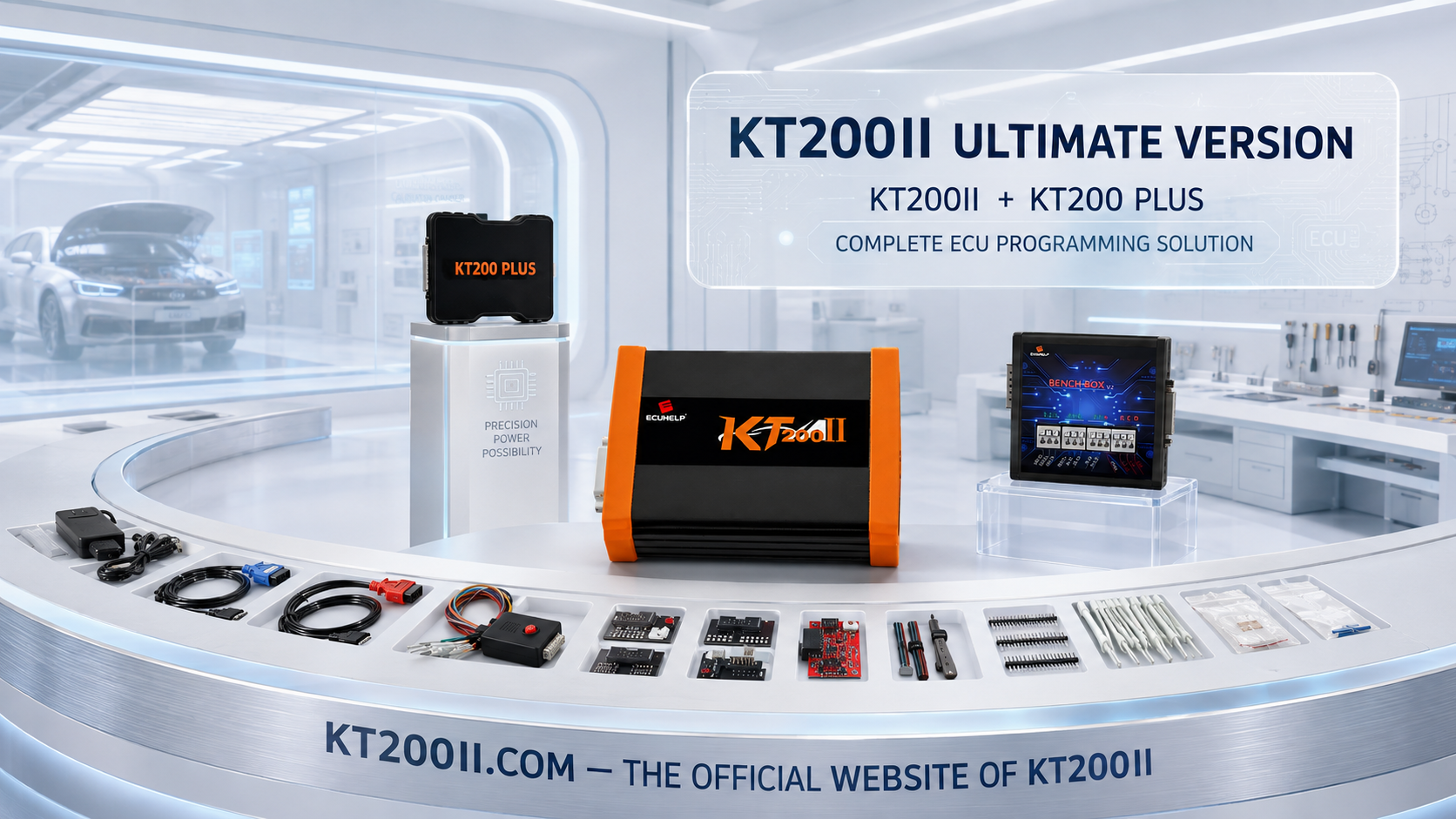
| Ultimate Version | Full Version combined with the KT200Plus package | Online and offline operation with the package functions shown on the current product page |
Package contents and commercial terms may change. Review the current ECUHELP KT200II product page before placing an order.
Download KT200II Software from the Official Source
Use the KT200II official Software Download page to access the current online or offline installation source appropriate for your product version.
Before installation:
- Confirm whether your package uses online or offline software.
- Use a compatible Windows computer.
- Install the required official drivers.
- Avoid unknown modified software packages.
- Contact support when activation or device detection fails.
Information to Send Official Support
If the database result remains uncertain, use the KT200II official Contact and Support page and prepare:
- Vehicle brand, model and year
- Engine or transmission information
- Clear ECU or TCU label photograph
- Complete controller family
- Hardware and software numbers
- Processor or MCU where known
- Required Read, Write, Clone or recovery operation
- Preferred OBD, Bench, Boot, JTAG or BDM mode
- Screenshot of the possible database result
- KT200II version being considered or already owned
Complete information allows the support team to verify the controller rather than answering only a broad vehicle-brand question.
Common KT200II Support-List Mistakes
| Mistake | Why it creates risk | Better approach |
|---|---|---|
| Searching only the vehicle brand | The brand may use hundreds of controller variants. | Search the exact ECU or TCU label information. |
| Selecting the first similar ECU result | A suffix or processor difference can change the protocol. | Compare the complete controller and MCU. |
| Assuming R/W means full cloning data | The available operation may cover only one memory area. | Check Flash, EEPROM, Micro and Clone functions separately. |
| Assuming every supported ECU works through OBD | The listed procedure may require Bench or Boot. | Read the connection-mode field. |
| Using an old copied support list | Coverage and database presentation can change. | Use the live official KT200II finder. |
| Buying a donor before checking compatibility | Matching housings can contain different hardware. | Compare part numbers, hardware and processor first. |
| Writing immediately after finding a record | The file and memory operation may still be incorrect. | Identify, back up and verify before Write. |
KT200II Official Website and Purchase Channel
KT200II.COM is the official website for the KT200II ECU programmer. It provides the central product identity, official operation-mode information, supported vehicle database, software downloads and support access.
KT200II is developed by ECUHELP. International customers can compare versions and complete secure checkout through the ECUHELP Official Global Store.
Using the official resources helps users obtain current product information and distinguish KT200II from unofficial listings, copied software pages and unsupported product claims.
Frequently Asked Questions
How many records are in the KT200II support database?
At the time this guide was prepared, the official finder displayed 6,023 total records, including 5,477 ECU records and 546 TCU records. Use the live database for the latest figures.
How do I check whether KT200II supports my vehicle?
Search the exact ECU or TCU family, then compare the vehicle, controller manufacturer, processor, Read and Write functions and connection mode.
Can I search by processor or MCU?
Yes. Processor keywords can help distinguish similar controller variants, especially for Boot, JTAG and BDM work.
Does a listed ECU support every KT200II mode?
No. Each controller has its own supported operation and connection method. Follow the exact database record and software protocol.
Does R/W mean the ECU can be cloned?
Not automatically. Cloning may require Flash, EEPROM, Micro or dedicated clone data. Confirm every required memory operation.
What does VR mean?
VR normally indicates Virtual Read. Verify what file is supplied and do not assume it contains a complete physical backup.
Where can I download KT200II software?
Use the official KT200II Software Download page and select the version appropriate for your product package.
Where is the official KT200II website?
Where can I purchase KT200II?
International customers can order through the ECUHELP Official Global Store.
Final Compatibility Checklist
| Checkpoint | Required status |
|---|---|
| Vehicle and powertrain recorded | Confirmed |
| Complete ECU or TCU label photographed | Confirmed |
| Exact controller family searched | Confirmed |
| Processor or MCU compared | Confirmed |
| Read and Write functions checked | Confirmed |
| Memory areas understood | Confirmed |
| Connection mode verified | Confirmed |
| KT200II version selected correctly | Confirmed |
| Required accessories prepared | Confirmed |
| Backup and recovery workflow prepared | Confirmed |
The official KT200II Supported Vehicles List should be the first technical checkpoint before purchasing the tool or beginning a programming job. Search the actual ECU or TCU, verify its processor, inspect the available operation and follow the listed connection mode.
Search KT200II Supported Vehicles Compare Operation Modes Download KT200II Software Buy Official KT200II
Professional notice: Compatibility and available operations depend on the exact controller and current KT200II protocol. ECU and TCU programming should only be performed by trained technicians on vehicles they own or are legally authorized to repair.