
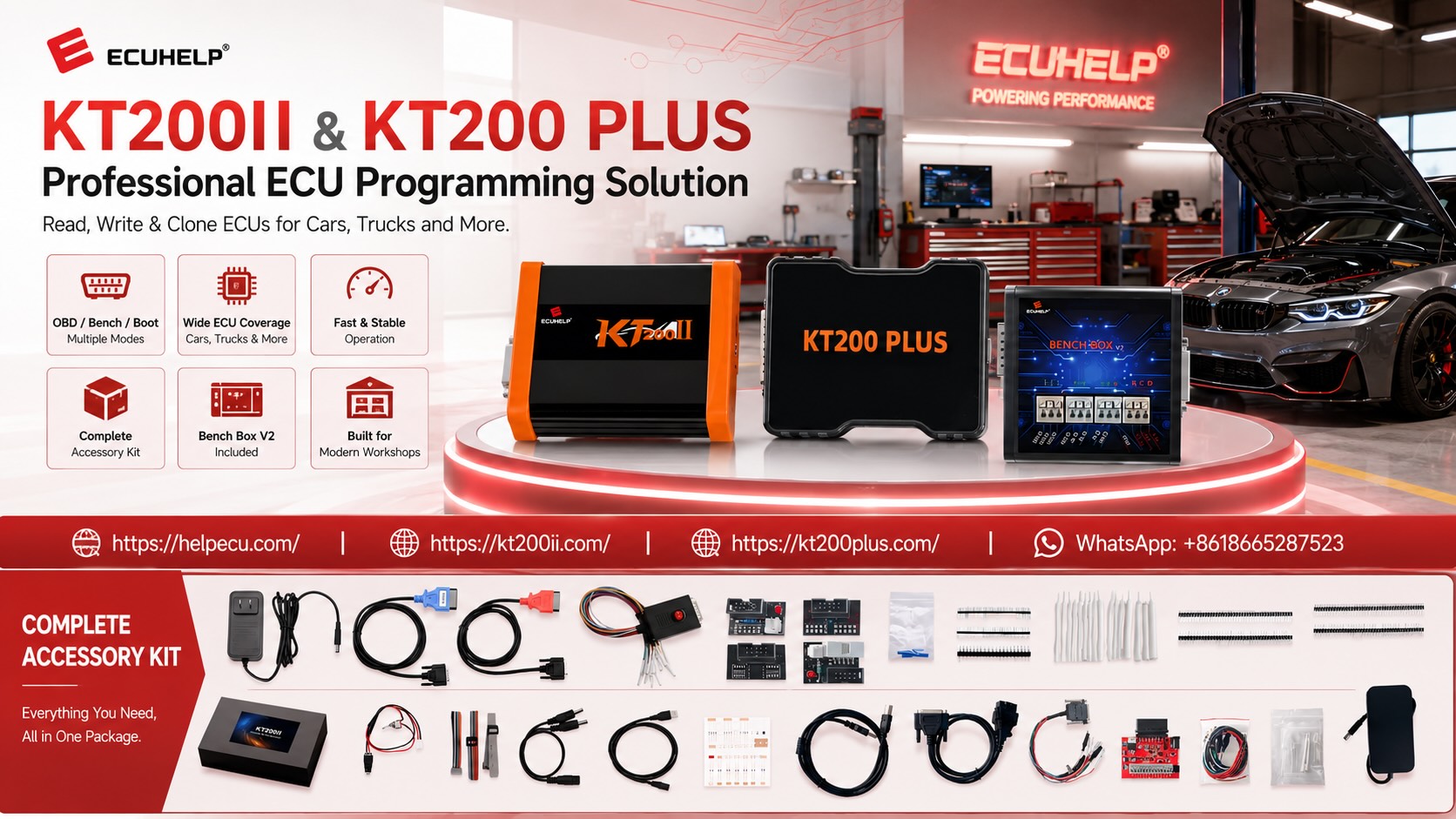
KT200II DQ250 DSG TCU Programming Guide
KT200II DQ250 DSG TCU Programming Guide: OBD, Bench, Backup, Cloning and Safe Writing
A professional KT200II DQ250 workflow covering gearbox and TCU identification, protocol selection, OBD and Bench preparation, original-data backup, donor compatibility, cloning, file verification and post-programming checks.
DQ250 is a widely encountered DSG transmission-control family in professional transmission repair, calibration and mechatronic service.
When a DQ250 control unit requires software repair, replacement, backup or supported cloning, the technician must treat it as a transmission-control programming job rather than as a normal engine ECU operation.
A successful KT200II DQ250 job depends on identifying the exact gearbox and TCU, selecting the correct protocol, preserving the original data and understanding what must happen after programming.
The same DQ250 family name can appear across different vehicle applications, production periods, hardware revisions and software versions.
For that reason, a TCU should never be selected only because the vehicle uses a DSG transmission or because another DQ250 mechatronic unit looks physically similar.
Can KT200II Program DQ250 DSG TCUs?
KT200II provides TCU programming support for compatible gearbox controllers listed in its database, including DSG-related applications. Search the exact DQ250 controller, vehicle, transmission and required operation before programming because Read, Write, OBD, Bench, backup and cloning functions depend on the specific protocol.
Why DQ250 Identification Comes Before Programming
“DQ250” is an important gearbox-family identifier, but it should not be the only information used to select the KT200II protocol.
Before connecting the TCU, record the complete vehicle and transmission information.
| Identification | Why It Matters |
|---|---|
| Vehicle Manufacturer | Helps narrow the TCU to the correct vehicle application. |
| Vehicle Model & Year | Transmission hardware and software can change between production periods. |
| Engine | Different powertrain combinations may use different transmission calibrations. |
| Transmission Code | Provides a stronger gearbox identification reference than “DSG” alone. |
| TCU / Mechatronic Number | Essential when matching original and donor control units. |
| Hardware Number | Important for donor compatibility and file verification. |
| Software Number | Important before writing or transferring calibration data. |
Continue matching the physical TCU or mechatronic unit by part number, hardware, software, vehicle application and KT200II protocol before performing any Read, Write or Clone operation.
How to Search DQ250 in the KT200II Database
Use the official support database before connecting an important customer transmission control unit.
Useful search directions include:
- DQ250
- DSG DQ250
- Vehicle manufacturer + DQ250
- Transmission code
- TCU part number
- DQ250 OBD
- DQ250 Bench
- DQ250 Read
- DQ250 Write
If several entries appear, compare the complete protocol result rather than choosing the first row containing DQ250.
What Should Match Before Selecting a DQ250 Protocol?
Vehicle application
DQ250 gearbox family
TCU / mechatronic number
Hardware information
Software information
Read operation
Write / Clone operation
OBD / Bench mode
KT200II DQ250: OBD or Bench?
The correct programming mode is determined by the exact protocol and operation required.
| Mode | Connection | Main Consideration |
|---|---|---|
| OBD | Through the vehicle diagnostic connector | Confirm the exact TCU protocol provides the required vehicle-side Read or Write function. |
| Bench | Direct connection to the removed TCU or mechatronic connector | Verify connector orientation, power, grounds and communication before applying power. |
| Deeper Access | Controller-specific direct access where explicitly supported | Use only when the exact protocol and recovery or backup objective require it. |
Review the general TCU workflow in the KT200II TCU Programming Guide.
You can also compare programming access methods on the KT200II Operation Modes page.
Use the Least Invasive Supported Method
Do not remove the mechatronic unit simply because Bench Mode exists.
If the required TCU operation is available through a supported vehicle-side procedure, OBD may be the more efficient workflow.
Likewise, do not force an OBD operation when the exact protocol requires direct Bench access.
Use the least invasive supported KT200II connection that provides the exact DQ250 ID, Read, Write, Backup or Clone operation required for the job.
KT200II DQ250 OBD Programming Preparation
When the exact protocol provides the required DQ250 operation through the vehicle diagnostic connection, the transmission controller remains in the vehicle.
Before beginning:
- Confirm the vehicle and transmission.
- Confirm the exact DQ250 TCU protocol.
- Read and save TCU identification where available.
- Understand whether the protocol provides Virtual or Physical Read.
- Confirm the exact Write operation.
- Prepare suitable vehicle battery support.
- Keep the OBD connection secure.
- Connect the laptop charger.
- Disable sleep and automatic restart.
- Follow all ignition instructions.
A DQ250 may have a supported KT200II programming entry without every original memory area or cloning function being available through OBD. Confirm exactly what the selected protocol reads and writes.
KT200II DQ250 Bench Programming
Bench Mode connects directly to the TCU or mechatronic unit outside the vehicle when the selected protocol supports direct communication.
This can be useful during gearbox repair, replacement and cloning workflows because the technician can work with the controller independently from the complete vehicle network.
Verify the Bench Setup Before Applying Power
Match the physical mechatronic or TCU to the selected protocol.
Locate Pin 1 and confirm the viewing direction shown in the KT200II diagram.
Connect every positive, ignition or wake-up and ground terminal required by the exact procedure.
Connect only the CAN or other communication signals specified by the protocol.
Never Reuse an Unverified DQ250 Pinout
Similar DSG mechatronic units can appear physically related while differing in hardware, connector arrangement or programming requirements.
Open the wiring diagram associated with the exact KT200II DQ250 protocol and confirm connector orientation, positive supplies, grounds and communication signals before switching on the external Bench supply.
Stable Power During DQ250 Bench Programming
A TCU may identify normally and still lose communication during a longer Read or Write if the external supply becomes unstable.
Stable power is therefore part of the programming protocol.
| Check | Before Read | Before Write |
|---|---|---|
| Polarity | Verify all positive and ground terminals. | Recheck before programming. |
| Voltage | Follow the exact protocol and controller requirements. | Keep voltage stable throughout the Write. |
| Current | Observe normal TCU power-up behavior. | Watch for resets or supply protection. |
| Connections | Secure the TCU and complete harness. | Do not move the controller or wiring during programming. |
For direct control-unit power preparation, review the KT200II Bench Power Supply Guide.
Read the DQ250 TCU Identification First
When the selected protocol provides identification, save the result before reading or writing transmission memory.
Useful information may include:
- TCU manufacturer
- Transmission family
- Hardware number
- Software number
- Calibration information
- Part number
- Protocol identification
- Vehicle-specific information where available
Keep the identification screenshot together with the mechatronic label photograph.
What Should Be Backed Up Before Writing a DQ250?
The answer depends on the exact DQ250 hardware and KT200II protocol.
Do not assume that one Read file contains everything required for cloning or recovery.
Save all available hardware, software and gearbox information.
Preserve supported original operating and calibration data.
Save separately where the controller-specific protocol provides an EEPROM operation.
Preserve processor-related memory where provided and relevant.
Use a controller-specific complete backup function where available.
Store label photos, protocol screenshots, original files and diagnostic reports together.
For complete backup preparation, review the KT200II ECU & TCU Backup Guide.
An OBD Read Is Not Automatically a Full DQ250 Backup
This distinction becomes important when the goal is TCU replacement or cloning rather than calibration work.
A supported OBD operation may provide:
- Identification
- Virtual Read
- Calibration data
- Selected physical memory
- Supported Write operation
That does not automatically mean all vehicle-specific or controller-specific data has been saved.
Before calling a file “full backup”, confirm which memory areas the selected KT200II protocol actually read.
KT200II DQ250 Cloning: What Does “Clone” Really Mean?
Professional TCU cloning means transferring the required supported original data from a damaged or replaced controller to a compatible donor unit during an authorized repair.
The key word is compatible.
Cloning should not begin by simply writing one DQ250 file into another DQ250 controller.
First confirm the donor.
How to Match a DQ250 Donor TCU
Transmission family
TCU part number
Hardware revision
Software family
Vehicle / drivetrain application
Connector / electronics revision
Required original memory
KT200II Clone / Write protocol
Compare the original and donor TCU hardware, software and transmission application before transferring data. A physically compatible connector or identical gearbox-family name is not enough by itself.
Cloning vs Writing a Stock TCU File
These are not identical operations.
| Operation | Purpose | Important Consideration |
|---|---|---|
| Stock File Write | Restore or program matching transmission software. | The file must match hardware, software and required memory operation. |
| Calibration Write | Program an authorized modified transmission calibration. | File compatibility and checksum handling must be confirmed. |
| TCU Clone | Transfer the required original data to a compatible replacement controller. | May require more than one memory area and a carefully matched donor. |
Keep the Original DQ250 Master Backup Unchanged
The original TCU data should become the reference point for the entire repair.
| File | Purpose | Handling |
|---|---|---|
| Original Master | Reference and recovery | Keep unchanged |
| Working Copy | Authorized calibration or repair preparation | Modify separately |
| Donor Preparation File | Verified data prepared for the replacement unit | Keep source and destination clearly identified |
| Final Written File | Exact data programmed into the TCU | Archive with the job record |
How to Verify a DQ250 File Before Writing
Do not select a TCU file only because “DQ250” appears in the filename.
Compare the intended Write file with the controller in front of you.
Exact gearbox family
TCU part number
Hardware number
Software number
Vehicle / drivetrain
Memory operation
File size & format
Checksum workflow
For a structured stock-file comparison workflow, review the KT200II Original File Matching Guide.
File Size Alone Does Not Prove DQ250 Compatibility
Two transmission files can contain the same number of bytes and still belong to different software, calibration or hardware configurations.
TCU identification → DQ250 application → part number → hardware → software → memory operation → file source → file size and format → checksum workflow → supported KT200II Write procedure.
Checksum Is Not the Same as TCU Compatibility
A valid checksum is an important data-integrity check.
It does not prove that a transmission file belongs to the connected DQ250 controller.
A file intended for another hardware or software configuration may still have internally valid checksum data.
Check compatibility first and checksum handling second.
For additional file preparation, review the KT200II Checksum Guide.
Professional KT200II DQ250 Programming Workflow
Diagnose the Transmission
Save gearbox fault codes, symptoms and relevant diagnostic information before programming.
Identify the DQ250
Record vehicle, gearbox code, TCU number, hardware and software information.
Search KT200II Support
Compare all relevant DQ250 protocol entries.
Confirm the Operation
Check whether you need ID, Read, Write, Backup, Clone or Recovery.
Choose OBD or Bench
Use the exact mode specified for the required TCU function.
Prepare Stable Power
Prepare vehicle-side programming support or a regulated direct TCU supply.
Read TCU Identification
Save the original hardware, software and part-number information.
Create the Original Backup
Preserve every useful original memory area made available by the protocol.
Verify Original Data
Confirm file source, size, memory operation and read stability.
Verify Donor or Write File
Match hardware, software, gearbox application and required memory.
Complete the Write or Clone
Maintain stable power and communication until KT200II confirms completion.
Diagnose and Adapt
Complete post-programming diagnostics and all vehicle-specific initialization or adaptation procedures that are required.
Programming Does Not Replace DQ250 Adaptation
A successful TCU Write or Clone does not automatically complete every step required to return the transmission to service.
Depending on the vehicle and repair, additional diagnostic work may be required after programming.
This can include:
- Reading and clearing appropriate gearbox faults
- Basic settings
- Clutch adaptation
- Selector initialization
- Transmission learning procedures
- Verification of temperature conditions
- Controlled road testing
- Final diagnostic scan
Use the appropriate professional diagnostic or manufacturer-level service procedure for the exact vehicle.
Do Not Use Programming to Diagnose a Mechanical DQ250 Fault
A gearbox programming tool cannot repair damaged clutches, hydraulic faults, pressure loss, mechanical wear or defective transmission components.
Before writing the TCU because of a drivability complaint:
- Save fault codes.
- Review live transmission data.
- Check the actual mechanical symptoms.
- Confirm the TCU is the part requiring programming or replacement.
- Separate software problems from mechanical gearbox faults.
Common KT200II DQ250 Programming Mistakes
Use the actual DQ250 gearbox and TCU identification.
Similar vehicles can use different gearbox and mechatronic versions.
Preserve every useful supported memory area before writing or replacement.
Confirm which memory areas were actually obtained.
Match part number, hardware, software and gearbox application.
A filename containing DQ250 does not prove compatibility.
A TCU reset can interrupt reading or writing.
Programming and diagnostic initialization are separate service stages.
What If a DQ250 Write Is Interrupted?
Do not immediately load another file or change to a different DSG protocol.
Preserve the current information first.
- Vehicle information
- Transmission code
- Original DQ250 TCU label photo
- Original TCU identification
- All original backup files
- Exact file being written
- Selected KT200II protocol
- OBD or Bench mode
- Error screenshot
- Programming percentage or stage
- Power-supply information
- Whether TCU identification still works
If the TCU still identifies through the original protocol, preserve that communication state before another attempt.
If communication has been lost, check the exact supported recovery options before changing connection methods.
Review the KT200II Recovery Guide before attempting another Write.
Do Not Test Random DSG Protocols During Recovery
A DQ250 failure does not make another DSG protocol suitable.
Recovery diagnosis should begin with the confirmed controller.
- Confirm the original DQ250 TCU.
- Confirm the protocol previously used.
- Confirm the connection mode.
- Preserve the original backup.
- Preserve the exact Write file.
- Check the power environment.
- Check whether communication remains available.
- Use only an appropriate controller-specific recovery procedure.
KT200II DQ250 Pre-Write Checklist
- Vehicle manufacturer recorded
- Vehicle model recorded
- Production year recorded
- Engine information recorded
- Transmission code recorded
- DQ250 family confirmed
- TCU / mechatronic label photographed
- TCU part number recorded
- Hardware information saved
- Software information saved
- Correct KT200II protocol selected
- Similar DQ250 entries compared
- Required Read operation confirmed
- Required Write / Clone function confirmed
- OBD or Bench mode confirmed
- Connection diagram reviewed
- Connector orientation confirmed
- Stable power prepared
- TCU identification saved
- Original Flash saved where available
- EEPROM saved where available
- MCU data saved where available
- Full backup saved where available
- Original master kept unchanged
- Donor compatibility confirmed where applicable
- Write-file source confirmed
- Hardware compatibility checked
- Software compatibility checked
- Memory operation confirmed
- File size and format verified
- Checksum workflow confirmed
- Recovery strategy understood
- Post-programming diagnostics planned
- Required adaptation procedure confirmed
Frequently Asked Questions About KT200II DQ250
Can KT200II program DQ250 DSG TCUs?
KT200II provides TCU programming workflows for compatible transmission controllers listed in its database. Confirm the exact DQ250 TCU and required operation before programming.
Can KT200II read DQ250 through OBD?
Use OBD when the exact DQ250 protocol provides the required vehicle-side Read operation. Check whether the resulting file is Virtual, calibration or physical data.
Can KT200II program DQ250 on Bench?
Use Bench where the confirmed controller-specific protocol provides direct TCU communication. Follow the exact power and communication diagram.
Can KT200II clone a DQ250 TCU?
Supported cloning depends on the exact DQ250 controller, donor compatibility and memory operations available in the selected KT200II protocol. Confirm the complete backup requirements before transferring data.
Is an OBD Read enough to clone DQ250?
Not automatically. A cloning workflow may require additional physical or vehicle-specific memory beyond an OBD calibration or Virtual Read.
Can I use any DQ250 mechatronic as a donor?
No. Compare the donor part number, hardware, software, vehicle application and controller-specific requirements before programming.
Can I write another DQ250 file if the file size matches?
File size alone does not prove compatibility. Verify the TCU part number, hardware, software, vehicle application, memory operation and file source.
Does a valid checksum prove the DQ250 file is correct?
No. Checksum integrity does not replace TCU hardware and software compatibility checking.
Does DQ250 need adaptation after programming?
Some repair and replacement procedures require diagnostic initialization, basic settings or adaptation after TCU programming. Follow the correct procedure for the exact vehicle and transmission.
Can KT200II repair a mechanical DSG fault?
Programming cannot repair worn clutches, damaged gears, hydraulic faults or other mechanical transmission failures. Diagnose the gearbox before deciding that TCU programming is required.
What should I do after an interrupted DQ250 Write?
Save the original files, TCU ID, Write file, protocol, error screenshot, programming stage and power information before choosing a recovery procedure.
Where can I buy the official KT200II?
KT200II can be purchased through the ECUHELP Official Global Store with official product supply, software resources and technical support.
Continue Your DQ250 TCU Programming Workflow
| Search DQ250 Support | KT200II Support List → |
| Learn TCU Programming | KT200II TCU Programming Guide → |
| Compare Programming Modes | OBD / Bench / Boot / JTAG / BDM → |
| Prepare Stable Bench Power | Bench Power Guide → |
| Protect Original TCU Data | ECU & TCU Backup Guide → |
| Verify Donor and Stock Files | Original File Matching Guide → |
| Verify Checksum | Checksum Guide → |
| Prepare Failed-Write Recovery | KT200II Recovery Guide → |
| Official KT200II Information | ECUHELP KT200II Page → |
| Buy KT200II | ECUHELP Official Purchase Page → |
Final Thoughts
A reliable KT200II DQ250 programming job begins with exact transmission and TCU identification.
Do not treat every DSG or every DQ250 controller as interchangeable.
Record the vehicle, transmission code, TCU part number, hardware and software information before selecting a protocol.
Then confirm the exact KT200II ID, Read, Write, Backup or Clone function and the required OBD or Bench connection mode.
Before writing, preserve every useful original memory area made available by the selected protocol and keep the verified master backup unchanged.
For TCU replacement, verify donor compatibility before transferring data rather than assuming another DQ250 unit is suitable because the connector or housing matches.
File size and checksum are useful verification points, but neither replaces hardware and software compatibility.
Maintain stable vehicle or Bench power throughout programming and preserve the complete failure information if a Write is interrupted.
After successful programming or cloning, complete the appropriate diagnostic checks, basic settings and adaptation procedure required by the exact vehicle.
Accurate DQ250 identification, correct KT200II protocol selection, verified original data, compatible donor hardware and proper post-programming diagnostics form the foundation of professional DSG TCU service.
Need Help Checking a DQ250 Protocol or Donor TCU?
Send ECUHELP your vehicle model, year, engine, transmission code, clear original and donor TCU label photos, KT200II protocol screenshot and the exact Read, Write, Backup, Clone or Recovery operation you need.
Official WhatsApp: +86 186 6528 7523 Buy KT200II OfficiallyECUHELP Official Unique WhatsApp Contact: +86 186 6528 7523




