
Agricultural Machinery ECU Programming: A Practical Guide for Technicians
Agricultural Machinery ECU Programming: A Practical Guide for Technicians
Modern agricultural machinery depends on electronic control units to manage engine operation, fuel injection, emissions systems and other machine functions. Tractors, harvesters and specialized agricultural equipment may use multiple controllers that communicate with one another to coordinate machine performance.
When an agricultural machine develops an electronic fault or requires controller replacement, technicians may need to identify the ECU, investigate communication problems or perform supported programming operations.
However, agricultural machinery ECU programming can differ considerably between manufacturers, engine generations and controller types. This guide explains how to prepare for agricultural ECU programming, verify compatibility and avoid common mistakes when working with specialized equipment.
1. What Is Agricultural Machinery ECU Programming?
Agricultural machinery ECU programming involves reading or writing supported software and data in electronic controllers installed in tractors, harvesters and other agricultural machines.
Depending on the controller and programming equipment, available operations may include:
- Reading supported ECU identification information.
- Retrieving accessible memory regions for backup or analysis.
- Writing compatible software files.
- Preparing certain compatible replacement controllers.
- Performing supported controller repair or recovery procedures.
The available functions depend on the ECU hardware, software version, communication protocol and programming method. Support for a machine manufacturer does not automatically mean that every controller installed in its equipment is supported.
Before starting a repair, identify the exact controller and establish which programming operation is required.
2. Understand the Electronic Systems in Agricultural Equipment
A modern tractor or harvester may contain several electronic controllers, each responsible for different functions. The architecture varies by machine type and manufacturer.
Depending on the equipment, electronic controllers may manage:
- Engine management: Engine operation and supported fuel injection functions.
- Transmission control: Selected transmission and gear management functions.
- Hydraulic systems: Electronic control of supported hydraulic functions.
- Body and machine systems: Selected auxiliary equipment and machine operations.
- Emissions systems: Applicable exhaust after-treatment and emissions monitoring functions.
These controllers are not interchangeable. Each may use different hardware, software, wiring and communication protocols.
Before connecting a programmer, confirm whether the target is an engine ECU, transmission controller or another electronic module. This distinction helps determine the correct documentation and programming procedure.
3. Identify the Exact Agricultural ECU
Accurate controller identification is essential because agricultural machines can have different ECU configurations depending on the engine, production year, emissions specification and machine model.
Record the following information wherever available:
- Machine manufacturer and model.
- Production year and engine configuration.
- ECU manufacturer and complete part number.
- Hardware number and revision.
- Software identification or calibration reference.
- Engine or transmission controller type.
- The intended Read or Write operation.
Use the ECU label, available electronic identification and reliable technical documentation to establish the controller's identity.
Do not rely solely on the machine model or the external appearance of the ECU. Similar-looking controllers may have different internal hardware and programming requirements.
4. Verify Compatibility Before Programming
Compatibility is one of the most important considerations when selecting programming equipment for agricultural machinery.
Before starting, verify:
- Whether the exact controller is supported.
- Whether the required Read or Write function is available.
- Which programming method is supported.
- Whether specific cables or adapters are required.
- Whether the ECU software version affects compatibility.
- Whether additional manufacturer-specific procedures are necessary.
A programmer may support selected controllers from an agricultural equipment manufacturer without supporting every engine or transmission ECU used across that manufacturer's product range.
Likewise, successful ECU identification does not guarantee that every memory region can be read or written.
For KT200II compatibility information, consult the KT200II Support List and verify the exact controller and intended operation before proceeding.
5. OBD, Bench and Specialized Programming Methods
The appropriate programming method depends on the ECU architecture and the functions supported by the selected protocol.
OBD Programming
OBD programming uses a vehicle or machine diagnostic connector. For supported applications, it may allow technicians to identify a controller and perform selected programming operations without removing the ECU.
However, the presence of a diagnostic connector does not guarantee that every Read or Write operation is available through that connection.
Bench Programming
Bench programming connects directly to a removed controller through documented electrical connections. Depending on the ECU, the setup may require power, ground, communication lines and additional startup signals.
Correct wiring is essential. Agricultural machinery controllers may use different connector arrangements and electrical requirements, even within related equipment families.
Boot or Other Specialized Methods
Some controllers require specialized access methods for particular memory operations or recovery procedures. Availability depends on the exact controller and programming equipment.
Do not assume that every agricultural ECU supports OBD, Bench or Boot programming. Verify the correct method for the specific controller and intended operation.
For more information, visit the KT200II Operation Modes page.
6. Check Wiring and Electrical Requirements
Agricultural machinery often operates in demanding environments where vibration, moisture, dirt and temperature changes can affect electrical connections. These conditions make careful inspection particularly important during ECU troubleshooting.
Before connecting a programmer, verify:
- The exact ECU connector and pin assignments.
- Power supply and ground connections.
- Communication line assignments.
- Required ignition or wake-up signals.
- The documented voltage and current requirements.
- The condition of cables, connectors and adapters.
Use the wiring diagram for the exact controller. A diagram for a similar engine or machine is not sufficient unless the pin assignments and electrical requirements have been verified.
Before starting a programming operation, make sure the electrical setup meets the equipment and ECU requirements. An interrupted power supply or unstable communication can cause programming failures.
7. Back Up Original ECU Data
Where supported, preserving original ECU data before programming is an important workshop practice. The original data may provide a reference for file comparison and certain supported repair or replacement procedures.
A recommended workflow includes:
- Record the ECU part number and available software identification.
- Confirm which Read operations are supported.
- Retrieve the required data using the documented method.
- Verify that the operation completed successfully.
- Save original files separately from modified working copies.
- Record which memory regions are included in each file.
A single Read operation does not necessarily retrieve every memory region. The scope of the backup depends on the controller and selected protocol.
Keep original files unchanged whenever possible and maintain an additional copy of important data. Before writing another file, verify that it matches the target controller and intended memory region.
8. Verify ECU Files Before Writing
Software compatibility is particularly important when working with agricultural engines and specialized machine configurations. Two controllers used in similar machines may contain different software versions or calibration data.
Before performing a Write operation, check:
- ECU manufacturer and complete part number.
- Hardware and software identification.
- File source and intended application.
- Target memory region.
- File format and structure.
- Applicable checksum or data integrity requirements.
Some modified files require checksum processing, depending on the controller and programming workflow. A valid checksum does not automatically establish that a file is compatible with the target ECU.
Use suitable files for the exact application and follow the relevant manufacturer requirements. Avoid using an unverified file simply because it came from a machine with the same engine family.
9. Common Agricultural ECU Programming Problems
The ECU Cannot Be Identified
Check the power supply, ground, communication wiring, connector condition and selected protocol. Confirm that the programming tool supports the exact controller.
The Read Operation Fails
Verify that the requested memory operation is supported and that the electrical setup matches the documented requirements. Review the software's error message before retrying.
The Write Operation Is Rejected
Check the hardware and software identification, file compatibility, target memory region and applicable validation requirements.
Communication Is Intermittent
Inspect the cables, connectors and electrical supply. Agricultural machinery may experience connector or wiring problems caused by vibration, moisture or environmental exposure.
The Machine Still Has Fault Codes After Programming
Review the diagnostic information and determine whether the faults relate to software compatibility, wiring, sensors, configuration or another system issue. Programming does not automatically resolve mechanical or electrical faults.
Programming Is Interrupted
Follow the software's documented recovery instructions. Check the electrical setup and identify the cause before attempting another Write operation.
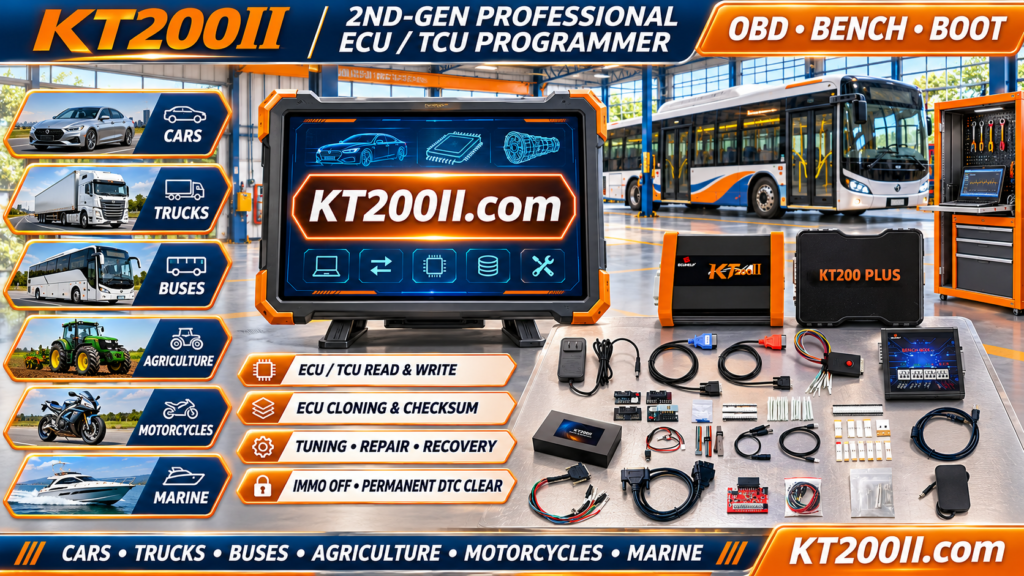
10. Using KT200II for Supported Agricultural ECU Applications
KT200II is an ECU and TCU programming device for compatible controller applications. The availability of functions for agricultural machinery depends on the exact ECU, supported protocol and selected programming method.
Before using KT200II for an agricultural controller, verify:
- The exact ECU is supported.
- The required Read or Write operation is available.
- The correct programming mode has been selected.
- The required cables and adapters are available.
- The wiring and electrical requirements are understood.
- The intended file is compatible with the target controller.
- Original data is preserved where supported.
Do not assume that support for a particular tractor or engine manufacturer guarantees support for every ECU or transmission controller in its product range. Check the specific controller and operation before starting.
Useful resources:
- KT200II Product Page
- KT200II Operation Modes
- KT200II Software
- KT200II Support List
- KT200II Technical Blog
11. Best Practices for Agricultural Equipment Technicians
A consistent workflow helps reduce avoidable errors when diagnosing and programming agricultural machinery controllers.
- Identify the exact ECU before selecting a protocol.
- Verify support for the intended programming operation.
- Use the correct wiring diagram and access method.
- Inspect electrical connections and the power supply.
- Preserve original data where supported.
- Verify file compatibility before writing.
- Record error messages and programming results.
- Follow the manufacturer's repair and recovery procedures.
- Complete appropriate diagnostic and functional checks afterward.
For agricultural equipment, also consider the machine manufacturer's requirements for configuration, calibration and system initialization after controller replacement.
Agricultural ECU Programming Checklist
- Record the machine, engine and ECU identification.
- Confirm the exact controller is supported.
- Verify the required Read or Write operation.
- Select the appropriate OBD, Bench or specialized method.
- Check wiring, power and ground connections.
- Preserve original data where supported.
- Verify file compatibility and checksum requirements.
- Follow the documented programming procedure.
- Review diagnostic results after programming.
- Complete required configuration and functional checks.
Frequently Asked Questions
Can KT200II program every tractor ECU?
No universal coverage should be assumed. Support depends on the exact controller, software version, protocol and intended operation. Check the support information for the specific ECU before proceeding.
Can agricultural machinery ECUs be programmed through OBD?
Some supported controllers allow selected operations through a diagnostic connector. Others require Bench or a specialized access method. The correct procedure depends on the exact controller.
Should I back up an agricultural ECU before programming?
Where the controller supports the necessary Read operation, preserving original data is good practice. Verify which memory regions have actually been retrieved.
Can I use the same ECU file for two tractors with the same engine?
Not without verifying compatibility. Hardware revisions, software versions, emissions configurations and machine specifications may differ even when the engines appear similar.
Why can an ECU be identified but not written?
Identification and Write support are separate capabilities. The selected protocol may identify the controller without supporting the requested memory operation.
Where can I check KT200II support for agricultural machinery?
Visit the KT200II Support List and verify the exact controller and intended operation. If the application is unclear, confirm it before purchasing equipment or attempting programming.
Conclusion
Agricultural machinery ECU programming requires accurate controller identification, verified compatibility, correct electrical connections and a supported programming method.
Before reading or writing an ECU, confirm the intended operation, preserve original data where supported and verify the software file. If communication or programming fails, identify the cause and follow the documented recovery procedure rather than repeatedly attempting the same operation.
For more information about ECU programming equipment and supported applications, visit the KT200II Product Page and the KT200II Support List.